1 connecting the vm-2hxl 1:2 hdmi distributor, Connecting the vm-2hxl 1:2 hdmi distributor – Kramer 1:2 HDMI Distribution Amplifier User Manual
Page 8
KRAMER: SIMPLE CREATIVE TECHNOLOGY
Using the VM-2Hxl 1:2 HDMI Distributor
6
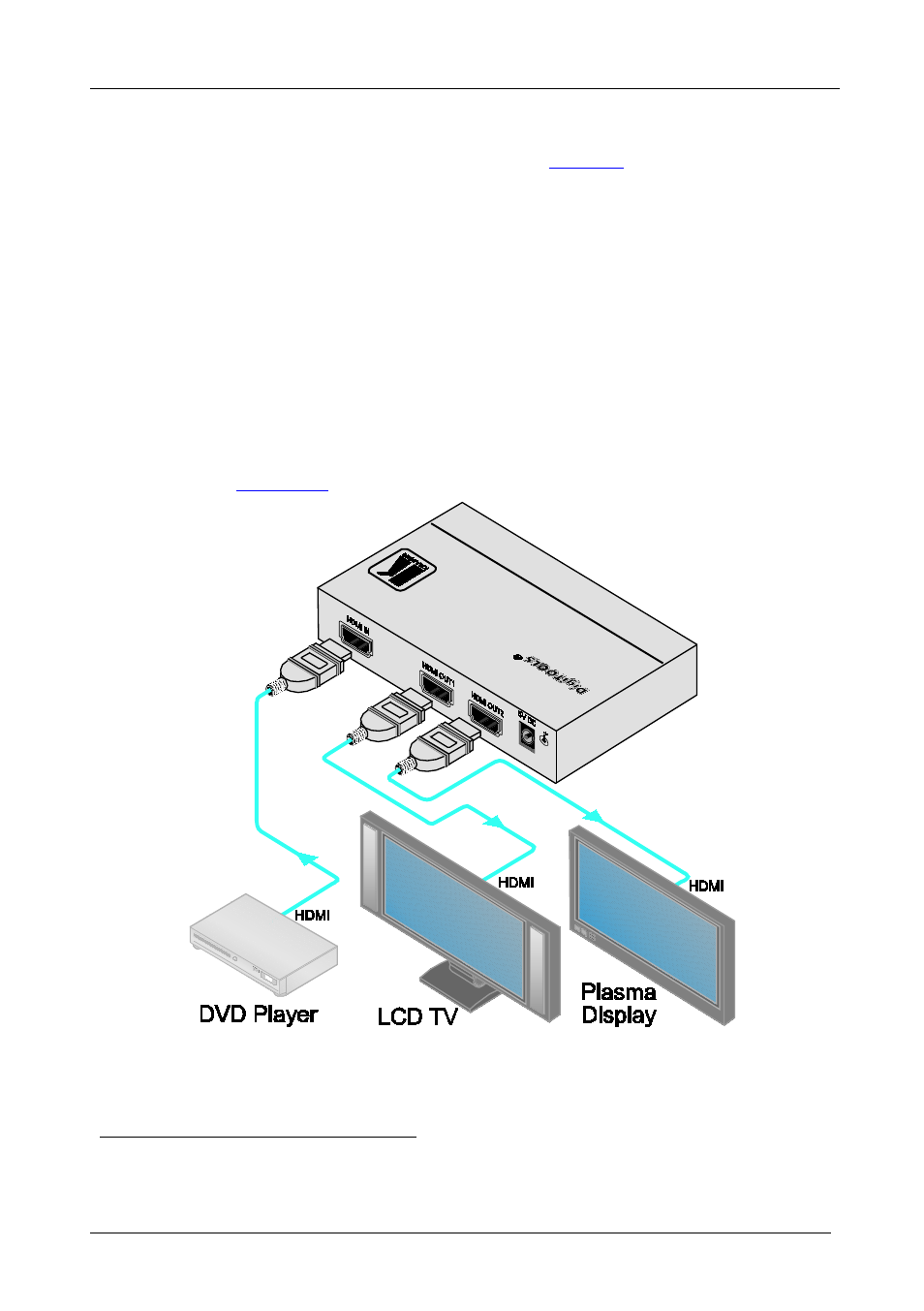
5.1 Connecting the VM-2Hxl 1:2 HDMI Distributor
To connect the
VM-2Hxl
following
1. Connect the HDMI source (for example, a DVD player) to the HDMI
IN connector.
:
2. Connect the HDMI OUT connectors to up to two HDMI acceptors, as
follows:
HDMI OUT 1 connector to an LCD TV
HDMI OUT 2 connector to a plasma display
3. Connect the 5V DC power adapter to the power socket and connect the
adapter to the mains electricity.
4. Press the EDID SETUP button to acquire or change the EDID information
(see
Section 5.2
Figure 2: Connecting a VM-2Hxl 1:2 HDMI Distributor
1 Switch OFF the power on each device before connecting it to your VM-2Hxl. After connecting your VM-2Hxl, switch on
its power and then switch on the power on each device