Kensington H3000 Bluetooth Over-Ear Headset User Manual
Page 3
Advertising
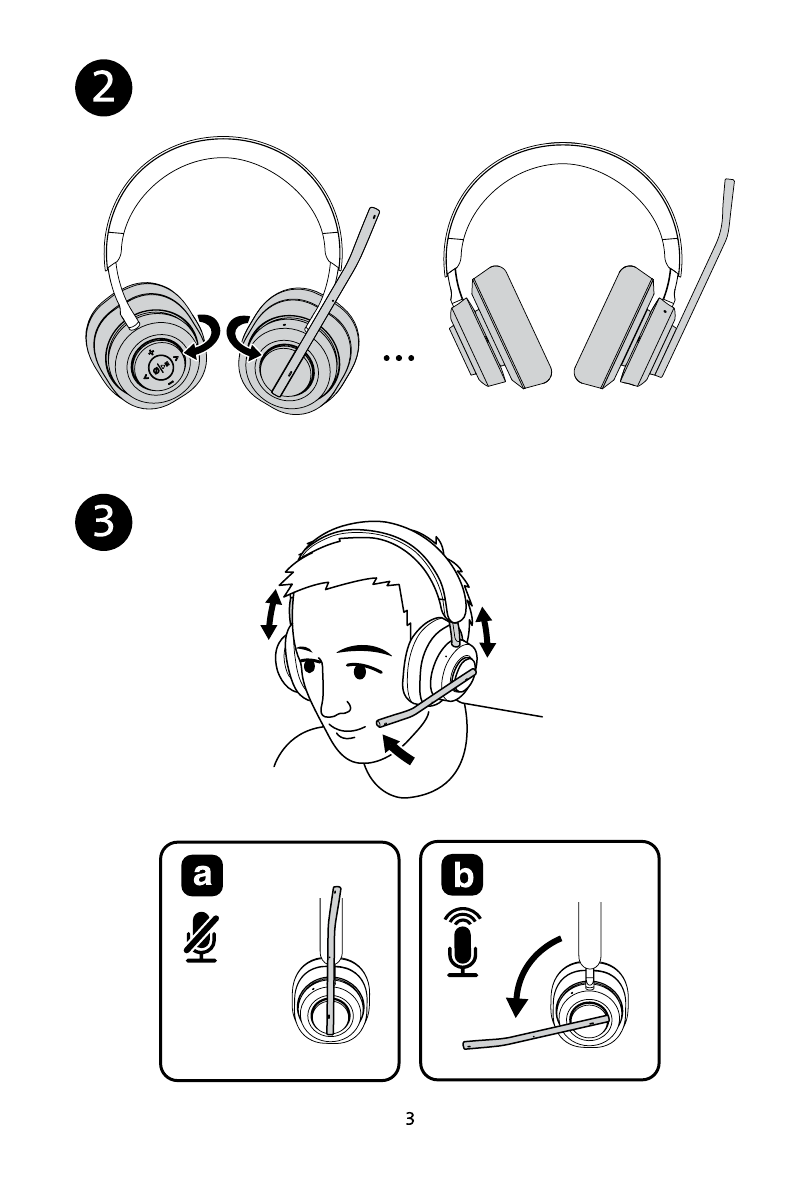
2. After removing your headset from the case, adjust the earcups so the memory foam earpads are facing each other.
3. Adjust your headset for optimal comfort and performance. Adjust the headband on both sides so the earpads rest comfortably over your ears.
Adjust the rotating microphone so it is directly in front of your mouth.
3a. This is a flip-to-mute microphone. When the microphone is up, the microphone is automatically muted.
3b. To unmute the microphone, swing the microphone arm down into the active position.
Advertising