Change cursor speed – Contour Design Wireless RollerMouse Free3 User Manual
Page 8
Advertising
RollerMouse Free3 user guide
B
/7
Change cursor speed
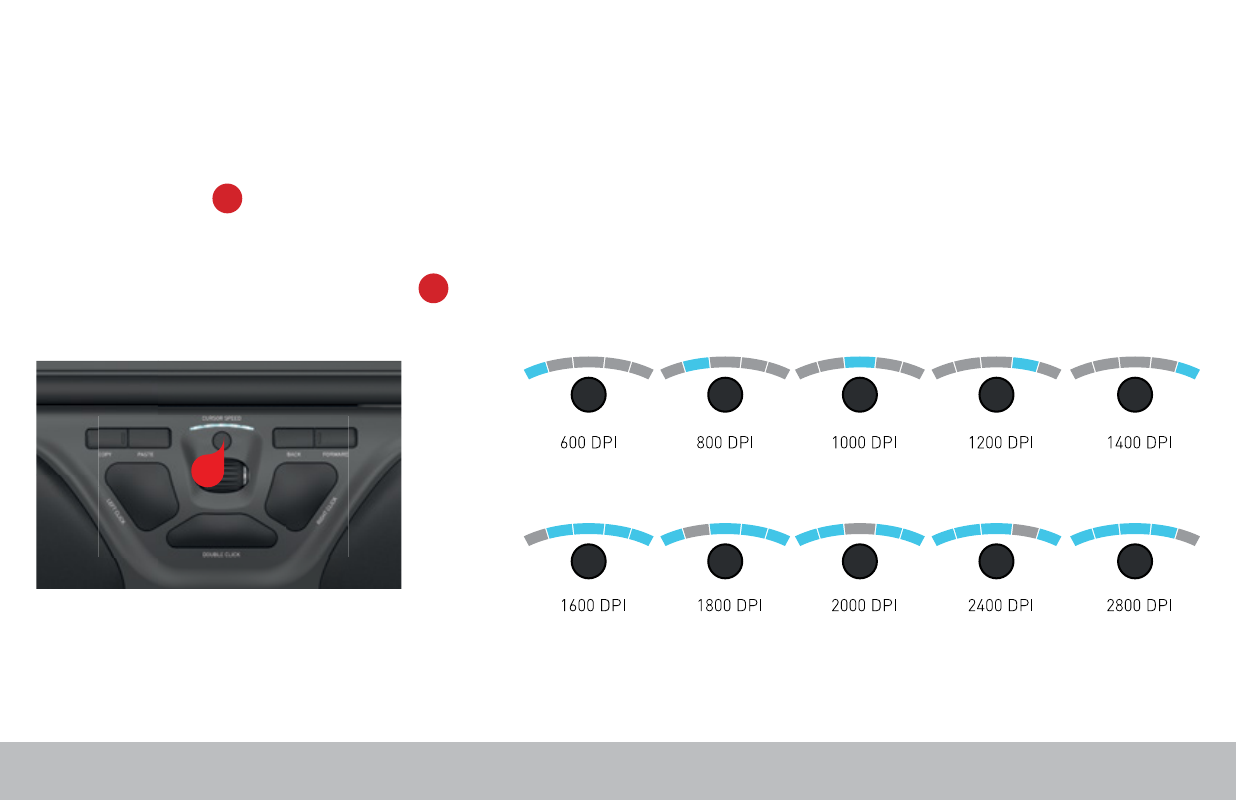
Press the Cursor Speed button to cycle through cursor speeds. There are
ten speed selections which range from slow (600 DPI) to fast (2800 DPI). Speed
can be identified by the LED lights as shown.
To see the current DPI level, press the Cursor Speed button once.
B
B
Advertising