Permitted connection types – LEICA Q3 Digital Camera User Manual
Page 4
18
Status LED
– Memory card access
– Using the WLAN function
– Firmware update in progress
– Charging process (wireless charging and
charging via USB)
19
Directional pad
in the menu:
– Menu navigation
– Applying menu settings
in shooting/recording mode:
– Shifting the AF metering field
20
Center button
in the menu:
– Applying menu settings
in shooting/recording mode:
– Direct access to menu functions
– Factory setting:
Toggle Info Levels
in review/playback mode:
– Factory setting:
Toggle Info Levels
21
Speaker
22
Battery compartment
23
Battery release lever
24
Tripod thread
A 1⁄4 DIN 4503 (1⁄4”)
25
Memory card slot
26
Alignment point for macro function
27
Macro ring
28
Focus ring
29
Aperture ring
30
Thread protection ring
31
AF/MF lock release
32
Focus tab
33
HDMI port
34
USB-C port
The use of a 9 V/3 A (≥ 27 W) AC adapter is
required where camera operation is desired
while the battery is recharging.
Only the mains cables supplied must be used.
The mains cables must only be used for the
supplied charger unit. Do not attempt to use the
mains cable or charger unit for other purposes.
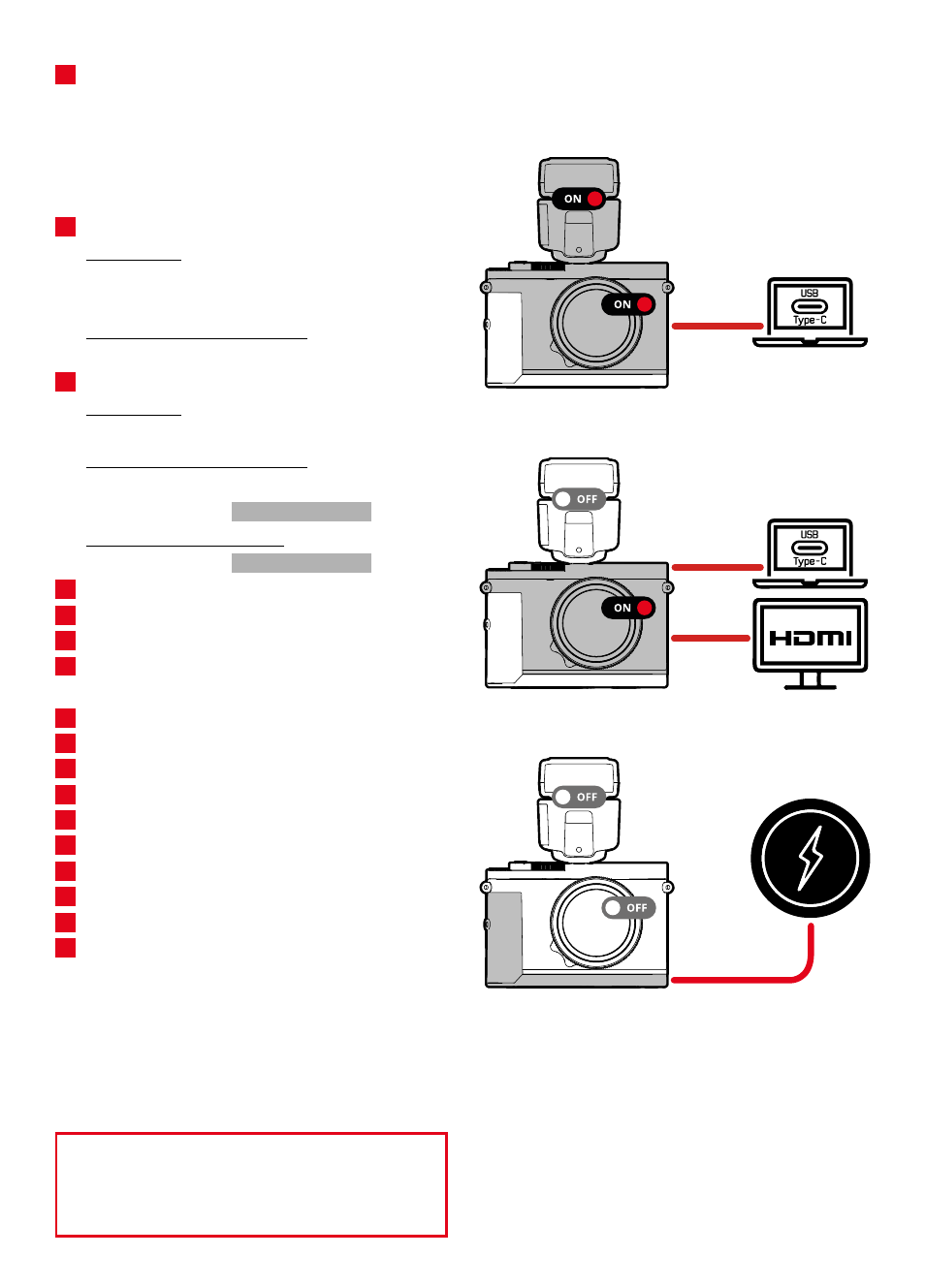
PERMITTED CONNECTION TYPES
TETHERING PHOTO VIA USB-C
TETHERING VIDEO VIA USB-C + HDMI
WIRELESS CHARGING
Note
• Use a switching adapter with a max. 100 W
output or less, which complies with the USB-PD
standard. Ensure compliance with the safety
standards IEC62368-1 (ES1, PS2-compliant –
60 V or less, 100 W or less). Contact the manu-
facturer of the switching adapter if you are not
sure that it complies with the safety standards.