Installation, Setting up the touch-panel – Vaddio Device Controller User Manual
Page 2
Installation
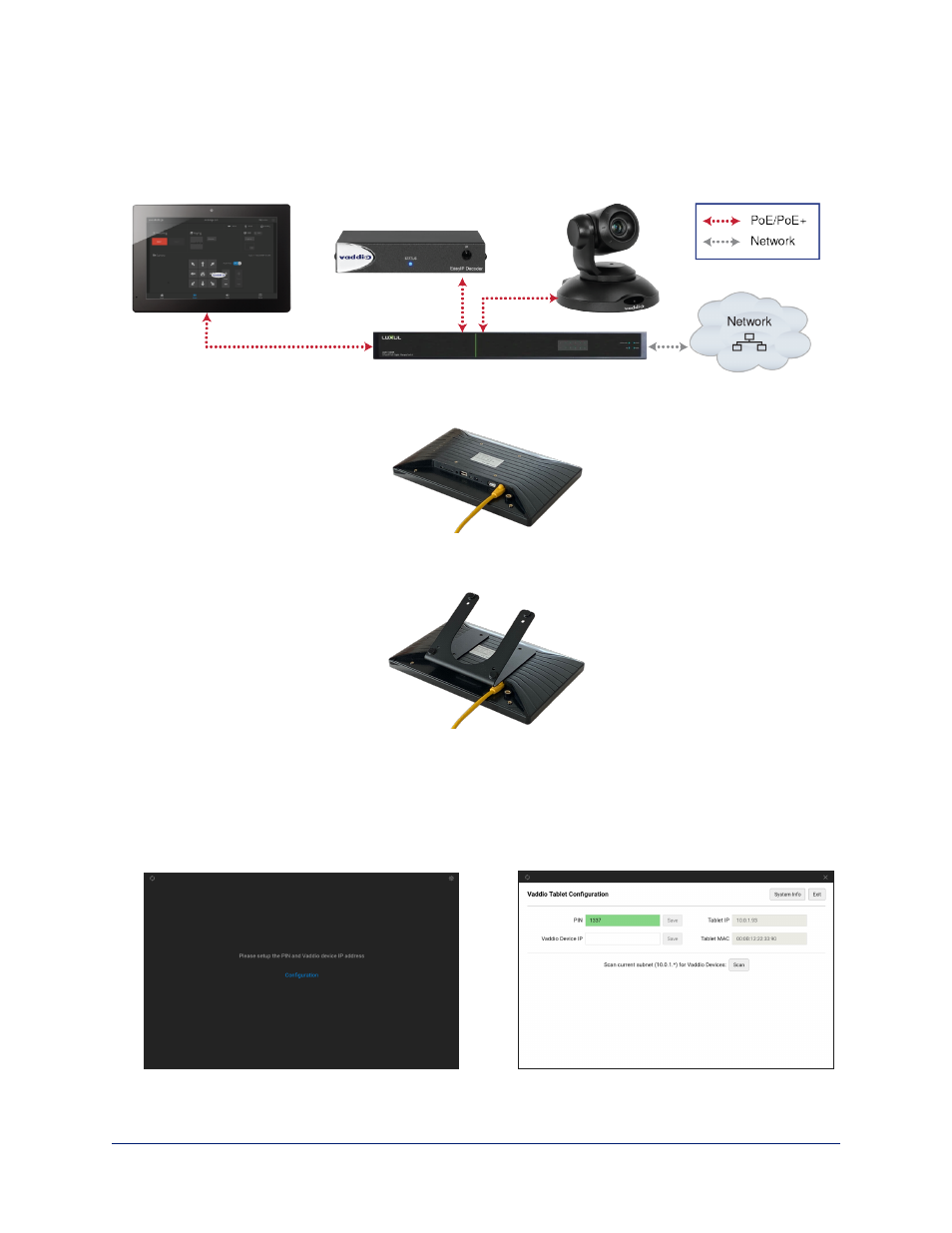
In this connection diagram, the Vaddio Device Controller touch-panel is connected to the same PoE+
switch that powers an EasyIP Decoder and EasyIP 10 camera. The touch-panel will locate the camera and
decoder when it scans the subnet.
1. Connect the Cat-5e cable to the touch-panel's network/PoE port.
2. Secure the mount to the touch-panel using the four screws.
3. Optional: Place the self-adhesive feet on the mount.
4. Connect the cable to a data and power source, such as the PoE+ switch that powers the devices to be
controlled.
Setting Up the Touch-Panel
You will need to set up the touch-panel. Select Configuration, then enter and save a PIN for the tablet. You
will need to enter the PIN whenever you return to the Configuration page.
2
Vaddio Device Controller Tablet Installation and User Guide