Locating a device to control, Opening the selected device's web interface – Vaddio Device Controller User Manual
Page 3
Advertising
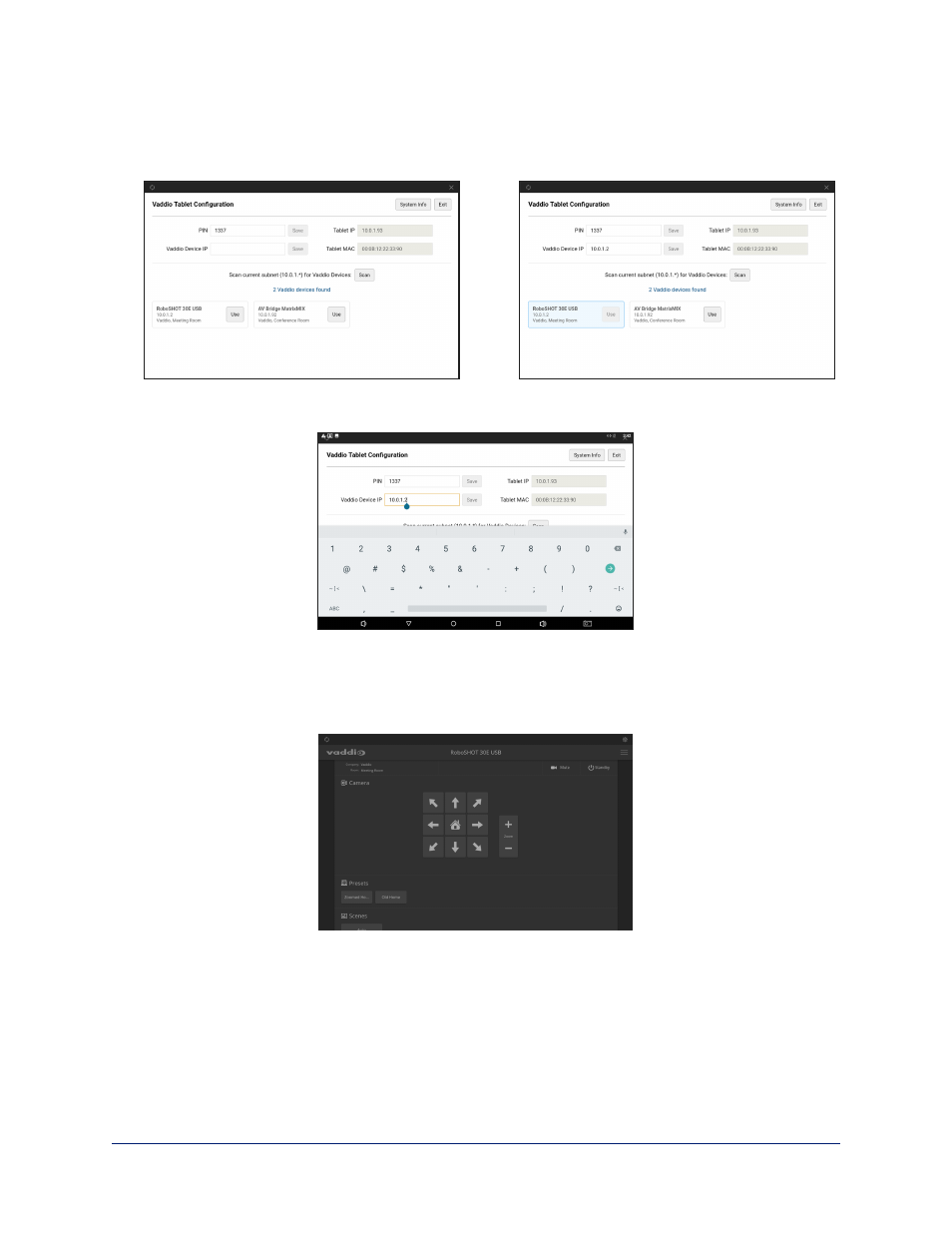
Locating a Device to Control
If you don't know the IP address
of the device you need to control, select Scan. The touch-panel
searches the subnet where it's connected, and displays the Vaddio devices it finds.
If you know the IP address
of the device you need to control, enter it in the Vaddio Device IP box and
select Save.
Opening the Selected Device's Web Interface
When you have selected the device to control, select Exit (upper right corner of the screen) to go to the
selected device's web interface. You will need to log in to the device if guest access is not enabled.
The first time you access a device at a specific IP address, the screen may remain blank for 20 seconds or
more.
3
Vaddio Device Controller Tablet Installation and User Guide
Advertising