Basics, Make/take/end calls, Answer or end a call – Poly Blackwire 5220 USB Type-A Stereo On-Ear Headset User Manual
Page 6: Make a call, Redial, Hold, Volume, Listening volume, Adjust headset microphone volume (softphone), Mute
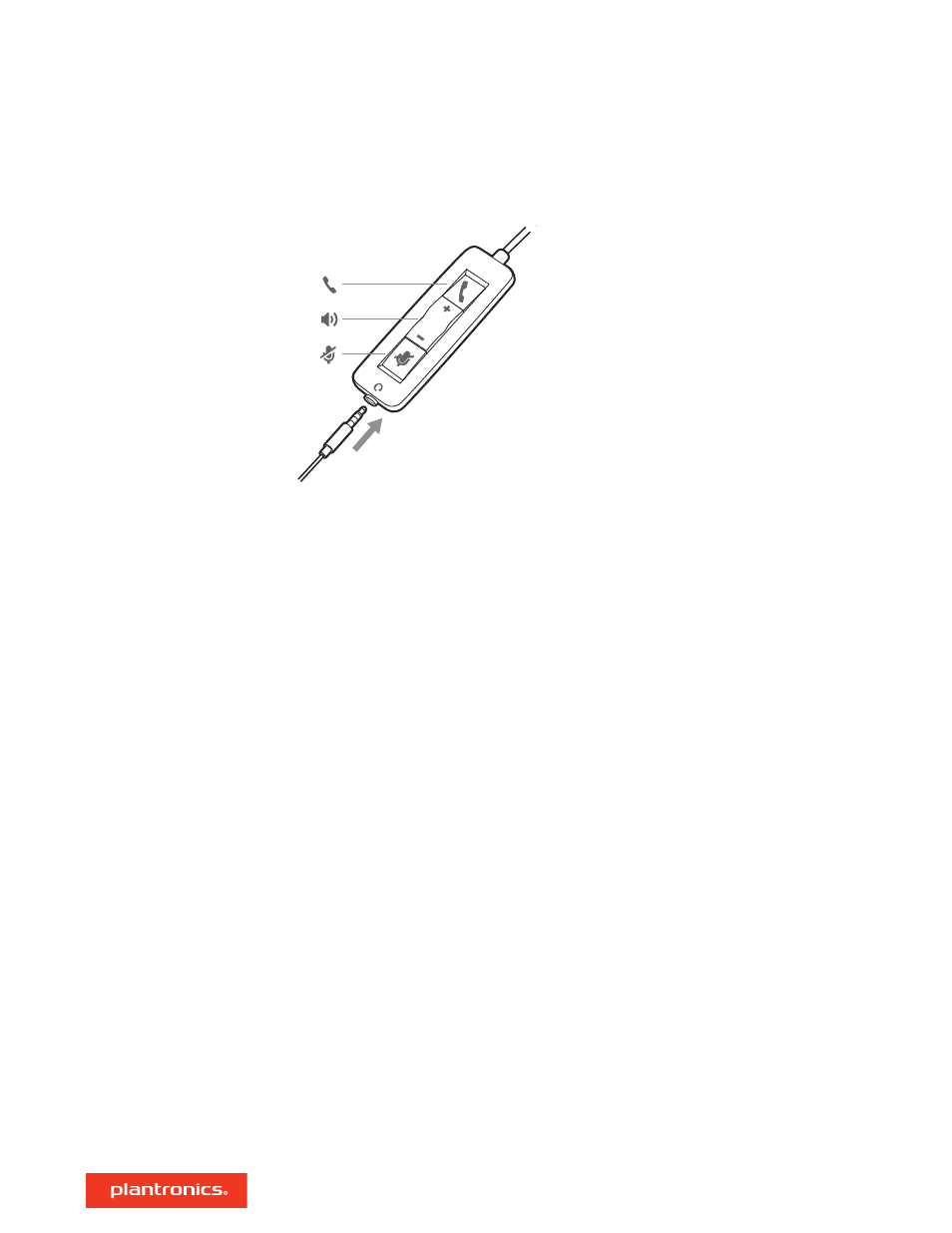
Headset call control is a software feature and dependent on a compatible softphone. If you have
not installed Plantronics Hub or do not have a compatible softphone, press the headset call button
first and then make/take/end the call using the softphone application. Download Plantronics Hub
for Windows or Mac at
.
NOTE
Inline feature support is not available when the headset is connected via the 3.5 mm jack.
Answer or end a call
Tap the Call button or use your softphone.
Make a call
Dial using your softphone application.
Redial
When not on an active call, double-tap the call button to redial the last call.
Hold
Double-tap the Call button to put a call on hold.
Listening volume
Press the Volume up (+) or Volume down (-) button.
Adjust headset microphone volume (softphone)
Place a test softphone call and adjust softphone volume and PC sound volume accordingly.
During a call, press the mute button. When mute is on, the LED is solid red. Modify your mute
settings in Plantronics Hub for Windows or Mac.
Basics
Make/take/end calls
Volume
Mute
6