Sony MZ-M100 User Manual
Page 13
13
R
eco
rd
e
r Op
er
ati
o
n
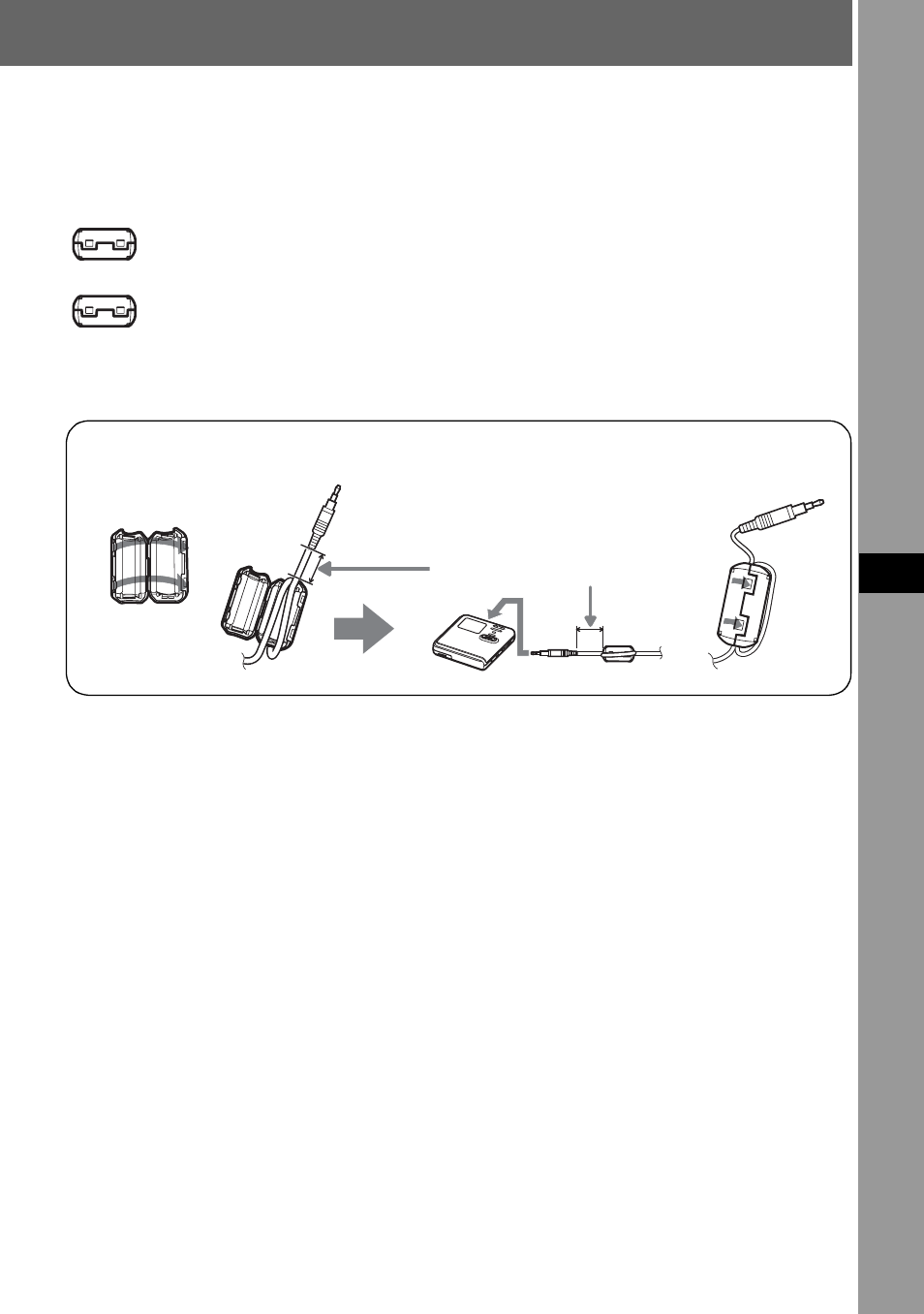
How to use the supplied clamp filters
When using the recorder connected to the computer, make sure to attach the clamp filters in
the way described. (You must attach a clamp filter to comply with the applicable EMC
standards.) It is unnecessary to attach the clamp filters if you use the unit without
connecting it to the computer.
•
For the supplied remote control: small-size clamp filter/ESD-SR-110
(for the European, Australian, Hong Kong and Korean models)
•
For the optional line cable (RK-G129/RK-G136): small-size clamp filter/
ESD-SR-110
(except for the Southeast Asian, African and tourist models)
1
Open the clamp filter.
2
Attach the clamp filters as follows.
For the supplied remote control: Wind the cord around the clamp filter once/Approx. 4
cm (1.6 in.) from the plug
For the optional line cable: Pass the cord through the clamp filter/Approx. 1 cm (0.4
in.) from the plug
3
Close the clamp filter. Make sure the clasps are fully engaged.
1
2
3
Refer to step 2 below for the
distance from the plug
connected to the recorder.