The sfp/sma/c2c tab, Status, The sfp/sma/c2c tab –12 – Altera Arria V GT FPGA User Manual
Page 34: Status –12
6–12
Chapter 6: Board Test System
Using the Board Test System
Arria V GT FPGA Development Kit
November 2012
Altera Corporation
User Guide
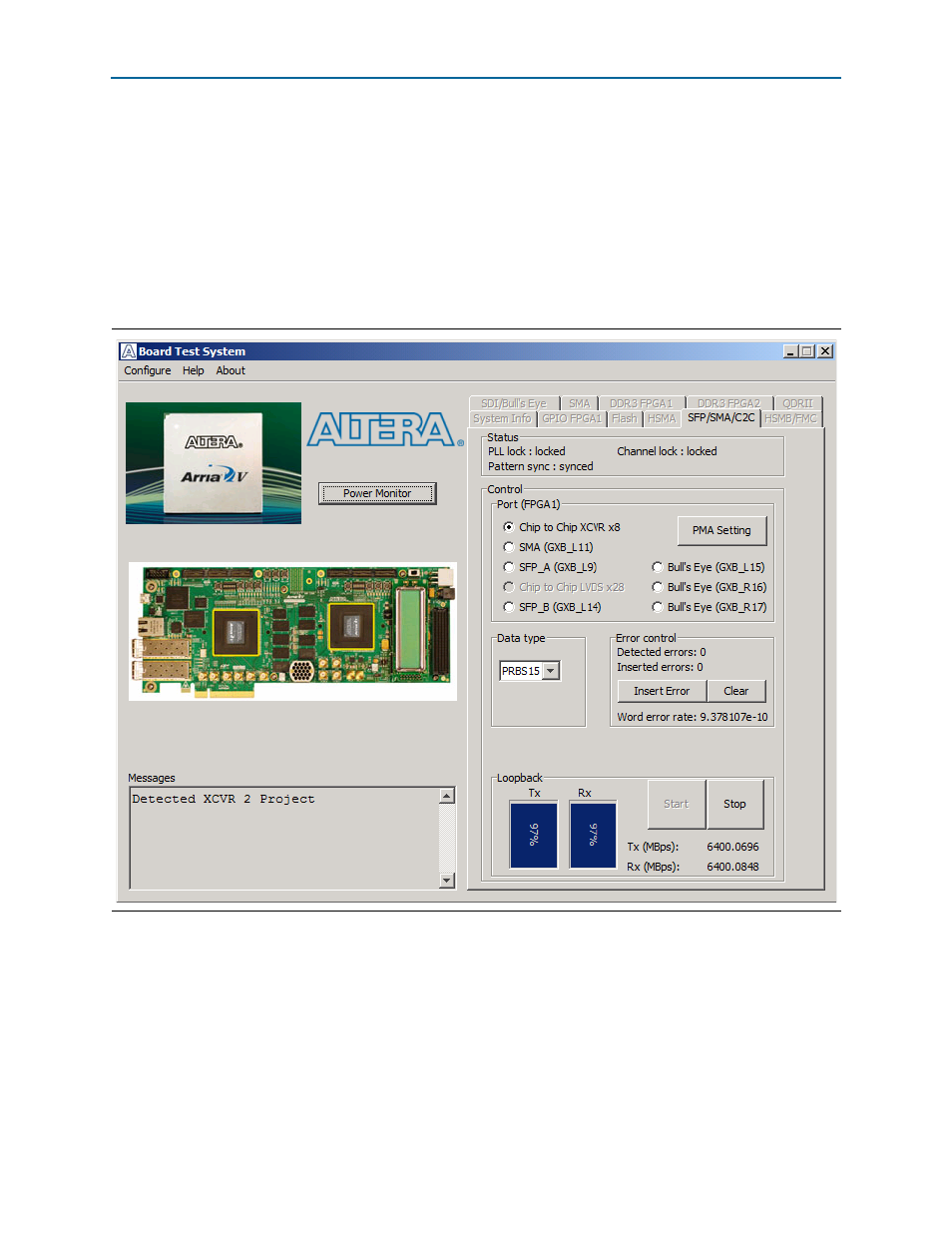
The SFP/SMA/C2C Tab
The SFP/SMA/C2C tab (
) allows you to run test designs using the
respective transceiver interfaces on FPGA 1.
1
To run the SFP+ designs using this GUI, use the USER1_DIPSW to enable or disable
SFP lasers. To turn the SFP_A laser on, ensure that USER1_DIPSW[4] is in the OFF
position (toward the HSMC connector). To turn on the SFP_B laser, ensure that
USER1_DIPSW[5] is in the OFF position.
The following sections describe the controls on the SFP/SMA/C2C tab.
Status
The Status control displays the following status information during the loopback test:
■
PLL lock
—Shows the PLL locked or unlocked state.
■
Channel lock
—Shows the channel locked or unlocked state. When locked, all
lanes are word aligned and channel bonded.
Figure 6–6. The SFP/SMA/C2C Tab