TOYOTA 2011 4Runner User Manual
Page 371
Advertising
349
3-2. Using the audio system
3
Inte
rior fe
atures
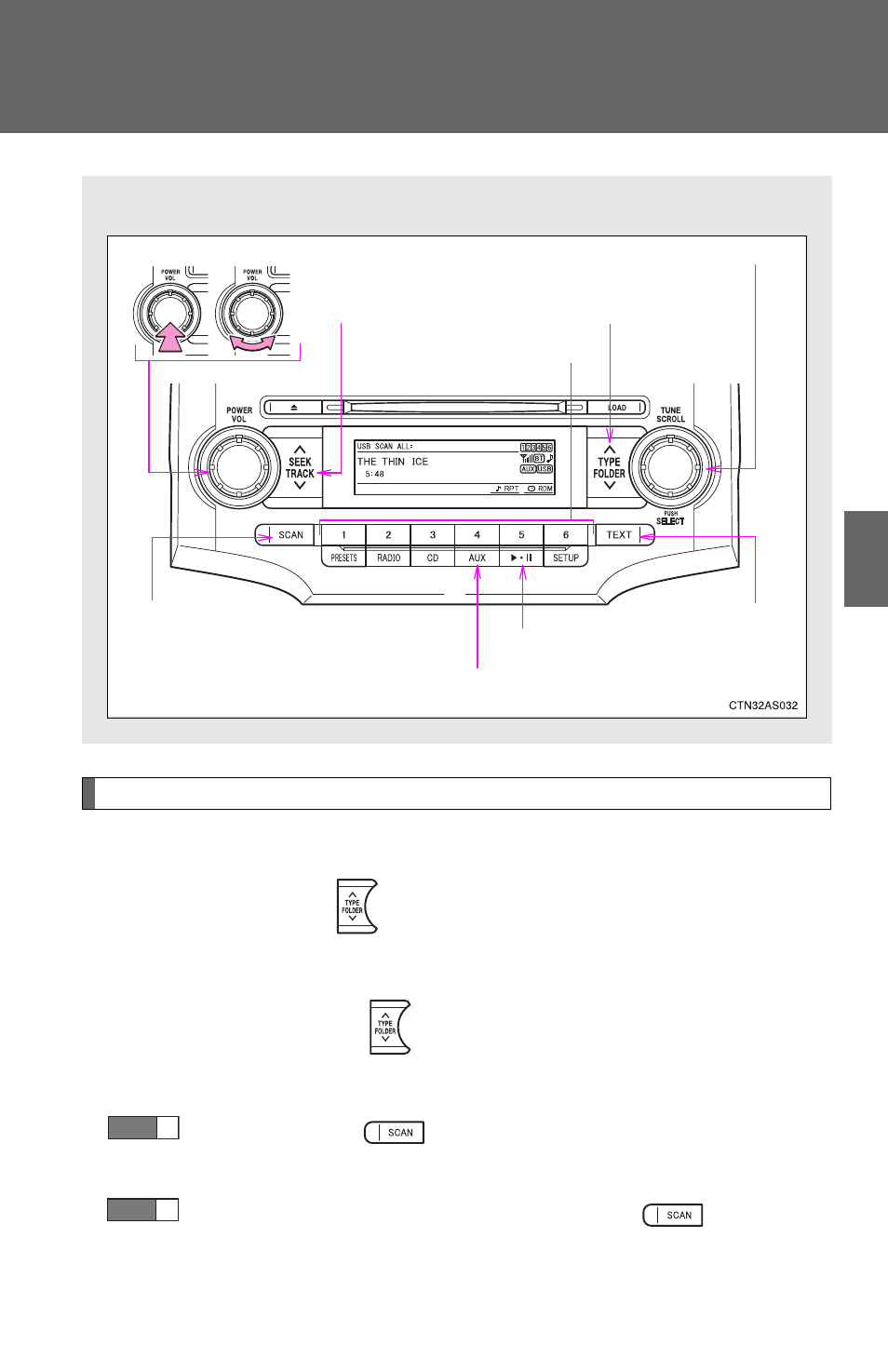
Selecting and scanning a folder
■
Selecting a folder
Press “
∧” or “∨” on
to select the desired folder.
■
Returning to the first file of the first folder
Press and hold “
∨” on
until you hear a beep.
■
Scanning the first file of all the folders
Press and hold
until you hear a beep.
The first ten seconds of the first file in each folder will be played.
When the desired folder is reached, press
again.
■
Control panel
Power
Volume
Selector knob
Displaying text
messages
Playback
Playback/pause
Searching
playback
Selector buttons
Selecting a
folder and file
Selecting a track/
fast-forwarding
and rewinding
STEP
1
STEP
2
Advertising
This manual is related to the following products: