J*am – Junger Audio J*AM Application Manager User Manual
Page 16
J*AM
13
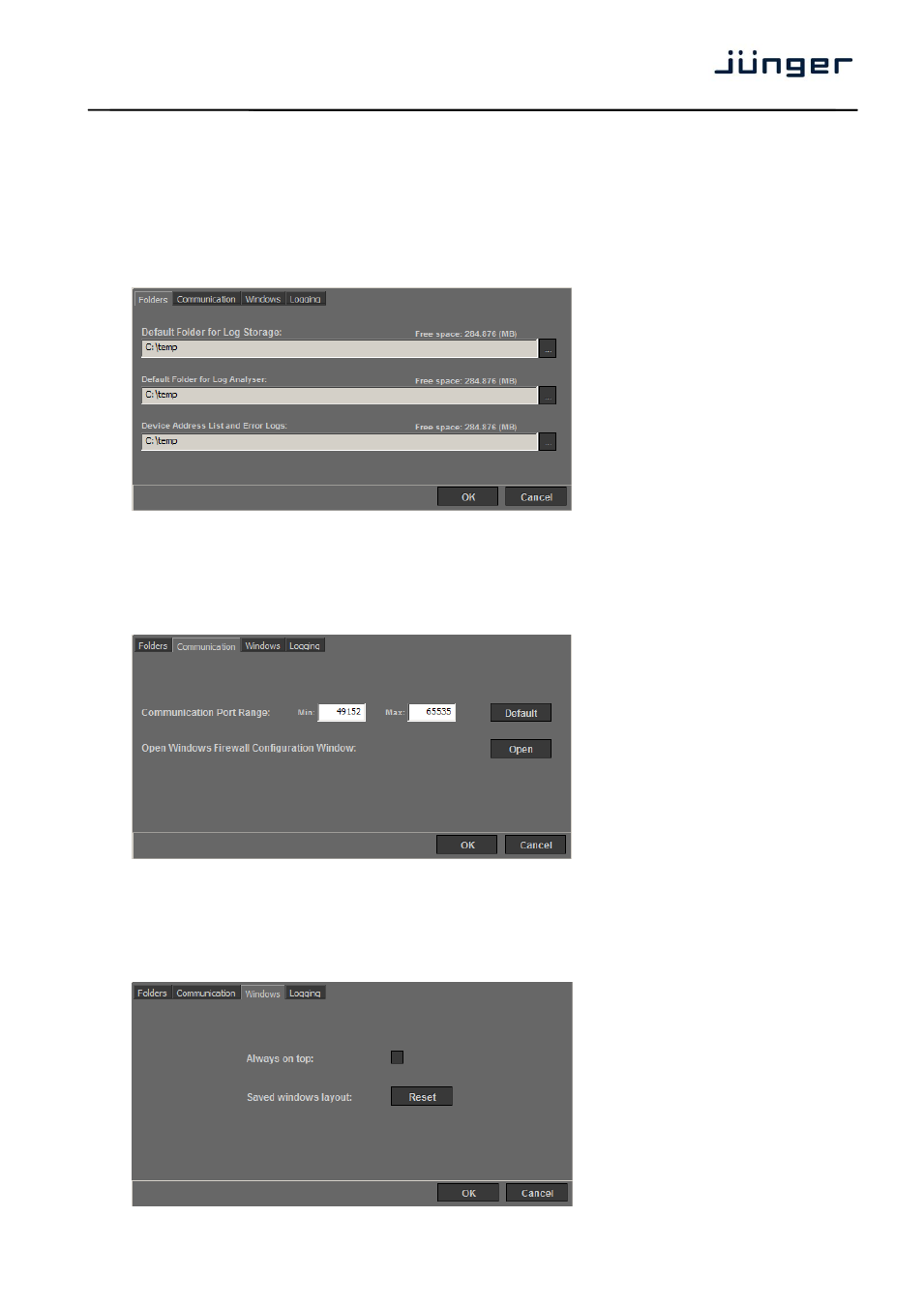
Settings dialog
To open the settings dialog please click on the “Settings” button in the menu bar in the main window.
Settings
– Folders
This dialog provides settings for locations where to store loudness log files, log analyzer files as well as a
error log for J*AM itself and a list of recent used ip addresses.
Settings
– Communication
The dialog for communication settings allows making decisions about UDP ports to use and gives a
shortcut to your firewall settings. Make sure to allow J*AM using the desired UDP ports.
Settings
– Windows
To make changes to the behavior of J*AM‟s application windows use the Windows settings. There you
may tell J*AM always to stay in the top layer of you desktop or to reset stored window positions.