Xtramus NuTEA-551 V1.2 User Manual
Page 17
17
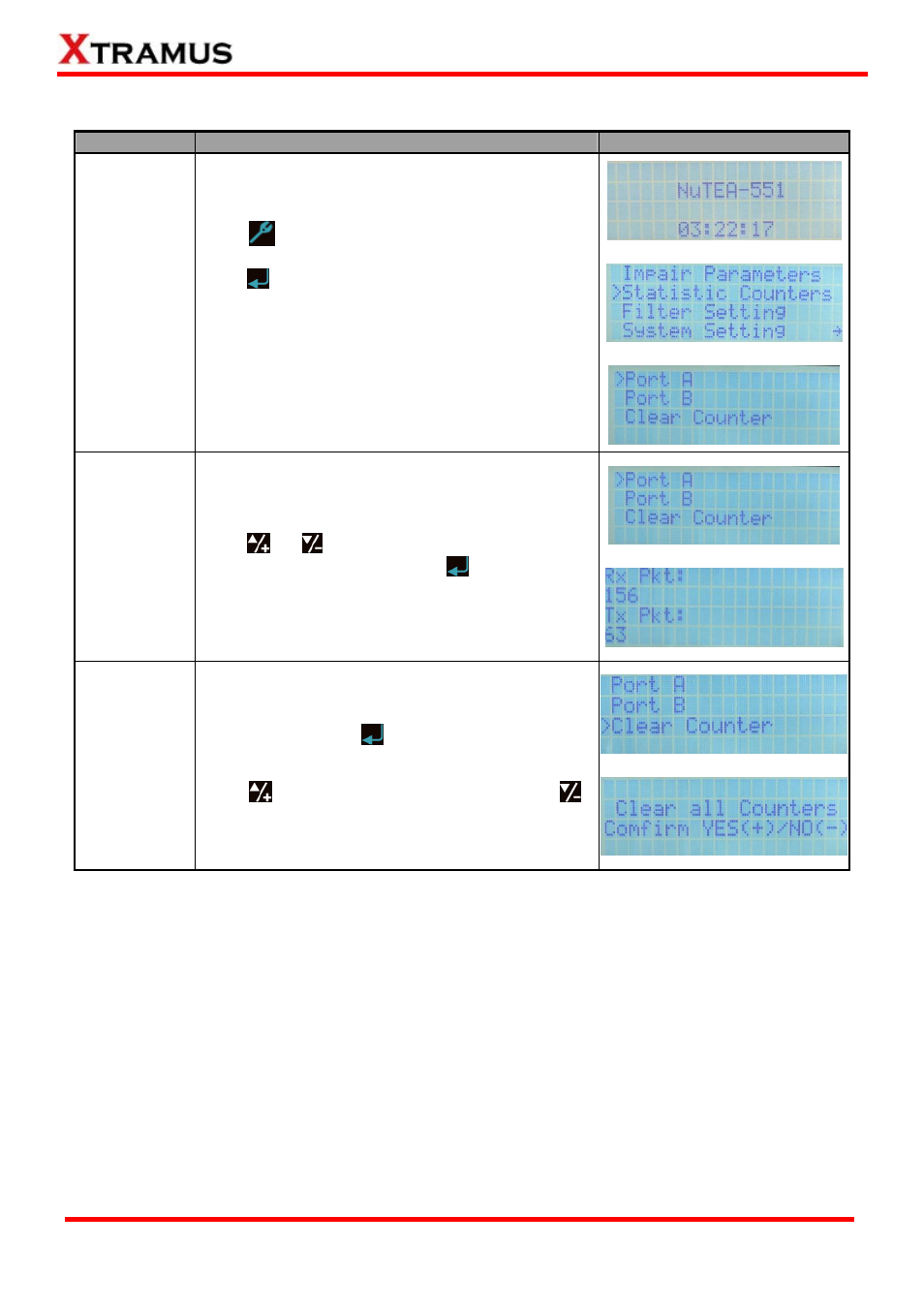
3.5. NuTEA-551 Front Panel Functions – Statistic Counters
Function
Control Button Action
LCD Display
Entering
Statistic
Counter Menu
Press
button to enter NuTEA-551’s main menu,
choose Statistic Counters from the main menu, and
press
button to enter NuTEA-551’s Statistic
Counters menu.
You can view statistics and counters for Port A and
Port B. Also, you can clear both Port A and Port B’s
counters here.
↓
↓
View Counter
When you’re in NuTEA-551’s Statistic Counter menu,
press
or
button to choose the Port you
would like to view and press the
button. You can
view counter reports for the port you’ve chose.
↓
Clear Counter
Choose Clear Counter from Statistic Counter
menu, and press the
button. NuTEA-551 will
prompt and ask if you’re sure to clear all counters.
Press
button to clear all counters, or press
button to cancel.
↓
E-mail: [email protected]
Website: www.Xtramus.com
XTRAMUS TECHNOLOGIES
®