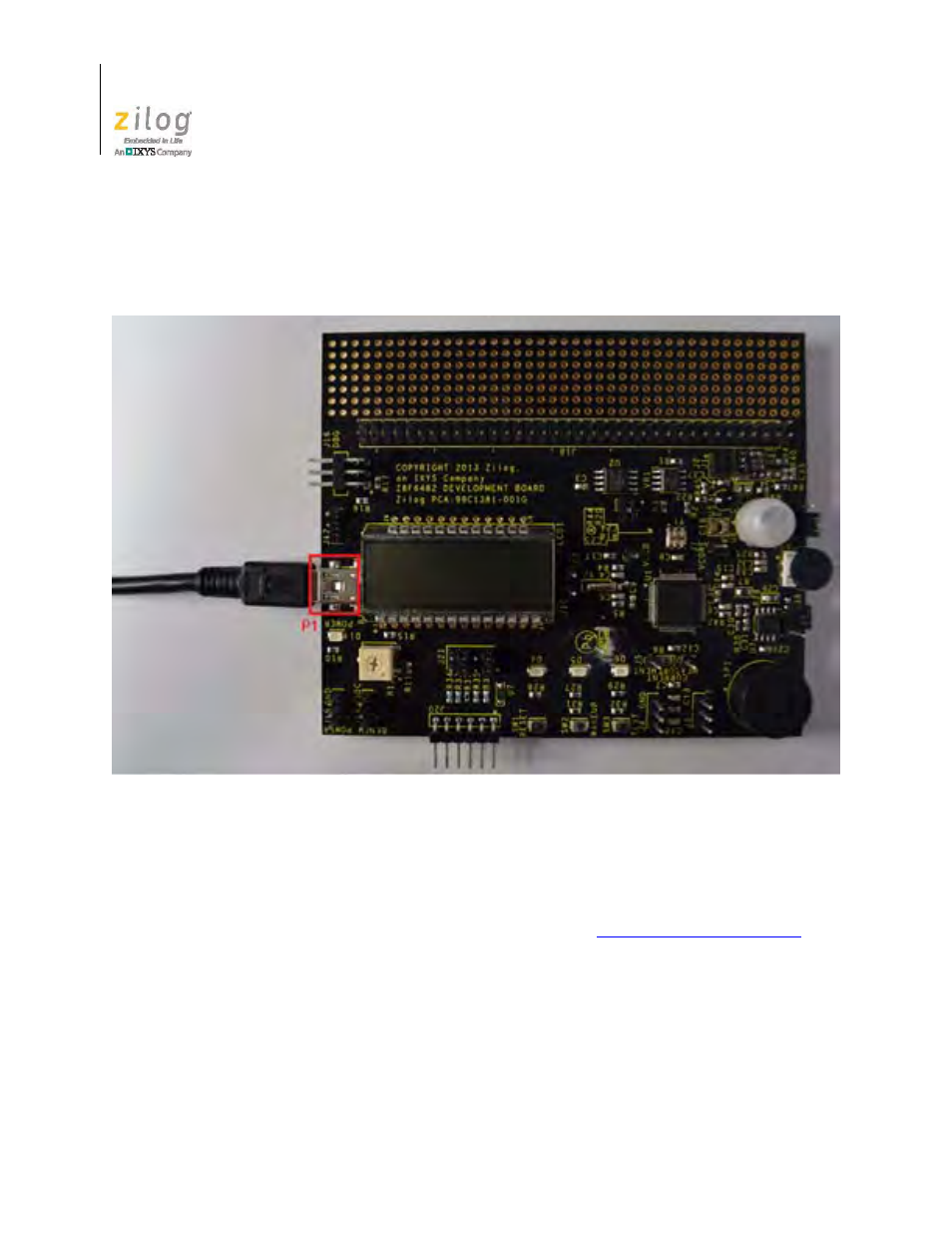
Start the z8f6482 demonstration program, Figure 5, Power supply port p1 connector – Zilog Z8F1681 User Manual
Page 18
The Z8 Encore! XP
®
F6482 Series Development Kit
UM026301-1013
8
Z8 Encore! XP
®
F6482 Series Development Kit
User Manual
4. With the USB A (male) to Mini-B cable, connect Port P1 on the F6482 Series Devel-
opment Board to a USB port on the development PC to apply power to the Develop-
ment Board, as highlighted in Figure 5.
Start the Z8F6482 Demonstration Program
The F6482 Series Development Kit includes a sample program that demonstrates a blink-
ing LED application. Any terminal emulation program used must be configured for
57600-8-N-1 with no flow control, as described in the
tion on page 12. To get started with the Z8F6482 demonstration, observe the following
procedure.
1. Launch ZDS II by navigating from the Windows Start menu to
Programs
→
Zilog
ZDS II – Z8 Encore! <version>
→
ZDS II – Z8 Encore! <version>
.
2. From the File menu in ZDS II, select
Open Project
as shown in Figure 6, and navigate
via the following filepath.
<ZDS Install>\samples\XP_F6482\XP_F6482_LedBlink_C
Figure 5. Power Supply Port P1 Connector