Configuring the lan channel and name – ARRIS WTM652 User Guide User Manual
Page 39
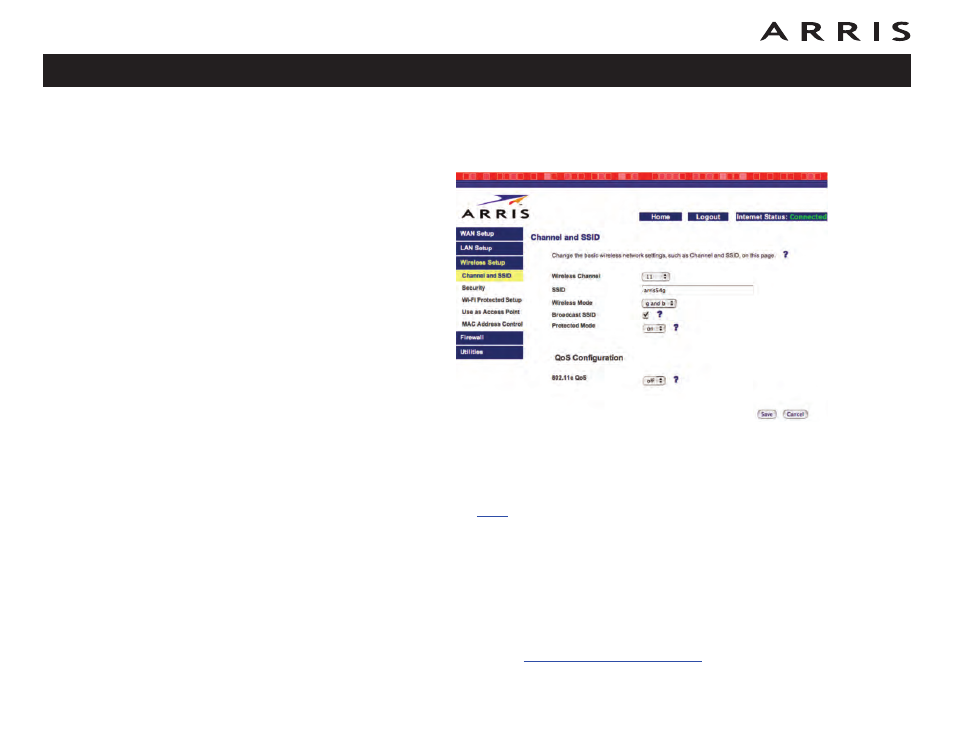
Configuring the LAN Channel and Name
1 Click the Wireless Setup link to open the Wireless menu, then click the Chan-
nel and SSID link to open the Channel and SSID screen:
2 Make the following changes to this screen as desired:
• Wireless Channel: Use the default shown in most cases. You may need
to change the channel if neighbors have wireless routers, or if you lose
your connection while using certain remote telephones.
•
SSID
: Give your wireless LAN any name you desire. For best security, do
not use your name or address. The default SSID is arris54g.
• Broadcast SSID: Uncheck to prevent passers-by from seeing your wire-
less LAN name in their connection utility. This provides only a small
amount of extra security, since many wireless utilities can learn an SSID
by listening to wireless traffic.
• Protected Mode: Set to On only if needed to overcome interference.
3 Click the Save button.
4 Proceed to
Touchstone WTM652 Telephony Modem User’s Guide
39