ARRIS DCT6208 TVGuide DVR Manual User Manual
Page 15
REV3-16.11.19.03
TV Guide Interactive
®
. We Make TV Better
SM
11
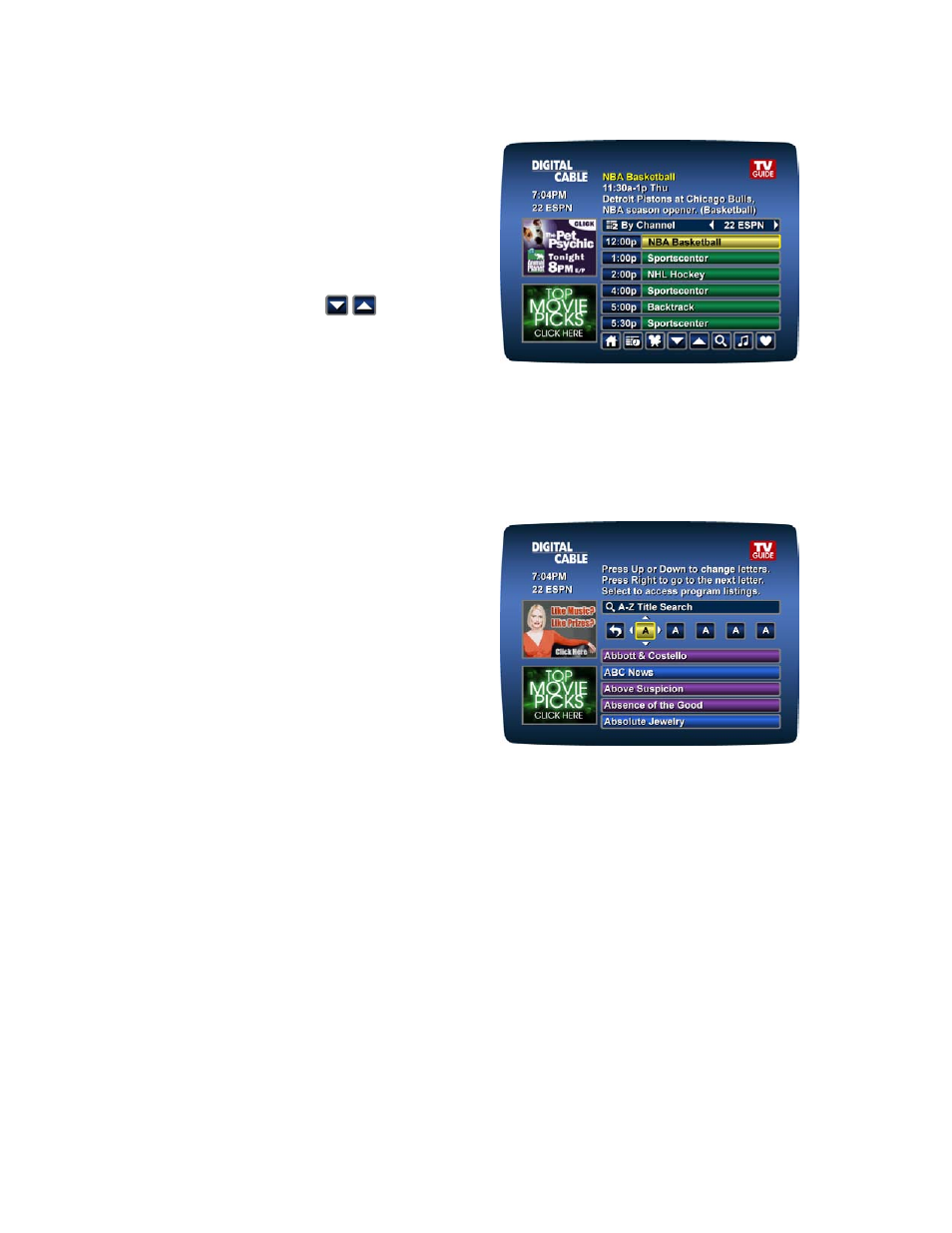
Listings by Channel
•
Select By Channel on the
Main Menu
to
see listings organized By Channel.
•
Press the ► button to see listings for the
next channel in sequence.
•
Use the ▲▼ and PAGE ▲▼ buttons on
your remote and the
icons on the
Quick Access Menu
to navigate listings.
•
Press INFO on your remote to see
detailed program information.
•
Highlight your selection and press OK to tune to it if the program is airing now, or to see
program information if the program airs at a later time.
A-Z Title Search
A-Z Title Search
allows you to find a specific
program by entering the first few letters of the
program name.
•
Select
A-Z Title Search
from the Search
Menu and use the ▲▼ buttons until the
letters you want appear in the boxes.
•
Advance to the next box by pressing the ► button on your remote.
•
Continue entering letters until the program you are looking for appears in the listings.
•
Press OK to jump to the listings. When you find a program you want to watch, highlight it
and press OK.
Adult Programming
The Adult category, accessed from the Search Menu provides access to listings for adult-
oriented programming. Adult programming may be purchased as a single program or as a
time-block package, depending on your cable provider’s service. For your convenience, you
may also restrict Adult titles from being viewed in the listings by setting
Parental Control
Locks
. See Parental Control section for more information.