BrightSign BrightAuthor User Guide v.4.1.1 User Manual
Page 73
Advertising
65
Chapter 4 – Making a Presentation Interactive
•
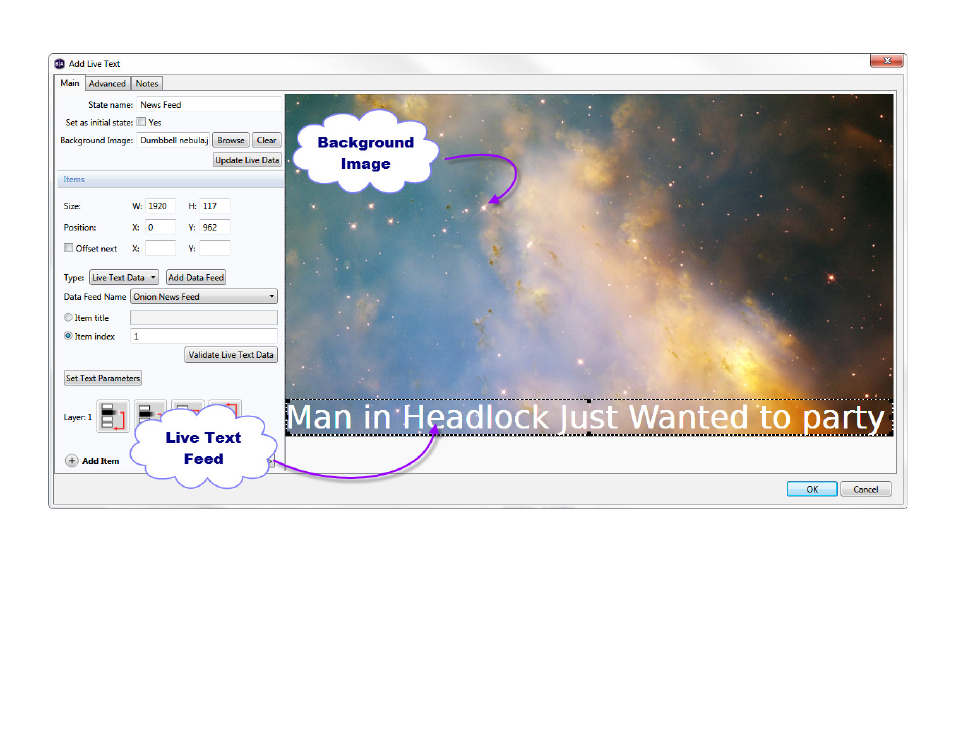
Position: Adjust the position of your text fields. X corresponds to the position of the text on a horizontal axis, and Y
corresponds to the position on a vertical axis.
Note: Input numbers in the Size and Position fields for more precise results. Alternatively, you can click and drag the
text fields in the preview area to adjust sizing and position.
•
Offset next:
Check this box to automatically set a position for new text items in relation to the most recently created
text item. Input the offset distance for the next text item in the
X and Y fields.
•
Type: Use the dropdown list to select the source of the content in the selected field:
Advertising
This manual is related to the following products: