2 set the console configuration, 1 samsetup, Samsetup -1 – Cadac SAM User Manual
Page 13: 56hw#wkh#frqvroh#frqiljxudwlrq
Set the console configuration
2-1
Revision SAM2005-2
Sound Automation Manager
5
6HW#WKH#FRQVROH#FRQILJXUDWLRQ
514
6DP6HWXS
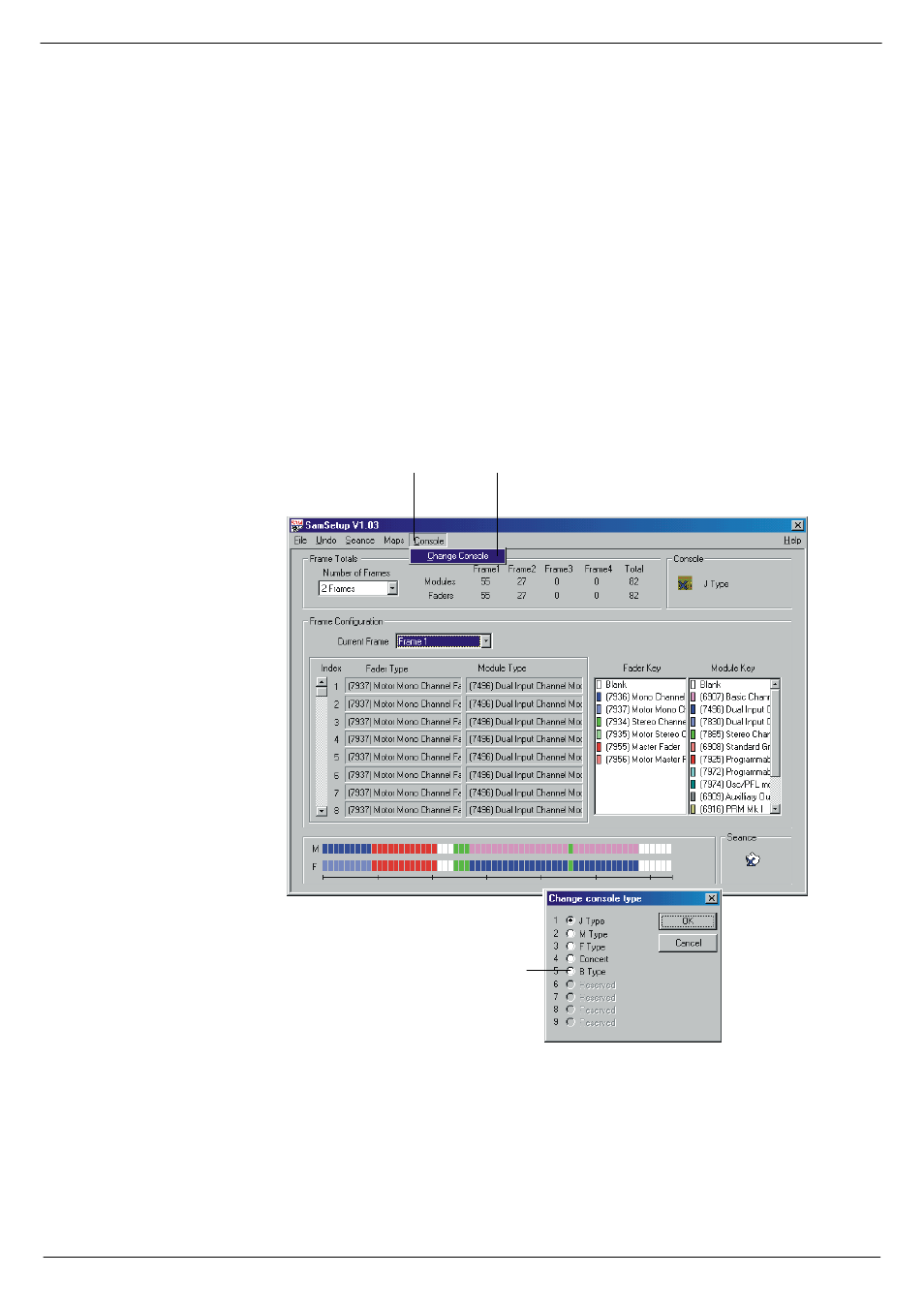
After you have installed the Sound Automation Manager, it will appear as a new sec-
tion in the program folder of the Windows® Start menu. One of the entries in this
section is Sam Configuration. Click on this menu entry to run SamSetup. The Setup
window opens, see
The first thing you need to do in Setup is to select the console type:
■
■
■
■
In the Setup window,
, click on Console in the menu bar.
■
■
■
■
In the drop-down menu, click on Change Console.
■
■
■
■
Select the desired console by clicking one of the options in the dialog box.
Next, enter the number of frames that constitute the console.
FIG 2-1. The SAM Setup window
&OLFN#&RQVROH
&OLFN#&KDQJH#FRQVROH
&OLFN#RQH#RI#WKH#RSWLRQV