2 select user, Select user -2, 815 6hohfw#xvhu – Cadac SAM User Manual
Page 42
5-2
Configuring the Sound Automation Manager
Sound Automation Manager
Revision SAM2005-2
815
6HOHFW#XVHU
Users can have their own settings for screen layout and colours. Instructions on how
to change these settings can be found in
. Select, add or edit the
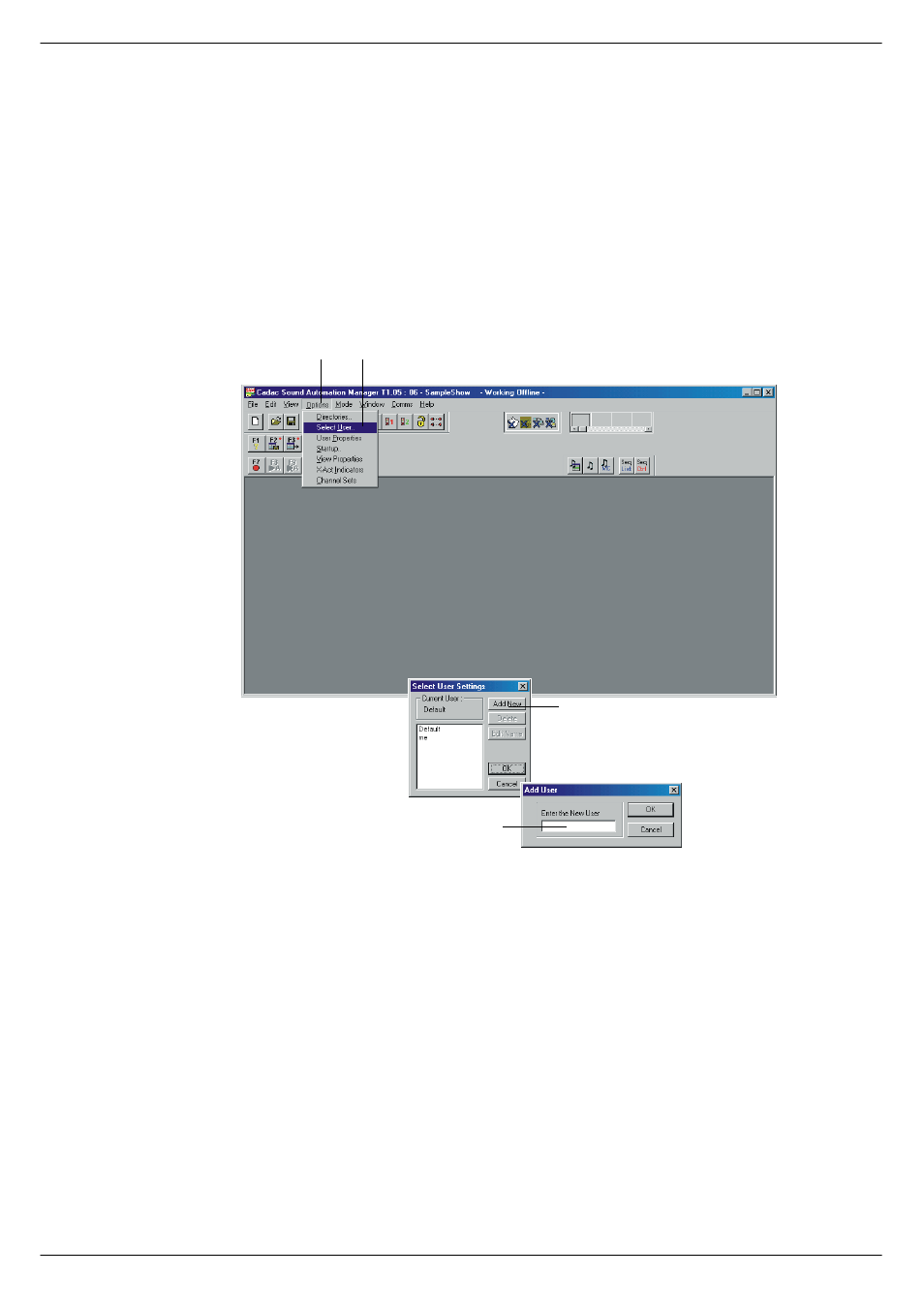
name of a user by clicking the Options menu and then clicking Select User.
■
■
■
■
Click Add New if you want to add a new user.
A new window Add User is displayed.
■
■
■
■
Type in the name of the new user and click OK.
The New User will initially have the same settings as the default user, but any subse-
quent changes will be stored in a separate user set-up file. This means that the next
time you start SAM, the program will configure itself in accordance with these set-
tings (provided the option
Set last user setting at start-up has been ticked, see
).
To change settings for screen layout and colours, see
FIG 5-2. Select, add, edit or delete a User.
&OLFN#2SWLRQV
&OLFN#6HOHFW#8VHU
&OLFN#$GG#QHZ
(QWHU#1HZ#XVHU