Menu bar options, Communications setup, Chapter 14 – Comtech EF Data XPLINK User Manual
Page 19: Chapter 14. menu bar options
Advertising
XSAT Palm Link 2
Revision 0
MN/XPLINK.IOM
17
Chapter 14. Menu Bar Options
14.1 C
OMMUNICATIONS
S
ETUP
:
<Menu
Bar><Options><Communications>
Note: The Menu Bar is accessed on the Palm m100 and other models by
tapping the fixed menu bar icon/button in the bottom left corner (just to
the left of the abc dot area) of the Palm device.
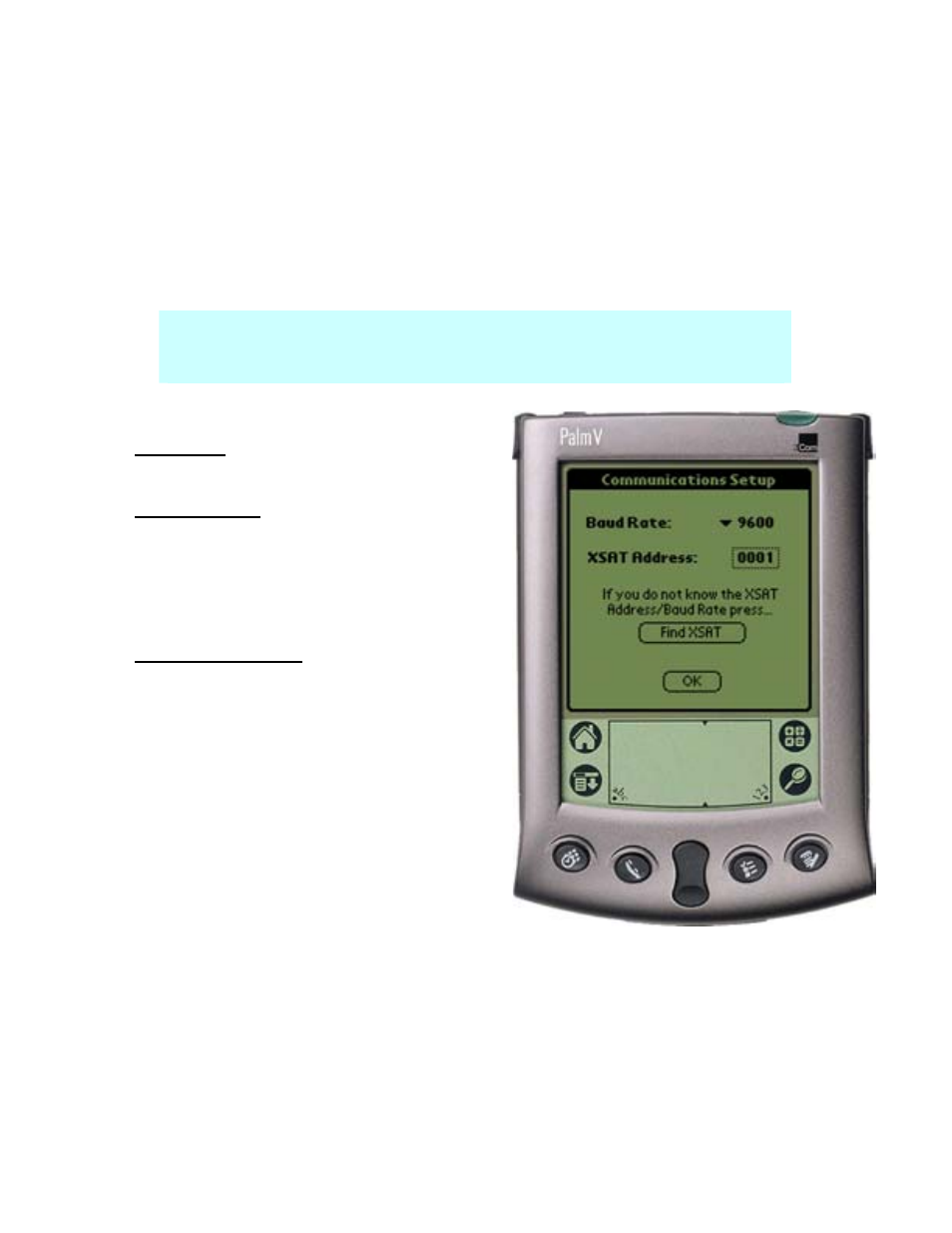
Baud Rate: The Baud Rate can be set
manually to 1200, 2400, 4800, 9600, or 19,200.
XSAT Address: The XSAT address can also
be set manually from 1-999.
If the Baud Rate and / or XSAT address is not
known, the CPXLINK software can locate the
connected XSATS.
(Find XSAT) button: The found XSAT will
be set to Address #1 and the redundant XSAT
(if applicable) will be set to address #2.
Figure 12
Advertising