1systeminformation, 2volumesettings, 3unitmanagement – CREATOR DIG Series Full Digital conference system User Manual
Page 15
CREATOR CHINA
2012-11 WWW.CREATOR1997.COM
8
User's Manual of DIG series Full Digital conference
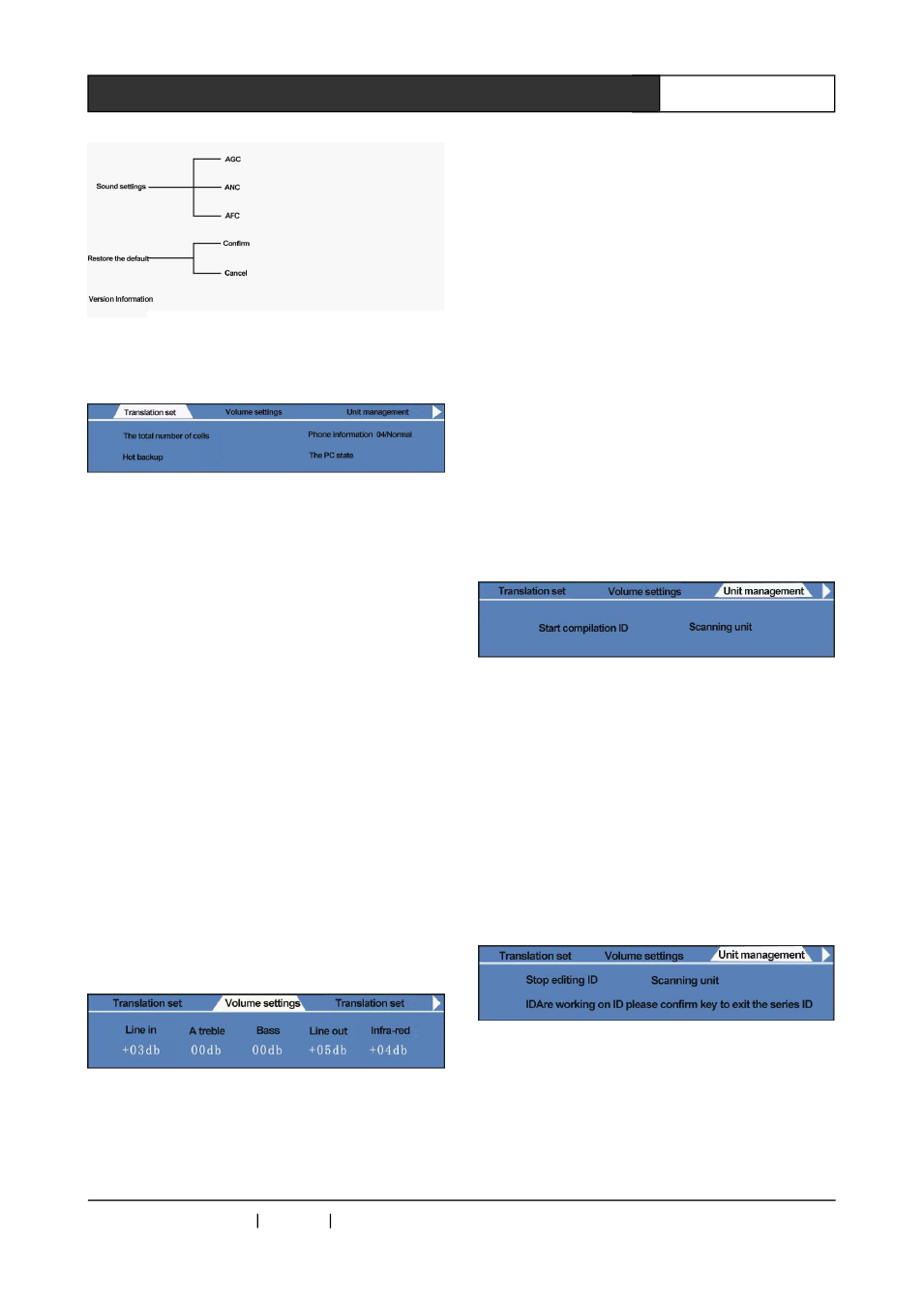
2.1.5.4.1 System Information
Mainly demonstrate the system state
The maxium speech: indicate the number of the
simultaneous
opening
microphones
by
representative units, not including the chairman
microphone.
Microphone mode: the mode being used by the
system
Dual Backup: Displays Dual Backup state.
Three states: "working", the host is in the host
mode, and is responsible for the entire meeting
data processing; "monitoring", the host is in the
backup state and is responsible for the backup
data; "Disconnected", no backup host, has no
Data Backup
PC Status: display whether connect to PC
software
2.1.5.4.2 Volume Settings
Line in: Adjust the input volume of line In.
Treble: Adjust the conference unit fidelity
audio treble and line output treble.
Bass: Adjust the conference unit fidelity audio
bass and the bass of line output.
Line out: adjust the volume of conference unit
fidelity audio and line output
Infrared: adjust the volume of interpreters
output channel (corresponding to the CR-
DIG5201 rear panel ⑦ CH0 ~ CH15 ⑧
microphone, separate output). Note that CH0 is
original sound, only be adjusted by the Infrared
menu, cannot be controlled by treble, bass,
Line-out menu, and have no AGC ANC AFC
function.
2.1.5.4.3 Unit Management
1、 start coding ID
◆
the so-called conference unit ID setting, refer
to endow a unique address to every conference
unit (including the translation unit and speak unit)
for host identification.
◆
Steps of coding ID
After connecting the conference system,
open the conference host power, select the "unit
management" and “start coding ID”, the display
shows as follows:
All speech units and translation units display
as follows:
Speech units display