3technicalparameters – CREATOR DIG Series Full Digital conference system User Manual
Page 35
CREATOR CHINA
2012-11 WWW.CREATOR1997.COM
28
User's Manual of DIG series Full Digital conference
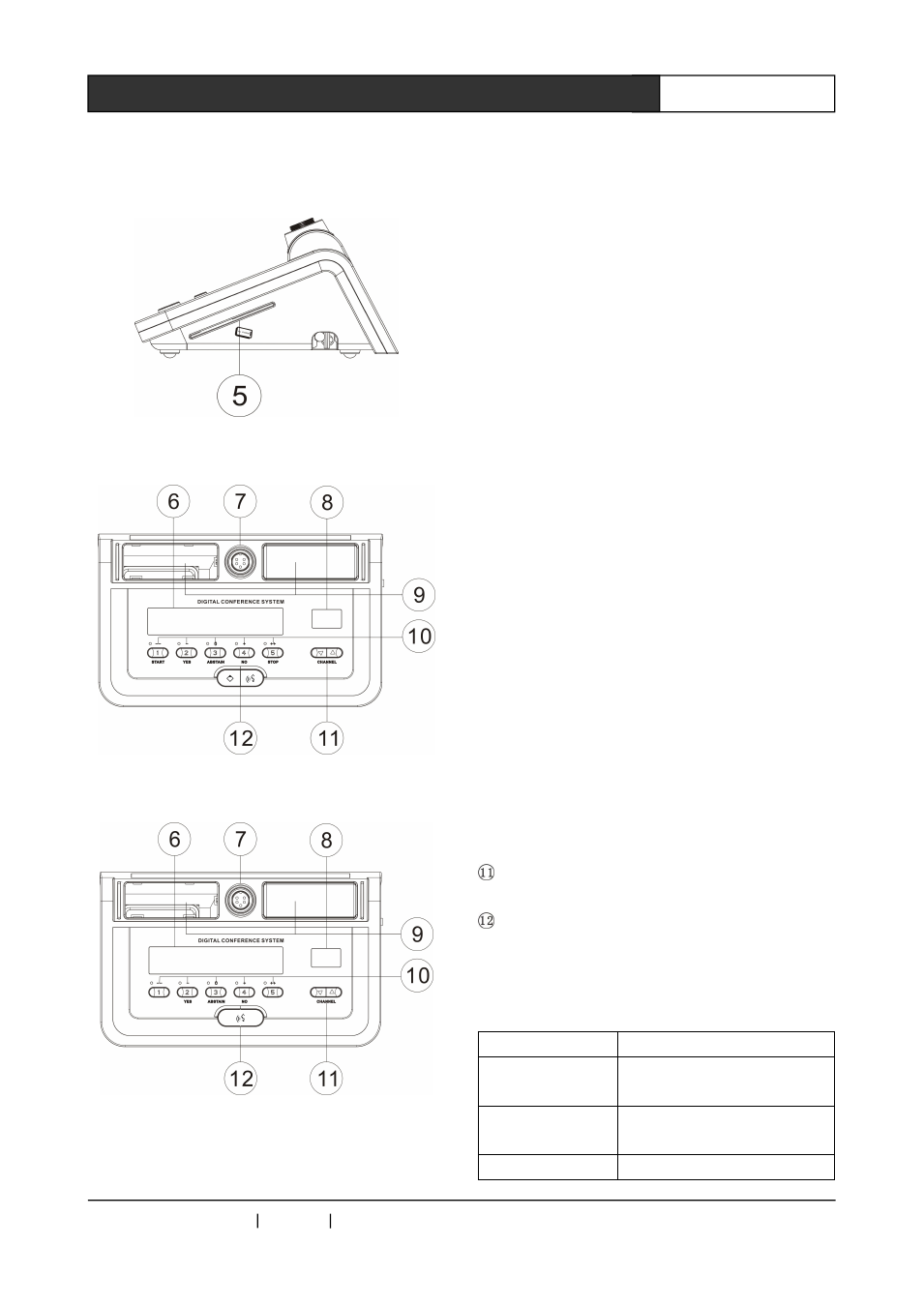
CR-DIG5202/4B2side view
CR-DIG5202B2front view
CR-DIG5204B2front view
①
headphone jack.
②
volume adjust knob.
③
The VFD display brightness adjustment,
adjusting to the "MIN" direction gets darker,
adjusting to "MAX" direction gets brighter.
④
The 256x64 dot matrix display can display
names, titles and other information.
⑤
IC card slot - insert IC card, read
information.IC card can be displayed on VFD
screen,thus play IC card sign function at the
same time.
⑥
The 320x64 LCD display, can display
operating information.
⑦
microphone interface.
⑧
channel selection display (00-15).
⑨
speaker.
⑩
multifunctional vote button
- Meeting voting, numbers 2,3,4, respectively
stands for in favor of, waiver, opposed.
- The Conference election, numbers 1-5 keys on
behalf of different candidates.
- Conference rating, numbers 1-5 keys represent
levels of, -, -, 0, +, + +.
Channel selection buttons.
Microphone button
priority key
Long press the chairman unit microphone
key for three seconds, close all opened delegate
speech unit.
4.3.3 technical parameters
Parameter
CR-DIG5202/04B2
Power Supply
The host power or DC 24V
input
Frequency
Response
20~20KHZ
Signal-to-noise
>
80dB