Erasing, English, Qw e erasing – Marantz DR6000N User Manual
Page 15: Erasing one or more tracks from the end, Erasing the entire disc
12
ENGLISH
ERASING
R DR6000
PLAY/PAUSE
STOP
REC
-
+
PUSH ENTER
EASY JOG
LEVEL
PHONES
REC TYPE
REW
FF
FINALIZE
DELETE
CANCEL
MENU
STORE
SOURCE
ERASE
OPEN/CLOSE
DISPLAY
SCROLL
q
w
DR6000
PLAY/PAUSE
STOP
REC
-
+
PUSH ENTER
EASY JOG
LEVEL
PHONES
REC TYPE
REW
FF
FINALIZE
DELETE
CANCEL
MENU
STORE
SOURCE
ERASE
OPEN/CLOSE
DISPLAY
SCROLL
q
w
e
Erasing
For unfinalized CD-RW discs only.
You can erase:
-
one or more tracks from the end,
-
the entire disc.
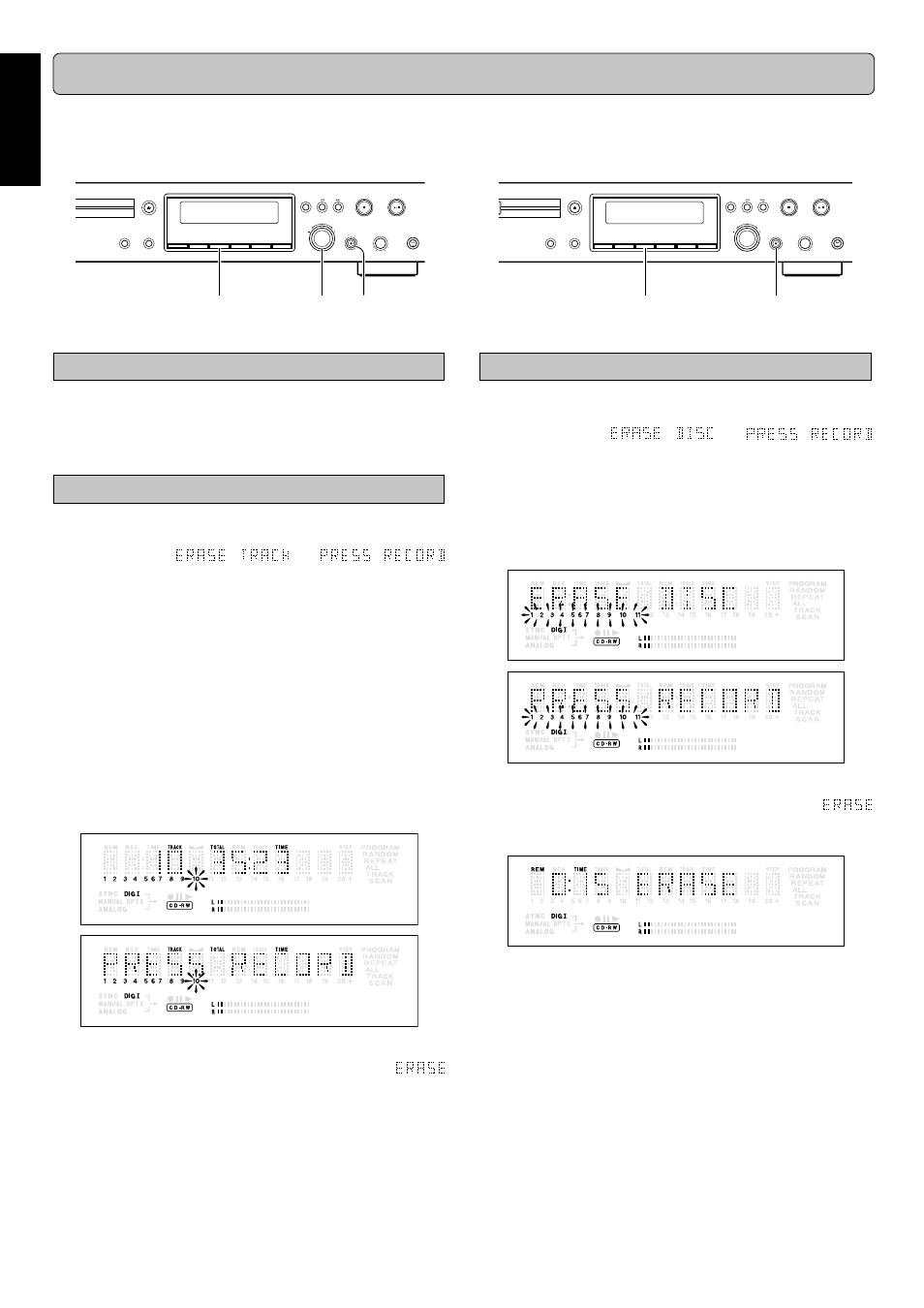
Erasing one or more tracks from the end
1
11
1
1
Press
ERASE (8) once.
➔
The display shows the number of tracks and their total
playing time.
and
lights up.
•
If the disc is finalized, CD appears on the display after
inserting a CD-RW in the recorder. The recorder will ask
you to confirm unfinalizing first. Confirm by pressing the
PUSH ENTER (12) key or ENTER (65) on the remote
control.
2
22
2
2
Select the track(s) you wish to erase by turning the
EASY JOG (12) key to the left and confirm by pressing
this key.
➔
The selected track numbers start blinking on the track
bar.
➔
The display shows the remaining number of tracks and
the remaining playing time after erasing the selected
track(s).
3
33
3
3
Press
0
0
0
0
0
REC (13).
➔
The display shows the total countdown time and
appears on the display.
➔
After the selected track(s) have erased, the display
shows the remaining tracks and their total playing time.
Erasing the entire disc
1
11
1
1
Press
ERASE (8) twice.
➔
The display shows the number of tracks and their total
playing time.
and
light up.
•
If the disc is finalized, CD appears on the display after
inserting a CD-RW in the recorder. The recorder will ask
you to confirm unfinalizing first. Confirm by pressing the
PUSH ENTER (12) key or ENTER (65) on the remote
control.
2
22
2
2
Press
0
0
0
0
0
REC (13).
➔
The display shows the total countdown time and
appears on the display. The complete disc will be
erased.
Erasure of a complete disc may take up to 15 seconds.
The numbers between parentheses refer to the fold-out.