Playing, English, Scan play – Marantz DR6000N User Manual
Page 17: Search, Random play
14
ENGLISH
PLAYING
MENU/
STORE
CANCEL/
DELETE
0
9
8
7
6
5
4
3
2
1
RANDOM
PROG.
REPEAT
TRACK
INCR.
REMOTE CONTROLLER
RC6050DR
SCAN
CD
CDR
ABC
DEF
GHI
JKL
MN
OPQ
RST
UVW
XYZ
DISPLAY
SPACE
SCROLL
FUNCTION
ENTER
PLAY/PAUSE
STOP
REC
-
+
PUSH ENTER
EASY JOG
LEVEL
PHONES
REC TYPE
REW
FF
FINALIZE
DELETE
CANCEL
MENU
STORE
ERASE
ww
w
q
w
q
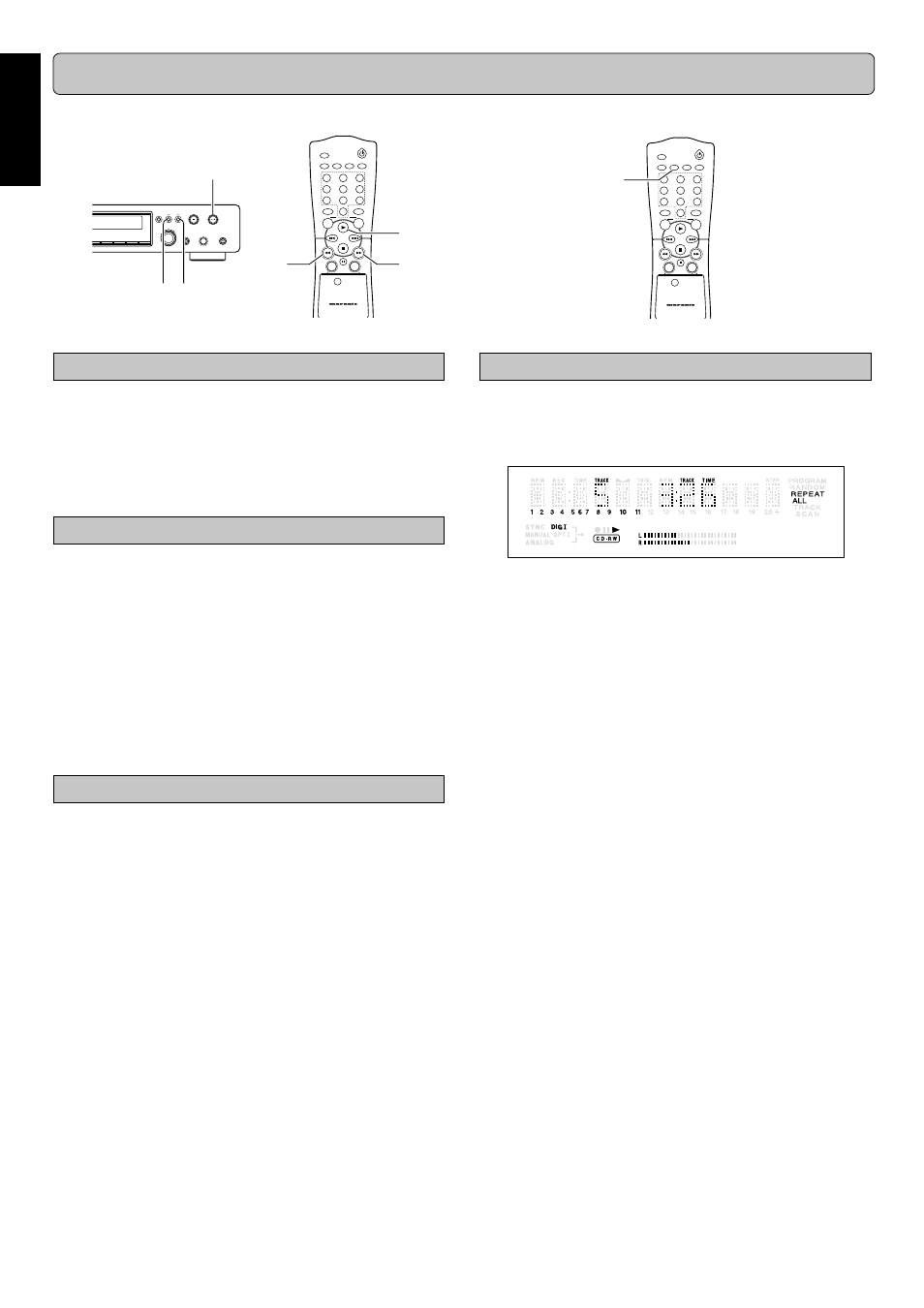
Repeat play
1
11
1
1
Press
REPEAT (56) one or more times during CD play.
➔
When REPEAT TRACK lights up, the current track
plays repeatedly. When REPEAT ALL lights up, the disc
or program plays repeatedly.
2
22
2
2
To return to normal play, press
REPEAT (56) one or
more times until:
➔
The REPEAT label disappears from the display.
Note:
- Repeat is also cleared if you open the disc tray.
-
REPEAT (56) button is only on the remote control.
Scan play
1
11
1
1
To start scan play, press
SCAN (55) on the remote con-
trol.
-
It plays the first 10 seconds of each track.
-
It automatically stops after playing all tracks.
2
22
2
2
To stop playing, press
9
9
9
9
9
(17, 68).
-
The SCAN level disappears from the display.
Search
1
11
1
1
Press
2
2
2
2
2
/
;
;
;
;
;
PLAY/PAUSE (16, 60).
2
22
2
2
Hold down
Q
Q
Q
Q
Q
(19, 62) or
R
R
R
R
R
(18, 67).
➔
The player first searches backwards or forwards at 10
times normal speed with sound at low volume, then
goes to 50 times normal speed with sound muted.
3
33
3
3
Release the button at the desired passage.
➔
Play starts at the desired passage.
Note:
During Random, Repeat Track or Programmed play, search is
restricted to within the track being played at the time.
Random play
1
11
1
1
Press
RANDOM (73) before or during CD play to start
random play.
➔
The tracks on the CD (or program if set) play in random
order.
2
22
2
2
Press
RANDOM (73) again to return to normal CD play.
Note:
RANDOM is also cleared if you open the disc tray.
- RANDOM button is only on the remote control.
EX: Repeat play
MENU/
STORE
CANCEL/
DELETE
0
9
8
7
6
5
4
3
2
1
RANDOM
PROG.
REPEAT
TRACK
INCR.
REMOTE CONTROLLER
RC6050DR
SCAN
CD
CDR
ABC
DEF
GHI
JKL
MN
OPQ
RST
UVW
XYZ
DISPLAY
SPACE
SCROLL
FUNCTION
ENTER
q
w
EX: Search
The numbers between parentheses refer to the fold-out.