MBM Corporation TRIUMPH 6655 User Manual
Page 33
Advertising
- 33 -
A
4.
5.
1.
3.
2.
2.
A
1.
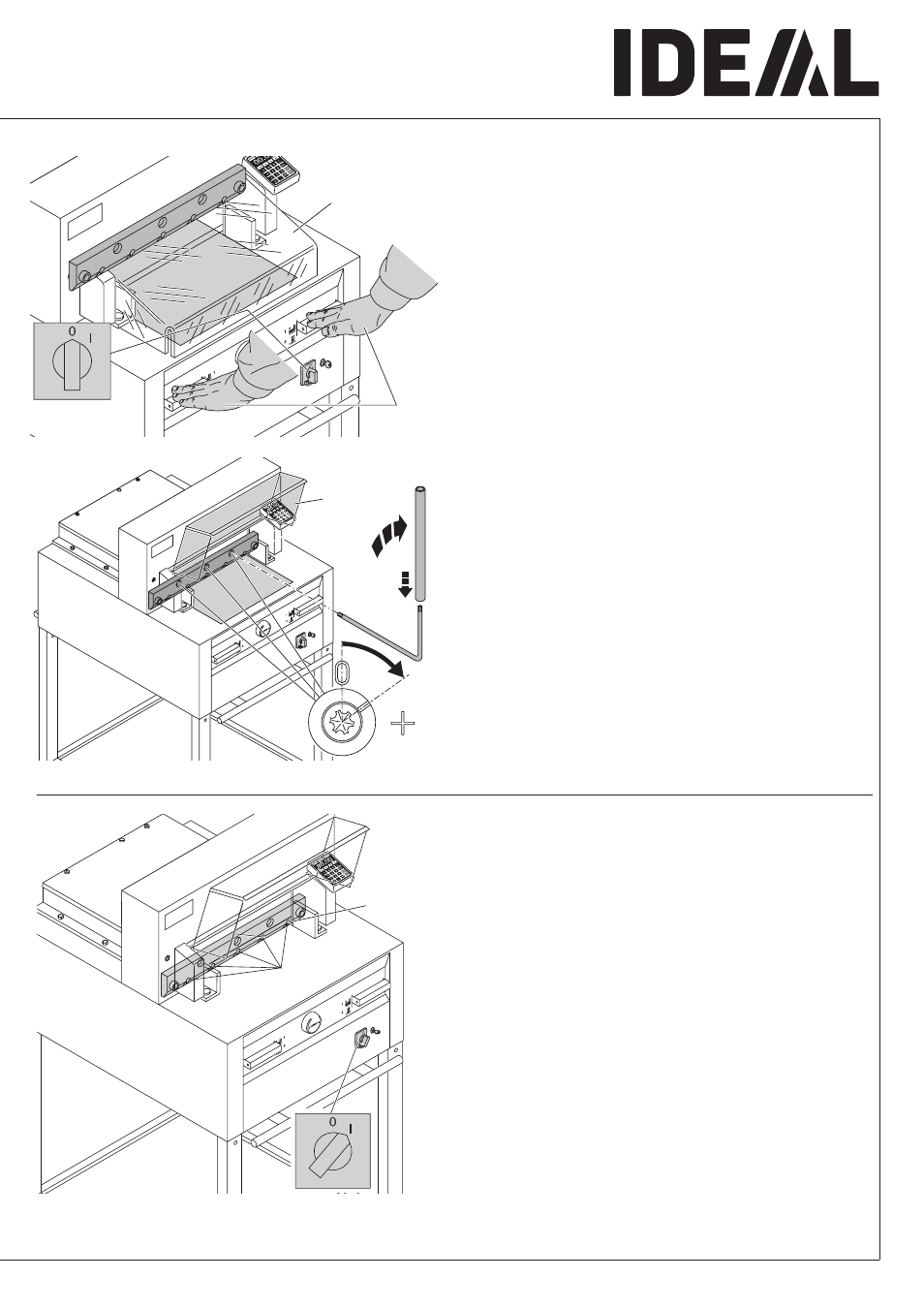
Lower the blade by pressing both cutting
buttons (1.). Keep one button pressed and
turn off the main switch (2.).
With the special wrench (A) the 3 eccentrics
should be screwed down (3.)until the paper is
cut along the entire length of the blade
(The blade must remain parallel, not too deep
into cutting stick).
•
Blade and cutting stick replacement
•
Turn main switch to position "I" (1.). Blade will
return to upper position. Tighten the blade
screws (2.) firmly.
Advertising
This manual is related to the following products: