002-6511 A
VCIR 01/20/2012
Page 3
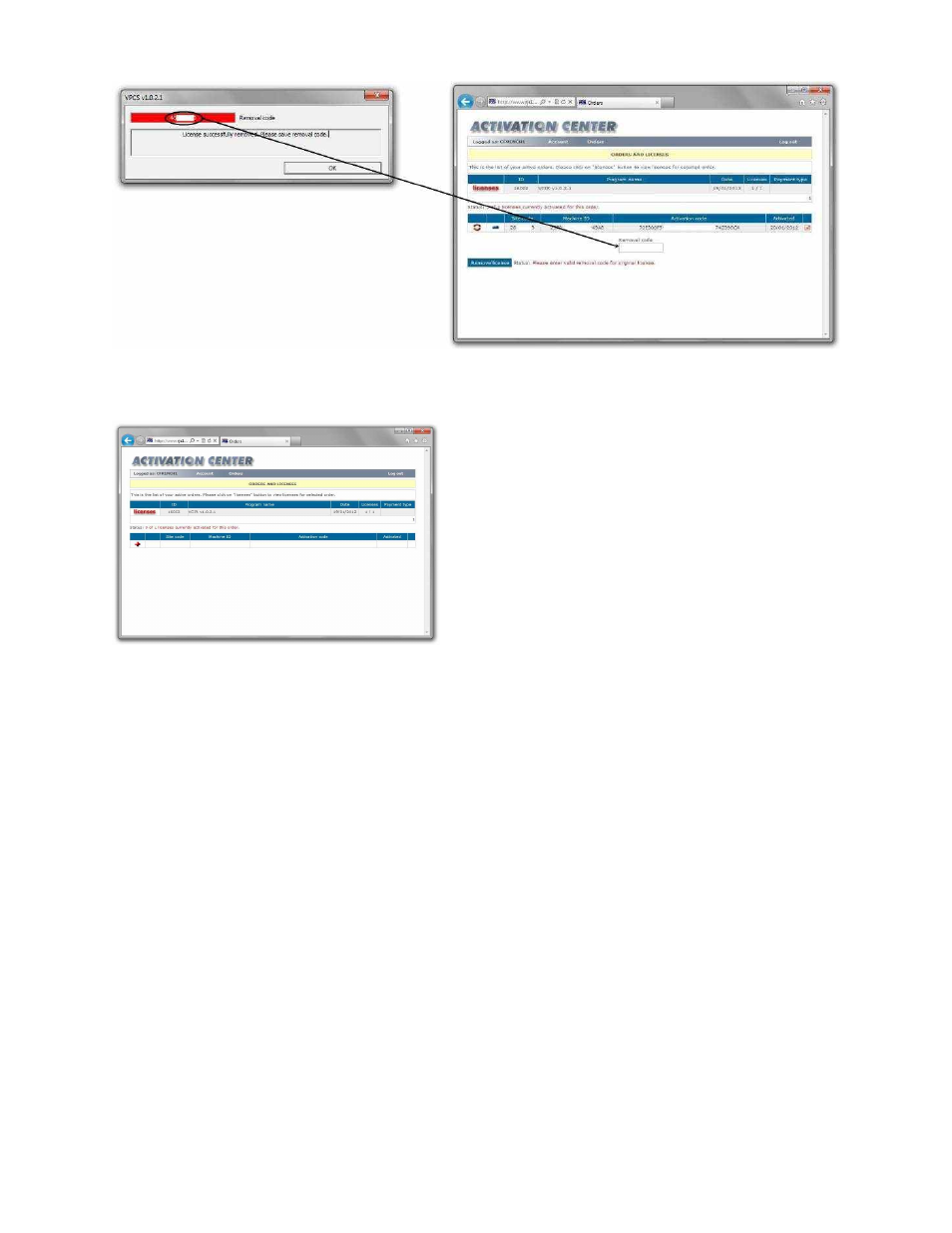
Step 9
–
Copy the Removal Code from the VCIR program to the Activation Center
Step 10
–
Click the Remove License button on the Activation Center
Step 11
–
The Activation will now show that your license was removed and can be installed on a new
computer