RJS Verifier Computer Interface Report (VCIR) Removal Instructions User Manual
Page 5
Advertising
002-6511 A
VCIR 01/20/2012
Page 5
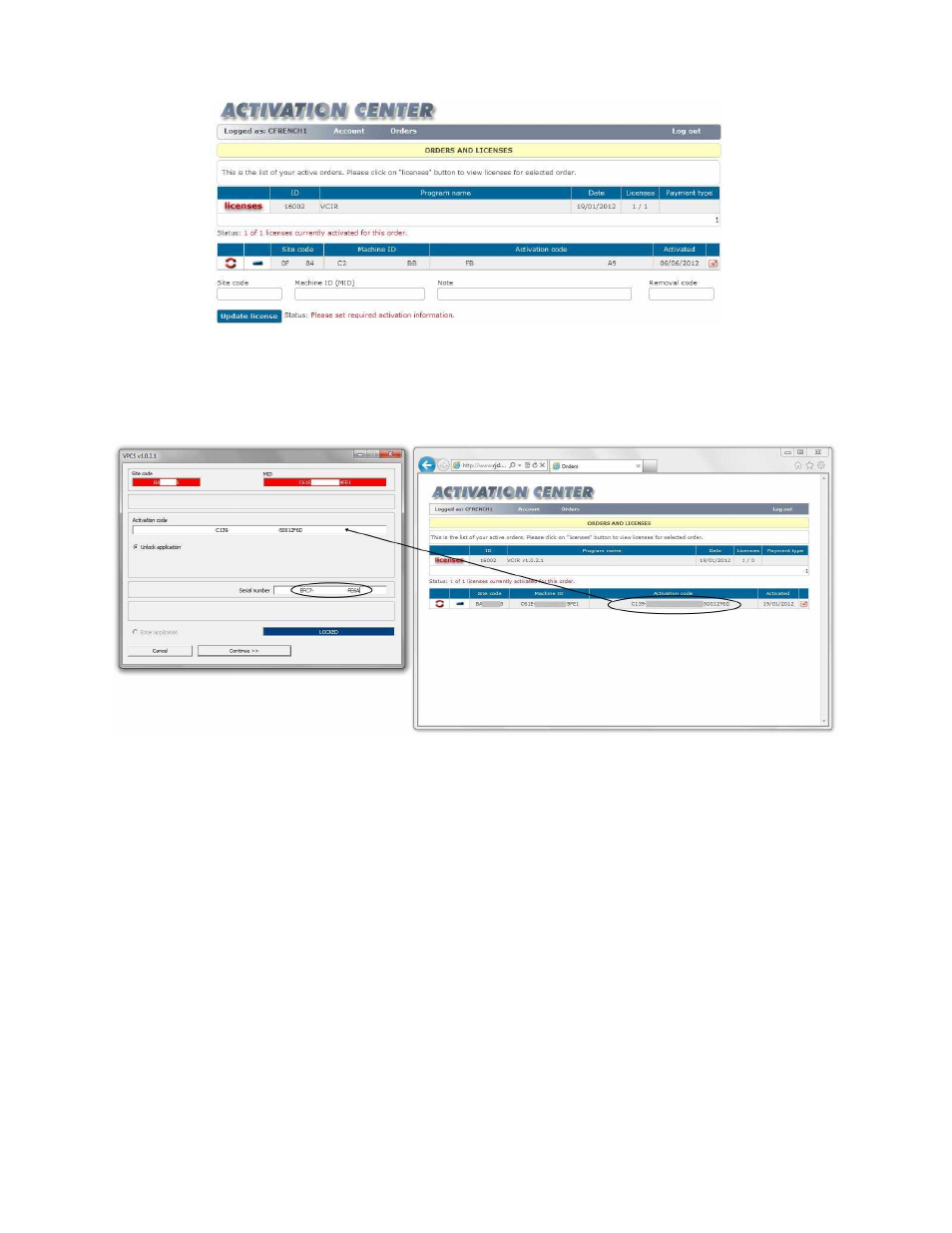
Step 6
–
Copy the Site Code and MID number from the installation program to the Activation Center
Note: The Removal code field will be left empty
Step 7
–
Click the Update License button
Step 8
–
Copy the Activation Code from the Activation Center to the installation program
Step 9
–
Copy the Serial Number from the from the Order Information/Activation email to the
installation program
Step 10
–
Click the Continue button and the program will now be activated for your PC
Now follow the Removal Code instructions starting on Page 1
Advertising