Operating instructions, Control and display descriptions – Sierra Video UPC-166 User Manual
Page 53
Advertising
Operating Instructions
Control and Display Descriptions
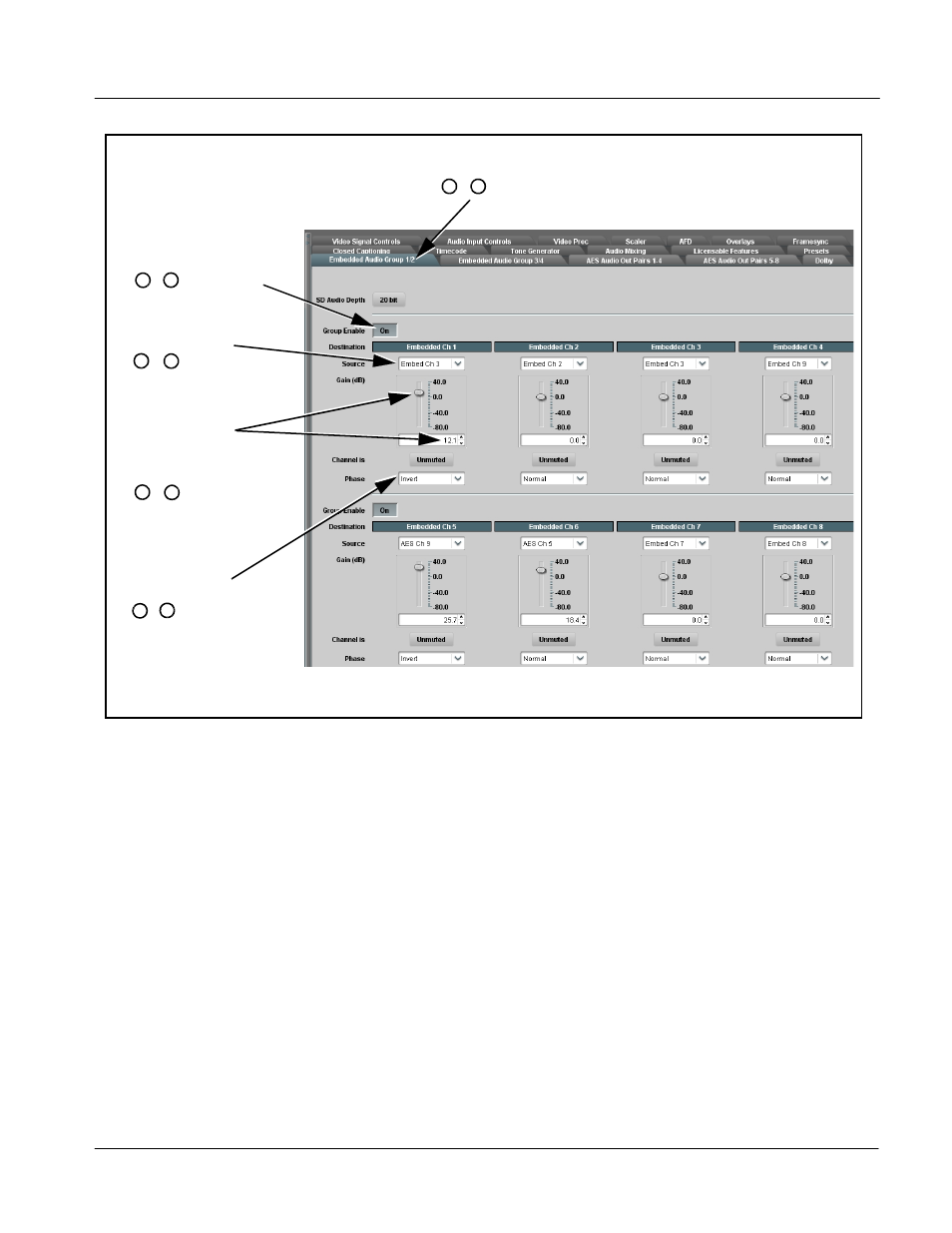
Figure 3-5 DashBoa
rd™ Setup of Example Embedded Audio Function (sheet 1 of 2)
3-9
UPC-166-OM
(V4.0)
Select top-level menu item Embedded
Audio Group 1
[
A
–
B
in Figure 3-3]
Set Enable to On
[
C
–
D
in Figure 3-3]
Select Embedded
Ch 1 Source as
Embedded Ch 3
[
E
–
G
in Figure
3-3]
Set Gain for
Embedded Ch1 to
12.1 using direct
numeric entry or
slider control
[
H
–
I
in Figure
3-3]
Set Phase for
Embedded Ch1 to
Invert
[
J
–
K
in Figure
3-3]
AUDGRPEX1_V4.PNG
Advertising