6 – playback, Playing a file, Stopping playback – Tascam DR-08 User Manual
Page 70: Searching backward and forward, Jumping back a few seconds during playback
70
TASCAM DR-08
Playing a file
On the Home Screen, press the Á
PLAY
key
when stopped to start playback.
NOTE
Files must be in the playback area to be played.
•
(See “Set the playback and repeat area” on page
72.)
You can also select a file on the FILE/FOLDER
•
screen to play it.
Stopping playback
On the Home Screen, press the ª
STOP
key
during playback to stop playback at the current
position.
Searching backward and forward
On the Home Screen, when stopped or during
playback, press and hold the
Â
and
¯
keys
to search backward or forward.
Jumping back a few seconds during
playback
During playback, press the Á
PLAY
key to jump
back a few seconds and continue playback.
Set the jump back interval using the following
procedures.
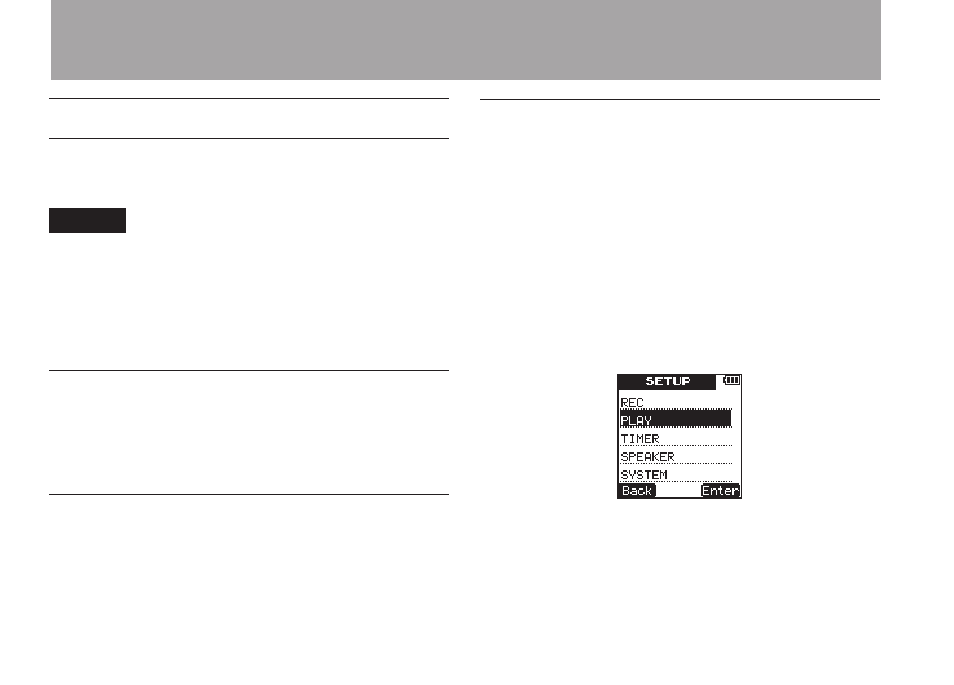
1 Press the
SETUP
key to open the
SETUP
menu screen.
2 Use the
+
/
–
keys to select the
PLAY
menu
item.
3 Press
¯
(
Enter
) key to open the
PLAY
menu screen.
4 Use the
+
/
–
keys to select the
JUMP
BACK
menu item.
6 – Playback