Selecting a file for playback (skipping), 6 – playback – Tascam DR-08 User Manual
Page 78
78
TASCAM DR-08
DELETE
ALL
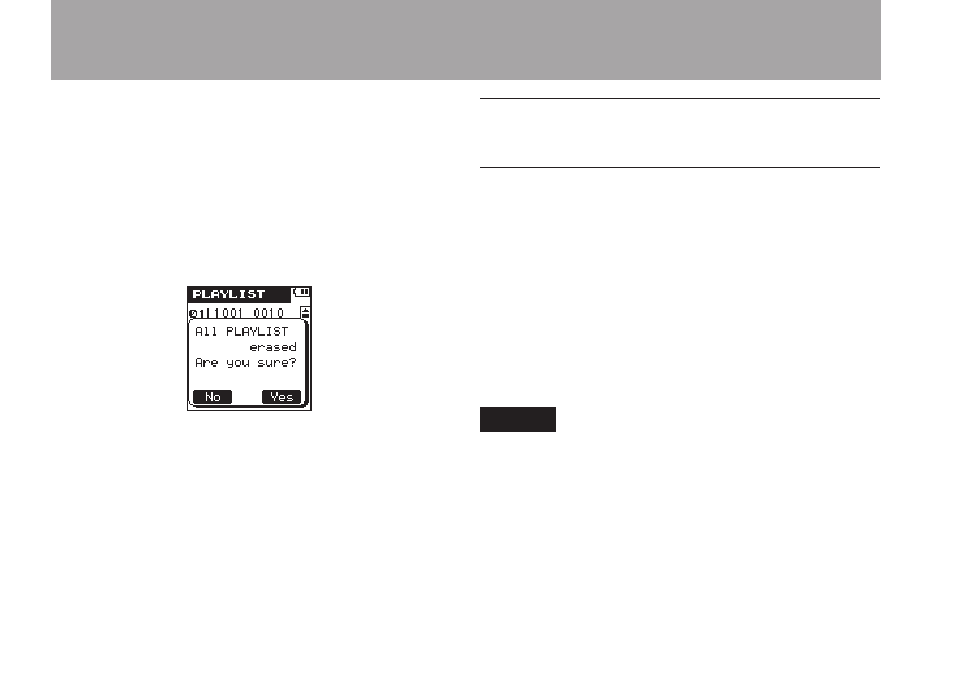
Use this to remove all files from the Playlist.
Files that are removed from the Playlist are not
erased from the microSD card.
After pressing the
•
¯
key, open a pop-up
message to confirm the deletion of all the
files from the Play List.
Press the
•
¯
(
Yes
) key to delete all the
files from the Play List and return to the
PLAYLIST
screen. Press the
Â
(
No
)
key to cancel the deletion and return to the
PLAYLIST
screen.
10 When you are finished editing, press the
HOME
key to return to the Home Screen.
Selecting a file for playback
(skipping)
On the Home Screen, press the
Â
and
¯
keys to select the file that you want to play.
When in the middle of a file, press the
Â
key
to return to the beginning of the file. When at the
beginning of a file, press the
Â
key to skip to
the beginning of the previous file.
When at the beginning or in the middle of a file,
press the
¯
key to skip to the beginning of the
next file.
NOTE
Files must be in the playback area to be played
•
back.
Information (file name, etc.) about the file being
•
played back and its file number is shown on the
display.
When stopped at the beginning of a file, the
•
ª
icon is shown on the display. When a file is
paused, the
π
icon is shown.
6 – Playback