Coil excitation electrodes, Pair 1 pair 2 – Tecfluid Cables For FLOMAT Series User Manual
Page 5
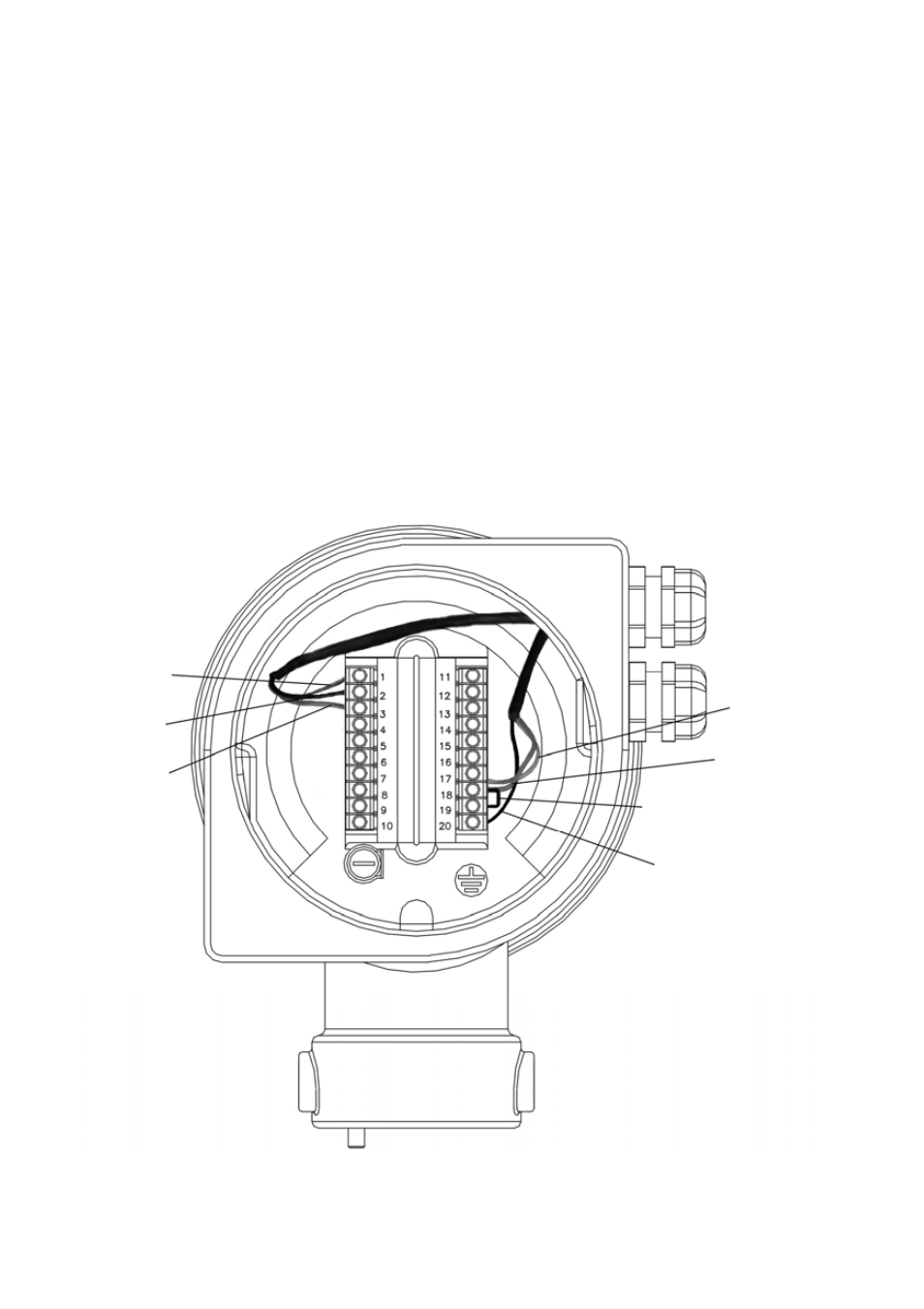
The Pair 1 cables are connected to terminals 1, 2 & 3 for the coil excitation. The Pair 2 cables, for
the electrode inputs, are connected to terminals 17, 18, 19 & 20. Terminals 18 & 19 must be short
circuited together.
To connect to the sensor, first loosen the cable gland to allow the cable to slide in it.
•
Make sure that the two fixing screws of the cover do not protrude inside the cover (this avoids
damaging the O ring of the sensor neck).
•
Apply a little Vaseline on the sensor neck to aid inserting in the cover, specially on the O
rings.
•
Connect the two cable connectors in their corresponding male connectors on the sensor,
mating the bumps in the guide of the male connectors.
•
Slide the cover on the sensor neck until it meets its stop.
•
Tighten the two fixing screws to anchor the cover.
•
Tighten the cable gland to guarantee water tightness.
Connection to a Flomid MX converter.
5
Coil Excitation
Electrodes
Red (1)
Black (2)
Screen (3)
White (17)
Screen (18)
Shortcircuit (18 to 19)
Black (20)
Pair 1
Pair 2