Internet options, Internet options -7 – Visara eTerm 300 User Manual
Page 51
Advertising
707064-001
4-7
Chapter 4.
e
Term Terminal Properties
Internet Options
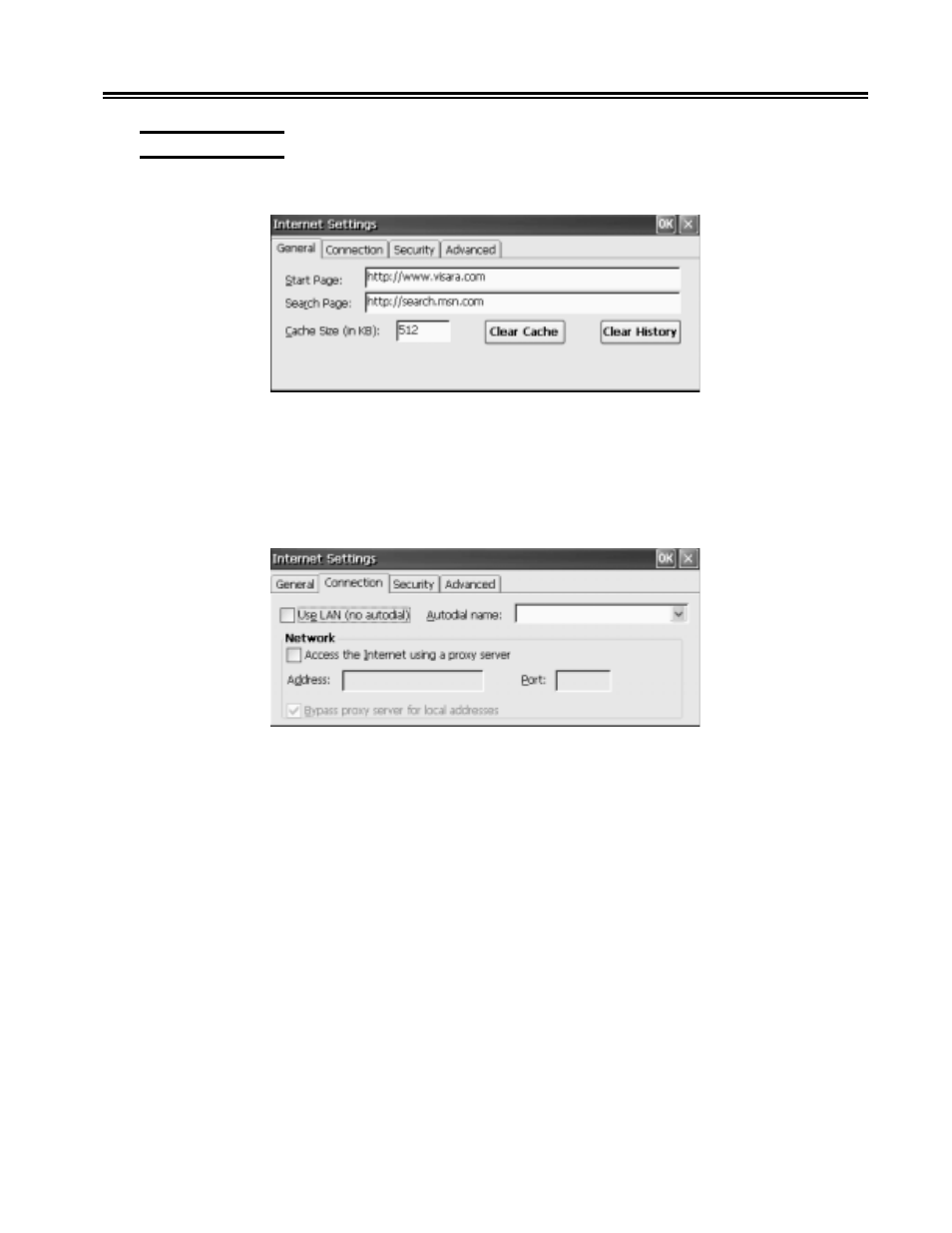
The following screens allow you to configure the local Internet Explorer Browser.
• Start Page
Enter the URL of the web site that is to be opened when the browser is started or the
Home icon is clicked.
• Search Page
Enter the URL of the web site that is to be opened when the Search icon is clicked.
• Use Lan
Select if the terminal is connected to a LAN and does not require dialup to connect
to the internet.
• Network
Enable if a Proxy server is required for accessing the Internet. Enter the address and
port of the proxy server.
Advertising