Zvbox, 180 front panel, 180 back panel – ZeeVee ZvBox 180 User Manual
Page 6
ZvBox
®
180
Get Going Guide
Page 6
v.1.0
ZvBox
®
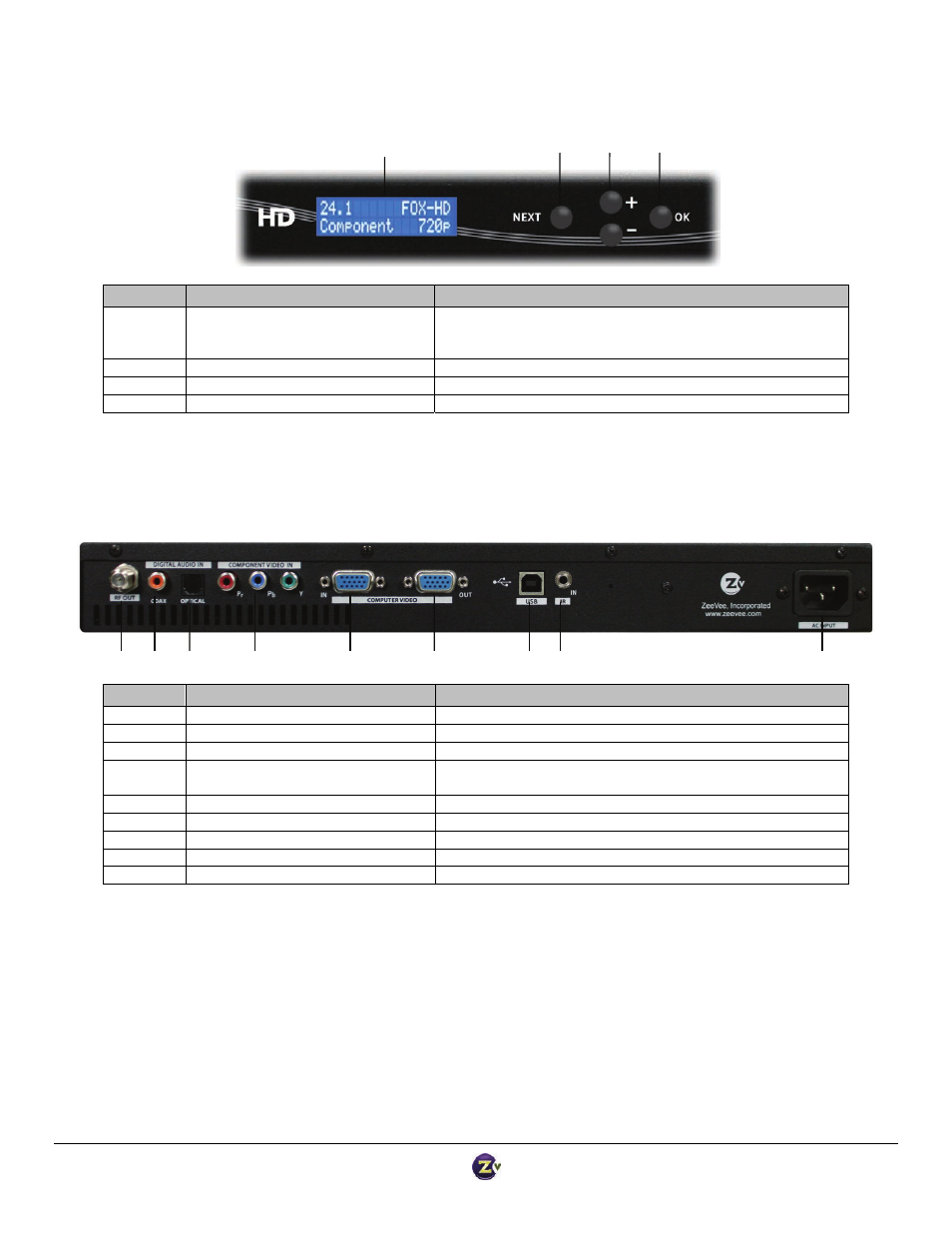
180 Front Panel
Item
Description
Function
1
Status Display
High‐visibility character display for setting and displaying
configuration including channel, power, and label configuration;
input selection; video output parameters; scanning/system status.
2
Next Button
For scrolling between functions.
3
+/‐ Buttons
For scrolling between options within a function.
4
OK Button
For selecting functions and options.
ZvBox
®
180 Back Panel
Item
Description
Function
1
Coax output
Outputs encoded video as QAM 256 channel
2
SPDIF Digital Audio Input (Coax)
Accepts digital audio input (48KHz PCM or AC3)
3
SPDIF Digital Audio Input (Optical)
Accepts digital audio input (48KHz PCM or AC3)
4
Component Video input, RCA
connectors, 75 Ohm
Accepts Component Video input (Pr, Pb, Y)
5
VGA (RGB) input; HD‐15 connector
Accepts standard VGA input
6
VGA (RGB) output; HD‐15 connector
Looped output from VGA (RGB) input
7
USB audio/control
Operates as USB audio device connection, or control interface
8
IR port; 1/8” mini jack
Accepts IR commands
9
AC input
AC power cord, 120/240 volt
2
3
4
5
6
7
8
9
1
1
2
3
4