Wlan roaming configuration examples, Intra-ac roaming configuration example, Network requirements – H3C Technologies H3C WX3000E Series Wireless Switches User Manual
Page 103: Configuration procedure
91
WLAN roaming configuration examples
Intra-AC roaming configuration example
Network requirements
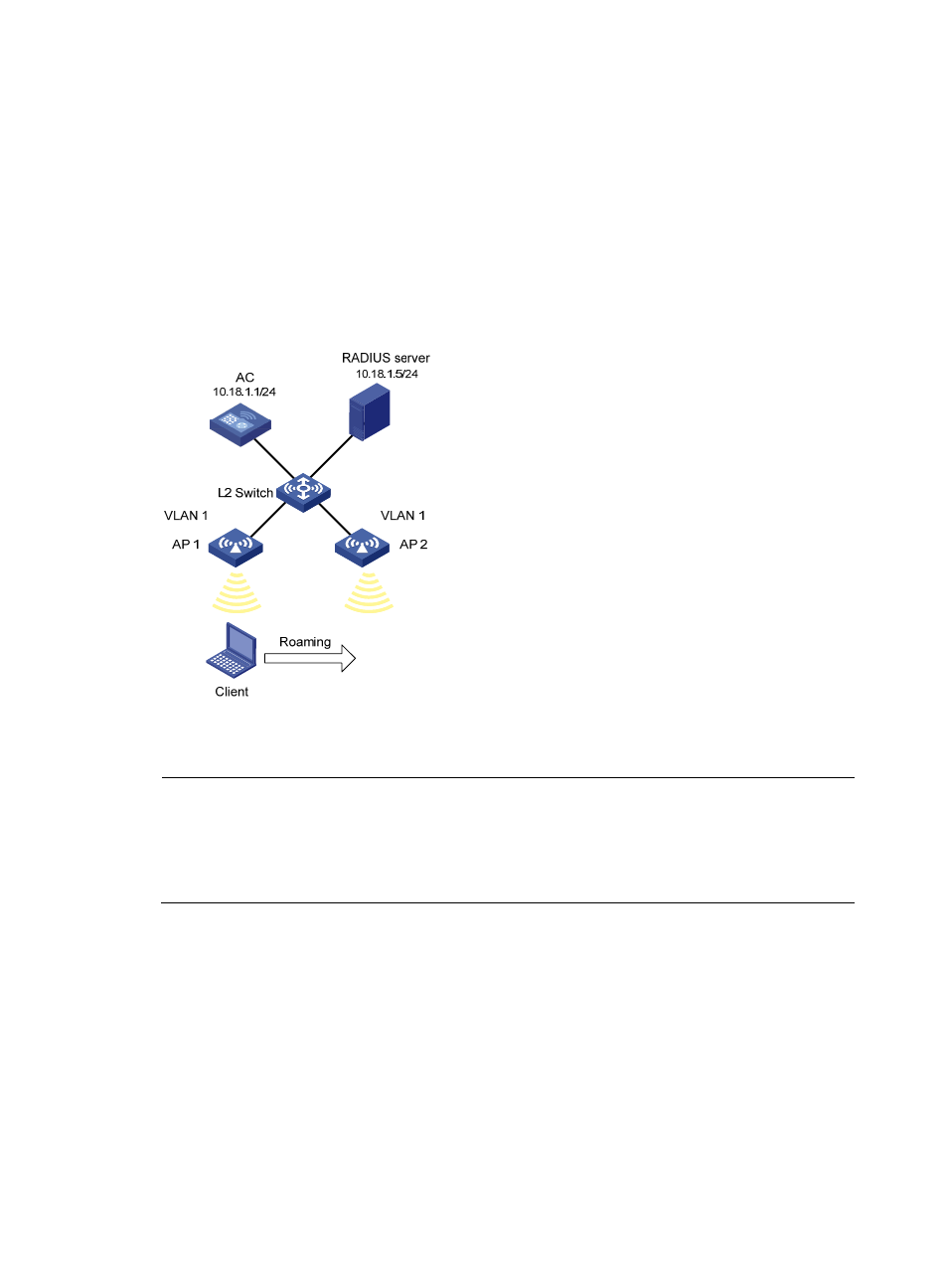
As shown in
, an AC has two APs associated and all of them are in VLAN 1. A client is
associated with AP 1. Configure intra-AC roaming so that the client can associate with AP 2 when
roaming to AP 2.
Figure 56 Network diagram
Configuration procedure
NOTE:
•
For wireless service configuration, see "Configuring WLAN services." A client has inter-AC fast roaming
capability only if it uses 802.1X (RSN) authentication.
•
If you select an authentication mode involving remote authentication, you need to configure the
corresponding RADIUS server. For more information, see "Configuring WLAN security."
1.
Configure the AC:
# On interface WLAN-ESS 1, configure port security mode as userlogin-secure-ext, and enable key
negotiation of the 11key type.
<AC> system-view
[AC] interface wlan-ess 1
[AC-WLAN-ESS1] port-security port-mode userlogin-secure-ext
[AC-WLAN-ESS1] port-security tx-key-type 11key
# Disable the multicast trigger function and the online user handshake function.
[AC-WLAN-ESS1] undo dot1x multicast-trigger
[AC-WLAN-ESS1] undo dot1x handshake
[AC-WLAN-ESS1] quit
- H3C WX5500E Series Access Controllers H3C WX3500E Series Access Controllers H3C WX2500E Series Access Controllers H3C WX6000 Series Access Controllers H3C WX5000 Series Access Controllers H3C WX3000 Series Unified Switches H3C LSWM1WCM10 Access Controller Module H3C LSUM3WCMD0 Access Controller Module H3C LSUM1WCME0 Access Controller Module H3C LSWM1WCM20 Access Controller Module H3C LSQM1WCMB0 Access Controller Module H3C LSRM1WCM2A1 Access Controller Module H3C LSBM1WCM2A0 Access Controller Module H3C WA3600 Series Access Points H3C WA2600 Series WLAN Access Points