Figure 6 – H3C Technologies H3C SecPath F1000-E User Manual
Page 20
19
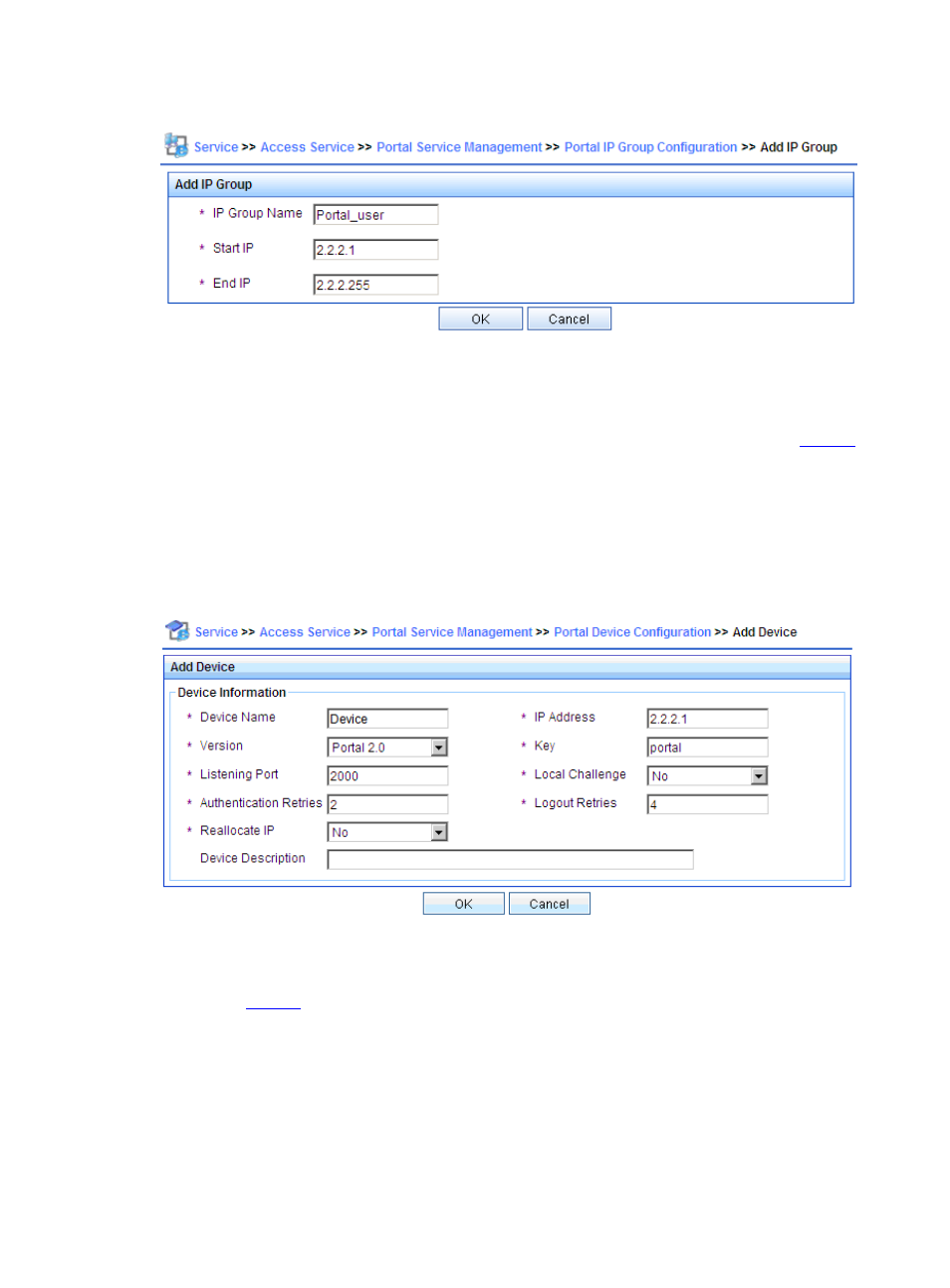
Figure 6 Add an IP address group
# Add a portal device.
Select Portal Service Management > Device from the navigation tree to enter the portal device
configuration page. Then, click Add to enter the page for adding a portal device, as shown in
.
•
Type the device name Device.
•
Type the IP address of the interface on Device for connecting the user.
•
Type the key, which must be the same as that configured on Device.
•
Set whether to enable IP address reallocation. Direct portal authentication is used in this example,
and therefore select No from the Reallocate IP drop-down list.
Figure 7 Add a portal device
# Associate the portal device with the IP address group.
As shown in
, in the device list on the portal device configuration page, click the icon in the Port
Group Information Management column of Device to enter the port group configuration page.