H3C Technologies H3C SecPath F1000-E User Manual
Page 21
20
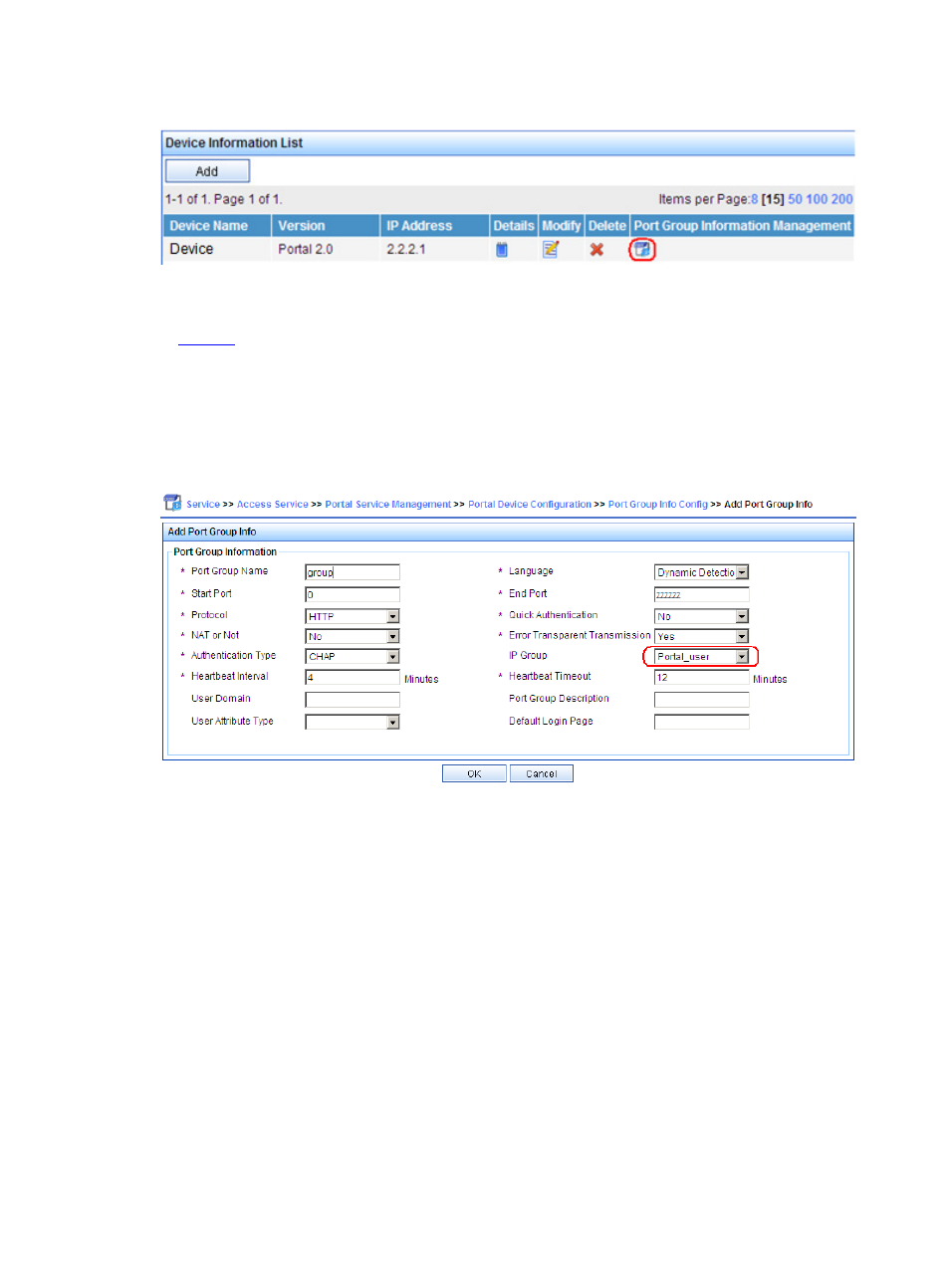
Figure 8 Device list
On the port group configuration page, click Add to enter the page for adding a port group, as shown
in
. Perform the following configurations:
•
Type the port group name.
•
Select the configured IP address group. Note that the IP address used by the user to access the
network must be within this IP address group.
•
Use the default settings for other parameters.
Figure 9 Port group configuration
# Select Service Parameters > Validate System Configuration from the navigation tree to
make the above configurations take effect.
Step2
Configure Device
•
Configure a RADIUS scheme
# Create a RADIUS scheme named rs1 and enter its view.
<Device> system-view
[Device] radius scheme rs1
# Set the server type for the RADIUS scheme. When using the CAMS or iMC server, you need to set the
server type to extended.
[Device-radius-rs1] server-type extended
# Specify the primary authentication server and primary accounting server, and configure the keys for
communication with the servers.
[Device-radius-rs1] primary authentication 192.168.0.112
[Device-radius-rs1] primary accounting 192.168.0.112