Internal server configuration example, D in, Figure 13 – H3C Technologies H3C SecBlade FW Cards User Manual
Page 22
15
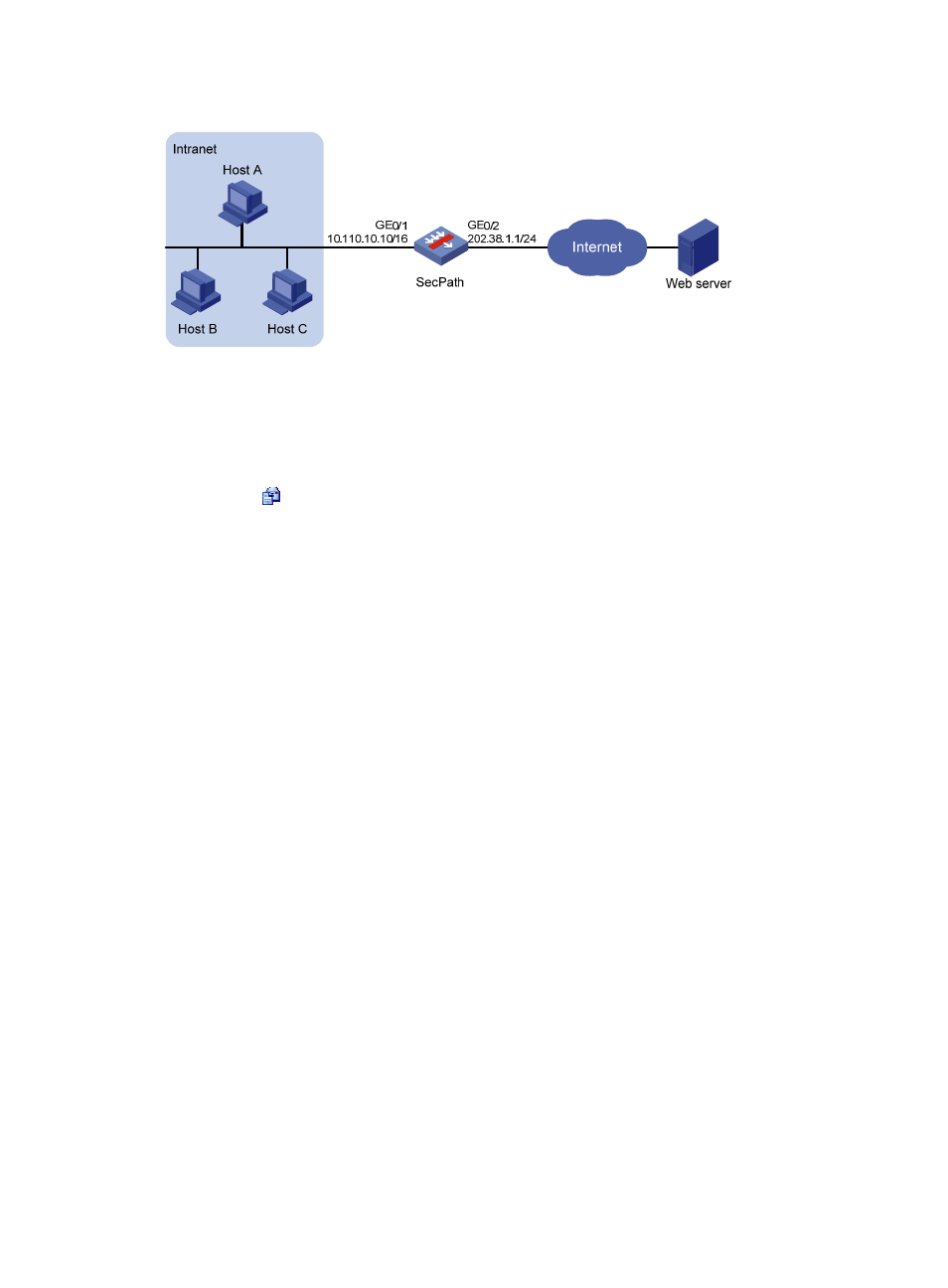
Figure 13 NAT network diagram
2.
Configuration procedure
# Configure an ACL to permit internal users in subnet 10.110.10.0/24 to access the Internet.
•
Select Firewall > ACL from the navigation tree and then click Add.
•
Type 2000 in ACL Number.
•
Click the
icon in the Operation column corresponding to ACL 2000 to enter the ACL 2000
configuration page, and then click Add.
•
Select Permit in Operation.
•
Select the Source IP Address checkbox and then type 10.110.10.0.
•
Type 0.0.0.255 in Source Wildcard.
•
Click Apply.
•
Click Add on the ACL 2000 configuration page.
•
Select Deny for Operation.
•
Click Apply.
# Configure a NAT address pool.
•
Select Firewall > NAT Policy > Dynamic NAT from the navigation tree, and then click Add.
•
Type 0 in Index.
•
Type 202.38.1.2 in Start IP Address.
•
Type 202.38.1.3 in End IP Address.
•
Click Apply.
# Configure dynamic NAT.
•
Click Add in the Dynamic NAT field.
•
Select GigabitEthernet0/1 for Interface.
•
Type 2000 in ACL.
•
Select PAT for Address Transfer.
•
Type 0 in Address Pool Index.
•
Click Apply.
Internal server configuration example
1.
Network requirements