H3C Technologies H3C SecBlade FW Cards User Manual
Page 23
16
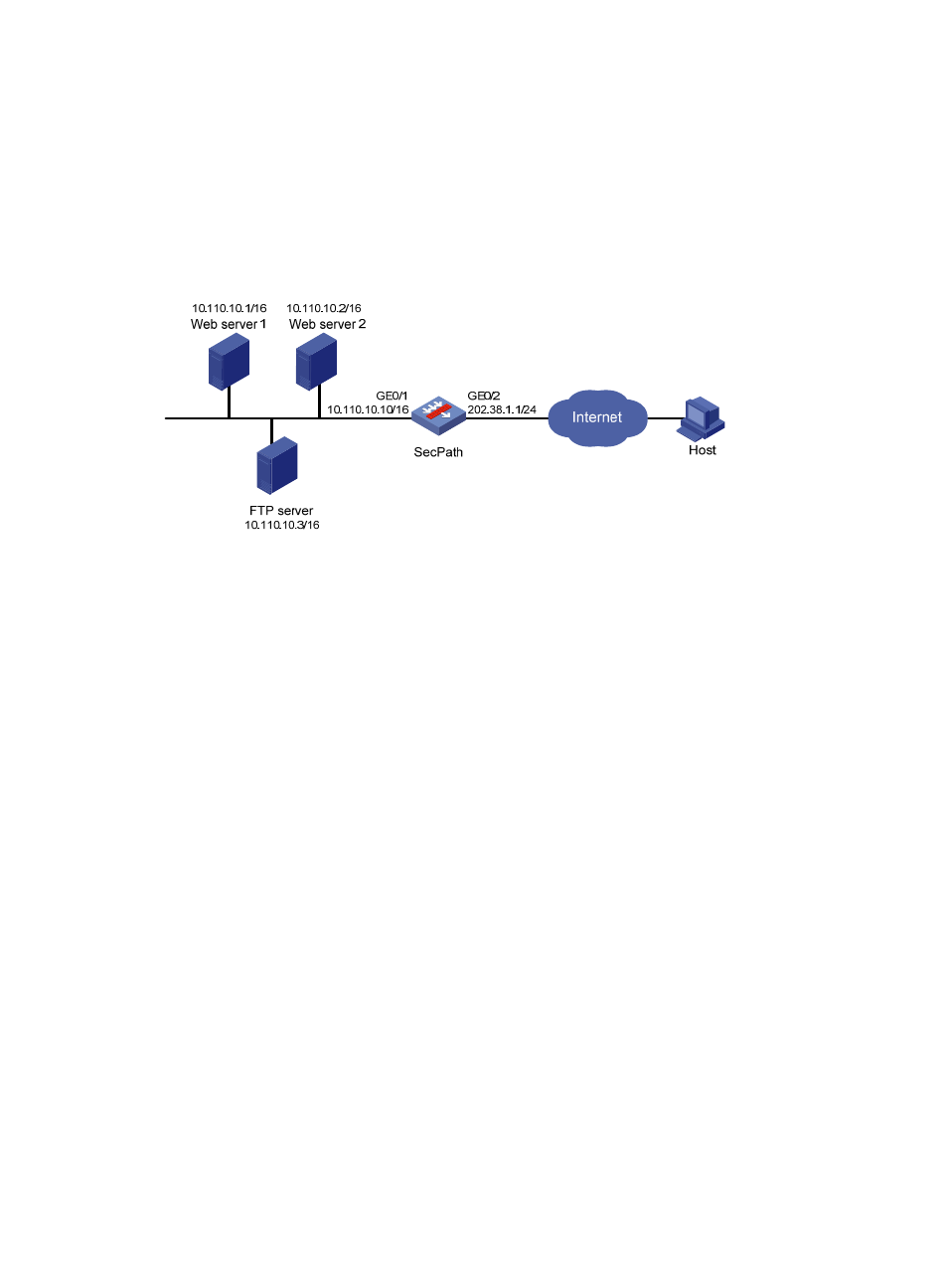
As illustrated in
, a company provides two Web servers and one FTP server for external users
to access. The internal network address is 10.110.0.0/16. The internal address for the FTP server is
10.110.10.3/16, for the Web server 1 is 10.110.10.1/16, and for the Web server 2 is 10.110.10.2/16. The
company has three public IP addresses from 202.38.1.1/24 through 202.38.1.3/24. Specifically, the
company has the following requirements:
•
External hosts can access internal servers using public address 202.38.1.1/24.
•
Port 8080 is used for Web server 2.
Figure 14 Internal server network diagram
2.
Configuration procedure
# Configure the FTP server.
•
Select Firewall > NAT Policy > Internal Server from the navigation tree, and then click Add in the
Internal Server field.
•
Select GigabitEthernet0/2 for Interface.
•
Select 6(TCP) for Protocol Type.
•
Click the radio button next to Assign IP Address, and then type 202.38.1.1 in Global IP.
•
Select the upper radio button next to Global Port and type 21.
•
Type 10.110.10.3 in Internal IP.
•
Type 21 in Internal Port.
•
Click Apply.
# Configure the Web server 1.
•
Click Add in the Internal Server field.
•
Select GigabitEthernet0/2 for Interface.
•
Select 6(TCP) for Protocol Type.
•
Click the radio button next to Assign IP Address, and then type 202.38.1.1 for Global IP.
•
Select the upper radio button next to Global Port and type 80.
•
Type 10.110.10.1 in Internal IP.
•
Type 80 in Internal Port.
•
Click Apply.
# Configure Web server 2.
•
Click Add in the Internal Server field.
•
Select GigabitEthernet0/2 for Interface.