Picture enhancer web page – Grass Valley 8964ENC v.1.2.2 User Manual
Page 46
Advertising
46
8964ENC/-FS — Instruction Manual
Configuration
Picture Enhancer Web Page
Use
this
link
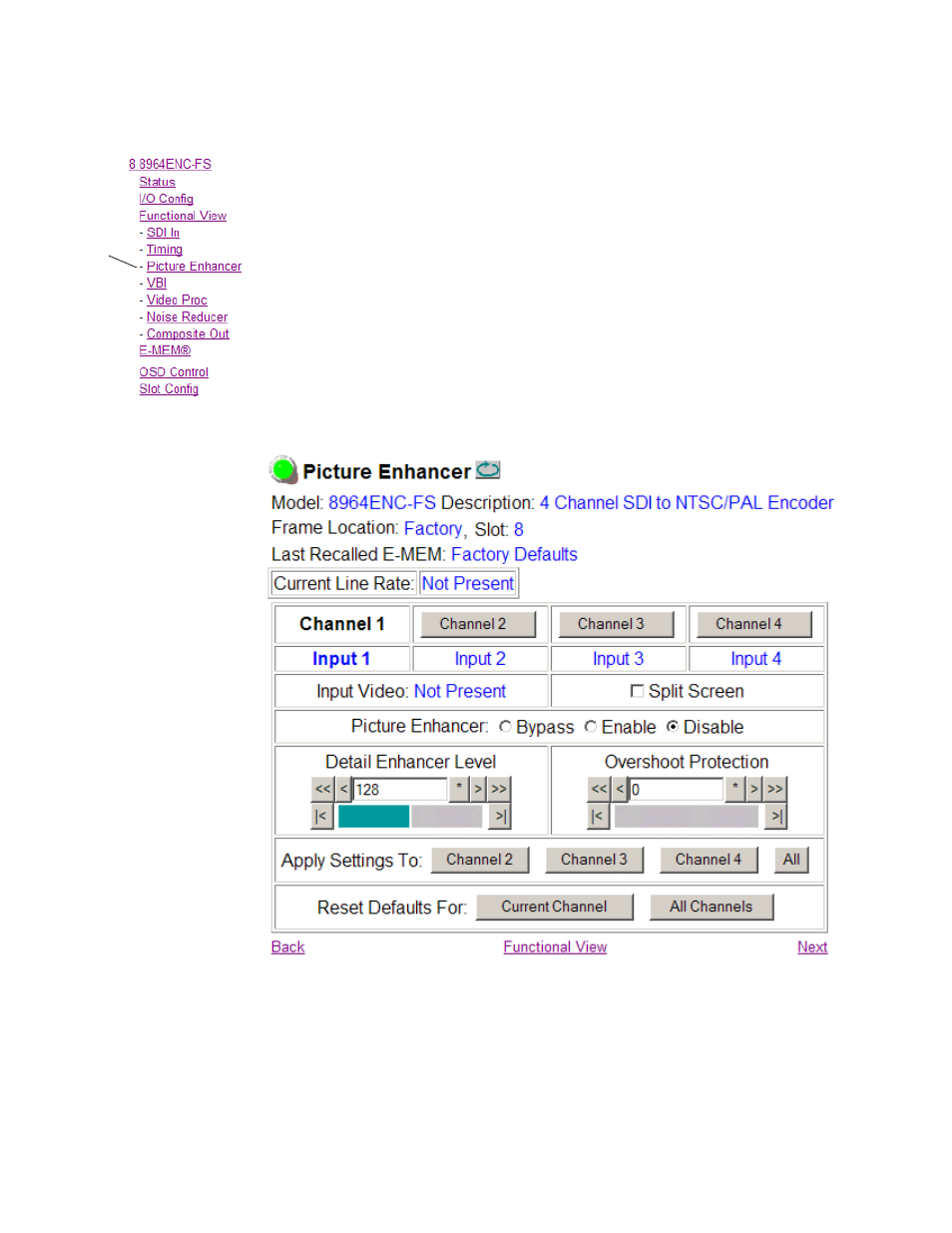
The Picture Enhancer function (
) can be enabled to adjust picture
detail or can be bypassed or disabled for each channel.
Select the channel to be adjusted from the
Channel 1 – 4
buttons. Set the fol-
lowing adjustments with this web page:
•
Select the
Bypass
button to bypass the Picture Enhancement circuitry
(for less delay through the module).
•
Select the
Disable
button to turn off picture enhancement.
•
Use the Detail Enhancer Level control to adjust the amount of detail
enhancement on the channel output.
•
Adjust the Overshoot Protection control to minimize overshoot.
Figure 20. 8964ENC Picture Enhancer Web Page
Advertising
This manual is related to the following products: