Grass Valley ADVC-300 User Manual
Page 30
Advertising
30
Installation (for Macintosh)
Installation (for Macintosh)
Installation (for Macintosh)
Installation (for Macintosh)
Installation (for Macintosh)
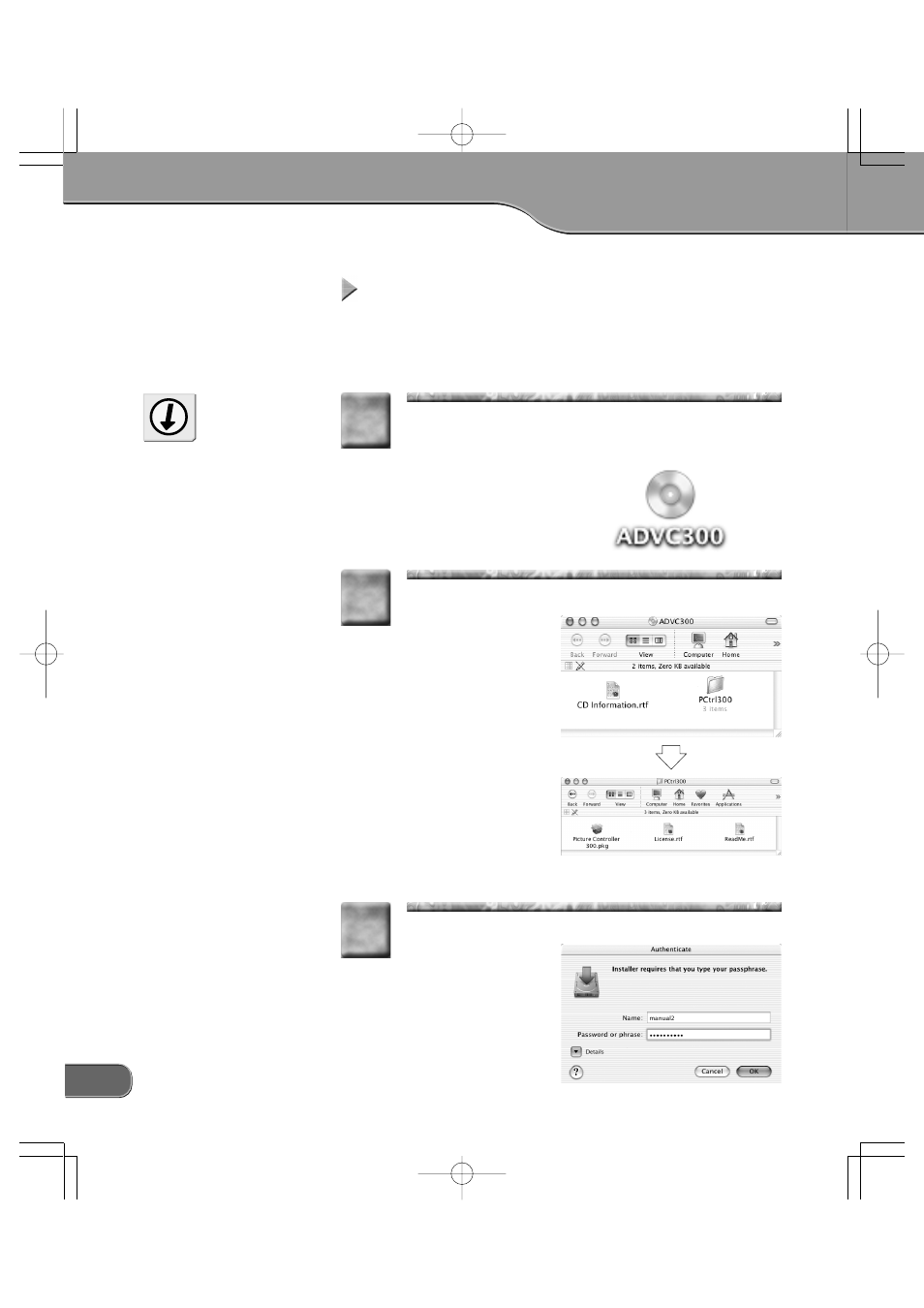
The following describes the procedure for installing Picture Controller
300 on a computer running Mac OS X.
* You can install Picture Controller 300 without ADVC-300 connected with the
computer.
Insert the “ADVC-300 Applications CD” into the CD-
ROM drive.
> The [ADVC300] icon will appear.
1
1
Do not remove the “ADVC-300
Applications CD” from the CD-
ROM drive until the installation
is completed.
Tip
Run [ADVC300] > [PCtrl300] > [Picture Controller
300.pkg].
> The installer starts up.
2
2
Enter your name and password, and then click [OK].
3
3
Advertising