Grass Valley Cobalt v.2.87 User Manual
Page 51
Advertising
Cobalt User Manual- document version: 2.87
– Page 51
19.2.2 Options
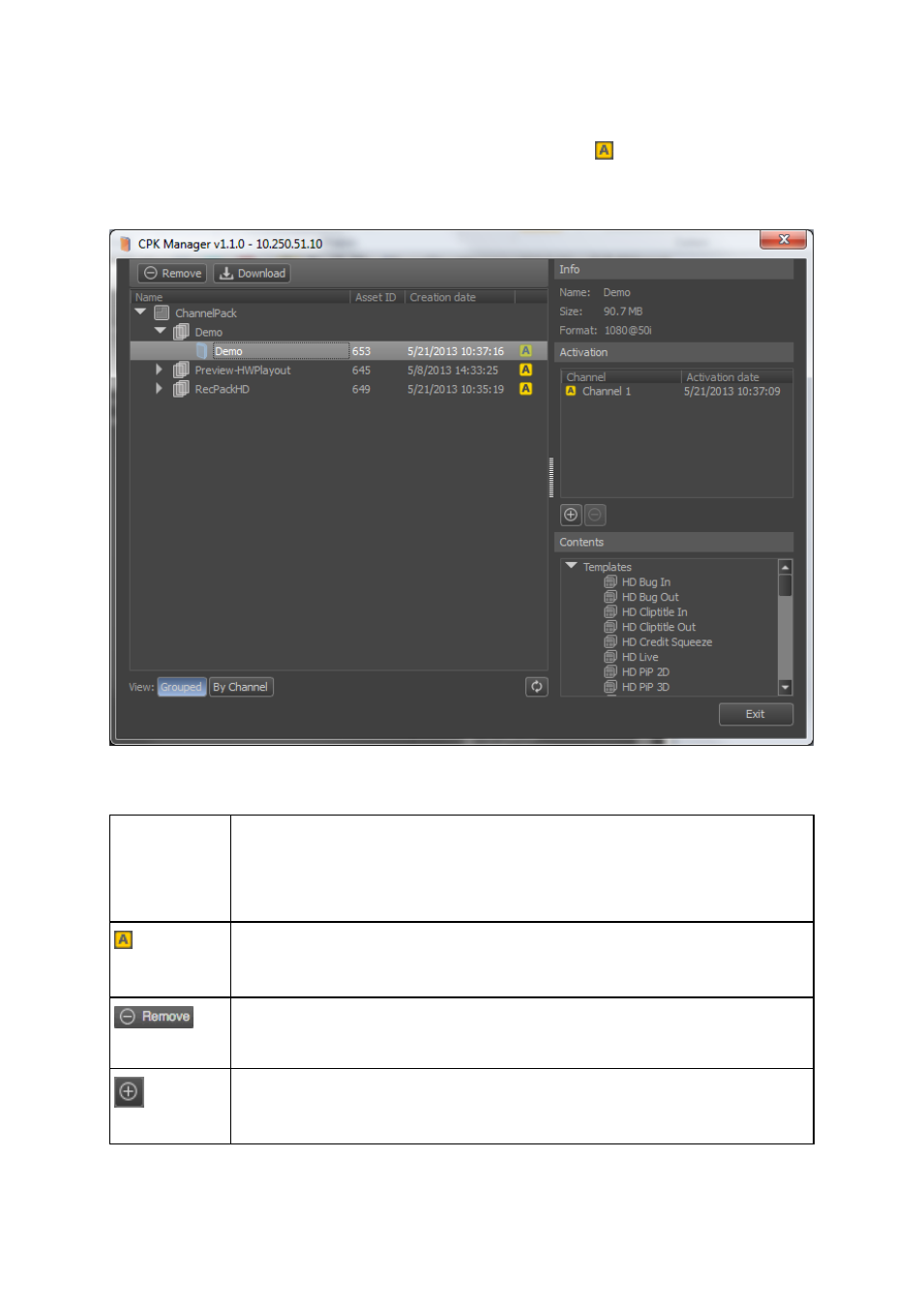
The example below shows Channel Packs per Project (Grouped). The
icon indicates that a Pack is
active. The Info window shows properties of the selected Pack. The Contents window shows
Templates, Formats, Applets and Scene Parameters included in the selected Pack.
Example.
View:
Grouped
Channel
: View Channel Packs Grouped per Project (in chronological order) or by Channel.
Indicates that the Channel Pack is currently active.
To remove a Pack from the TX/MAM database, select the Pack and click the
Remove icon.
To activate a Channel Pack for a Channel:
Select the Pack.
Advertising