Defining a new k2 storage system – Grass Valley K2 Storage System Instruction Manual v.3.3 User Manual
Page 165
Advertising
June 25, 2009
K2 Storage System Instruction Manual
165
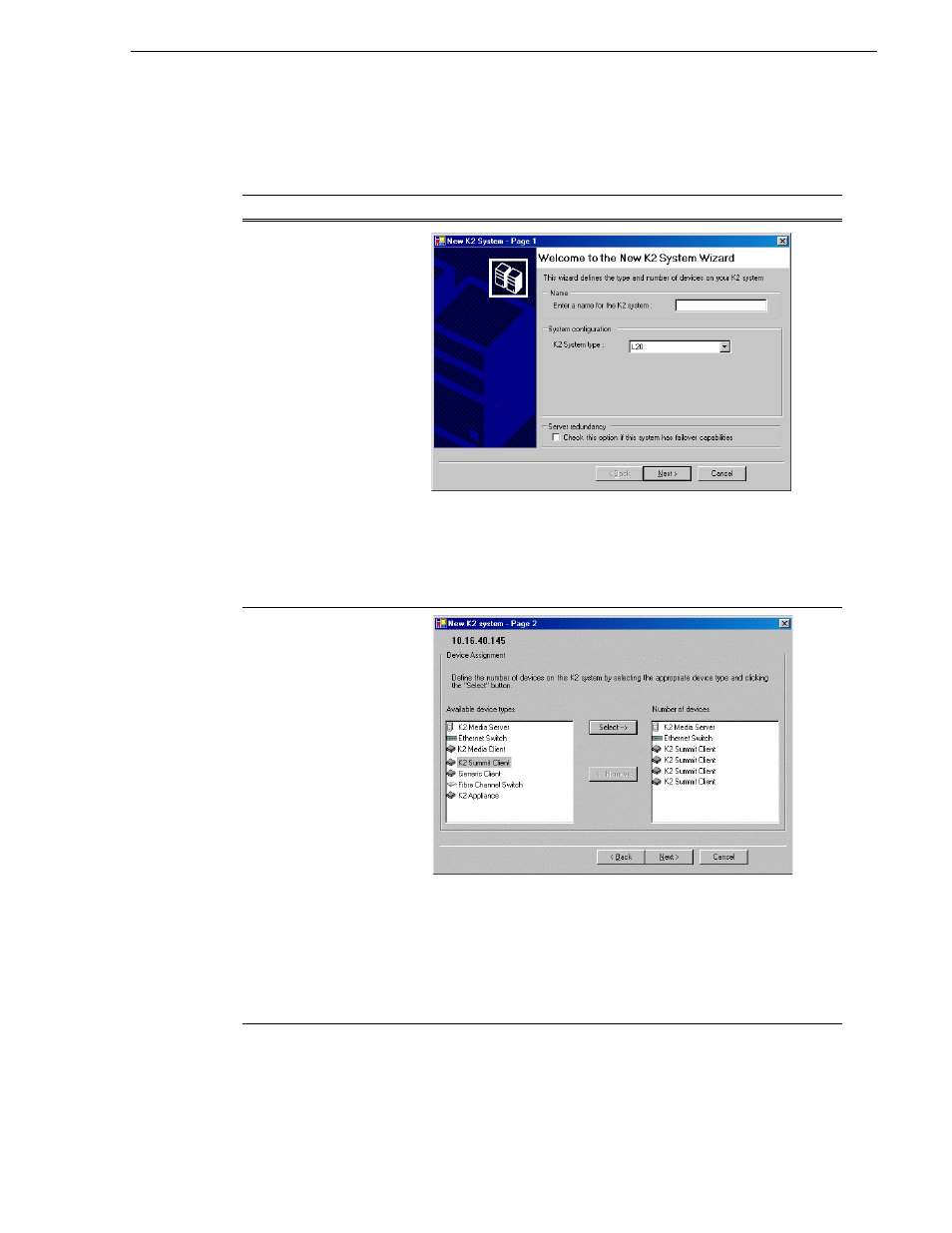
Defining a new K2 Storage System
4. Follow the on-screen text to define your Level 20 K2 Storage System, as described
in the following table.
On this page…
Do this…
Page 1
Create a name for your Level 20 K2 Storage System and type it in the
Name box.
Select
Level 20
.
Do not select the Server redundancy option.
Click
Next
Page 2
Move the following into the Number of Devices Box:
•
One K2 Media Server
•
One Ethernet switch
•
K2 Media Clients as appropriate for your system.
•
(Optional) One or more K2 Media Servers to represent each NH
K2 Media Server on your system.
•
(Optional) Other devices as appropriate for your system.
Click
Next
.
Advertising