Grass Valley Kalypso User Manual V.15.0 User Manual
Page 144
Advertising
144
Kalypso — User Manual
Section 3 — System Operation
5.
Repeat
and
until all the bank buttons have been mapped.
6.
If you map a source to a button that is currently mapped to another
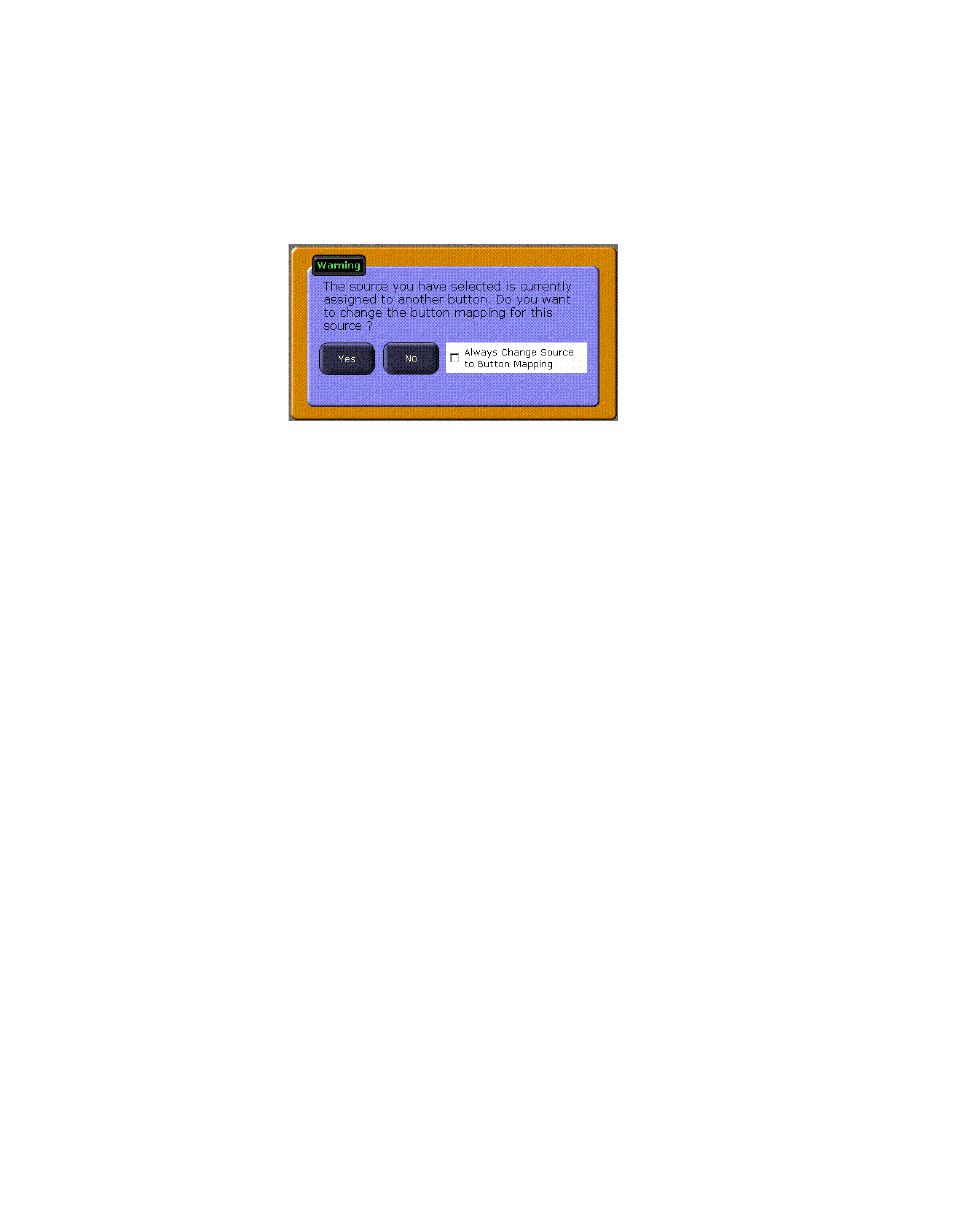
source, a warning dialog box may appear (
Figure 123. Button Mapping Warning Dialog
•
Selecting
Yes
maps the source to the button. The button originally
mapped to that source becomes unassigned.
•
Selecting
No
clears the window without making any changes.
•
Selecting the check box allows mapping already assigned sources
without bringing up the dialog box. Resetting the Menu panel auto-
matically clears the check box.
Advertising
This manual is related to the following products:
- Kalypso User Manual V.12.0 Apr 10 2007 Kalypso Reference Manual V.11.0 Kalypso Reference Manual V.12.0 Mar 16 2006 Kalypso Reference Manual V.12.0 Apr 10 2007 Kalypso Classic Installation V.11.0 Kalypso Classic Installation V.12.0 Mar 13 2006 Kalypso Classic Installation V.12.0 Apr 10 2007 Kalypso User Manual V.11.0 Kalypso User Manual V.12.0 Mar 16 2006 Kalypso Reference Manual V.15.1 Kalypso User Manual V.15.1 HD/Duo Kalypso Installation V.15.0 HD/Duo Kalypso Installation V.11.0 HD/Duo Kalypso Installation V.15.1 Kalypso Reference Manual V.15.0 Video Switcher