Reporting tools, Figure 304 – Grass Valley Maestro Master Control v.2.4.0 User Manual
Page 401
Advertising
397
MAESTRO User Manual
Section 8 — Maestro Content Management Center
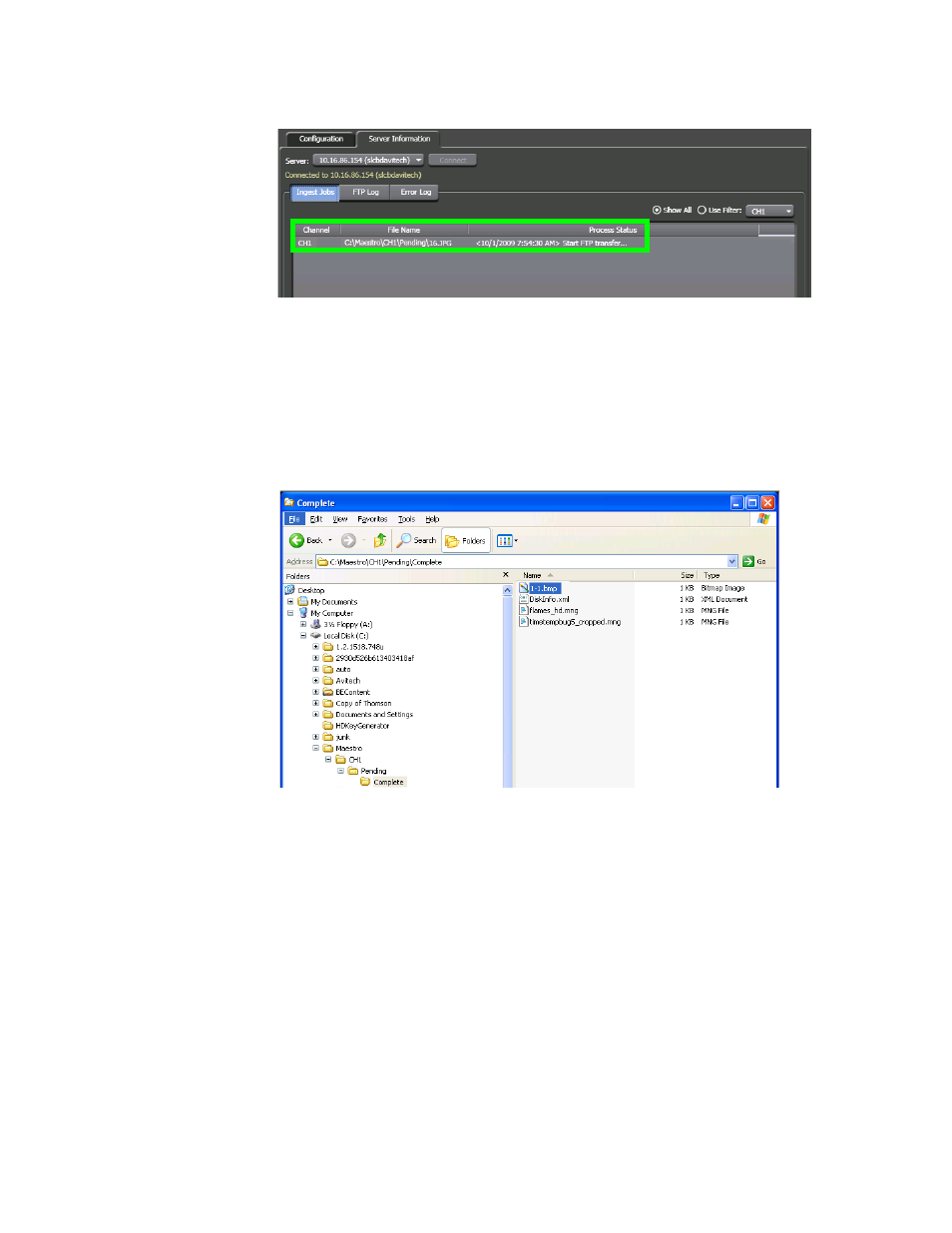
Figure 304. The File is Processed
The file will be transferred to the associated frame processor via
FTP after it has been converted.
•
The file will be placed in the Complete folder when the conversion
and deployment is completed. The DiskInfo.xml file, which con-
tains a record of the available disk space, is then updated.
Figure 305. The Complete Folder
Reporting Tools
Transfer Completed
A message will appear in the Process Status column when the FTP process
is completed. This message indicates that all internal Maestro element pro-
cessing has been completed and the content is available to be loaded and
played.
Advertising
This manual is related to the following products:
- Maestro Master Control v.2.2.0 Maestro Master Control v.2.3.0 7600REF v5.0 Installation 7600REF v3.0.0.8 Installation 7600REF v3.0.0.8 7600REF v5.0 7620PX-5 Installation 2012 7620PX Installation 2012 Kayenne Installation v.3.0 Kayenne K-Frame Installation v.6.0 Kayenne K-Frame Installation v.7.0 Kayenne K-Frame Installation v.8.0 Karrera K-Frame S-Series Installation v.8.0 Karrera Video Production Center Installation v.6.0 Karrera Video Production Center Installation v.7.0 Karrera Video Production Center Installation v.4.1 Karrera Video Production Center Installation v.4.0 Kayenne Installation v.4.0 7620PX 2012 7620PX-5 2012 7620PX 2008 MVMC 3G VMCR 3G 8900F GeckoFlex Frames Concerto Compact Routing System Concerto Routing Matrix v.1.8.1 Concerto Routing Matrix v.1.7.6.1 Concerto Routing Matrix v.1.7.5 GPIO-4848 Jupiter Maestro Master Control v.2.0.0 Maestro Master Control Installation v.2.0.0 Maestro Master Control Installation v.2.3.0 Maestro Master Control Installation v.2.4.0 KayenneKayenne v.2.0 v.2.0 Maestro Master Control Installation v.1.5.1