Mae-asn-cp source assignment control sub panel – Grass Valley Maestro Master Control v.2.4.0 User Manual
Page 43
39
MAESTRO User Manual
Section 1 — System Overview
panel. On late-model control panels, the clock/timer displays and associ-
ated controls are also included.
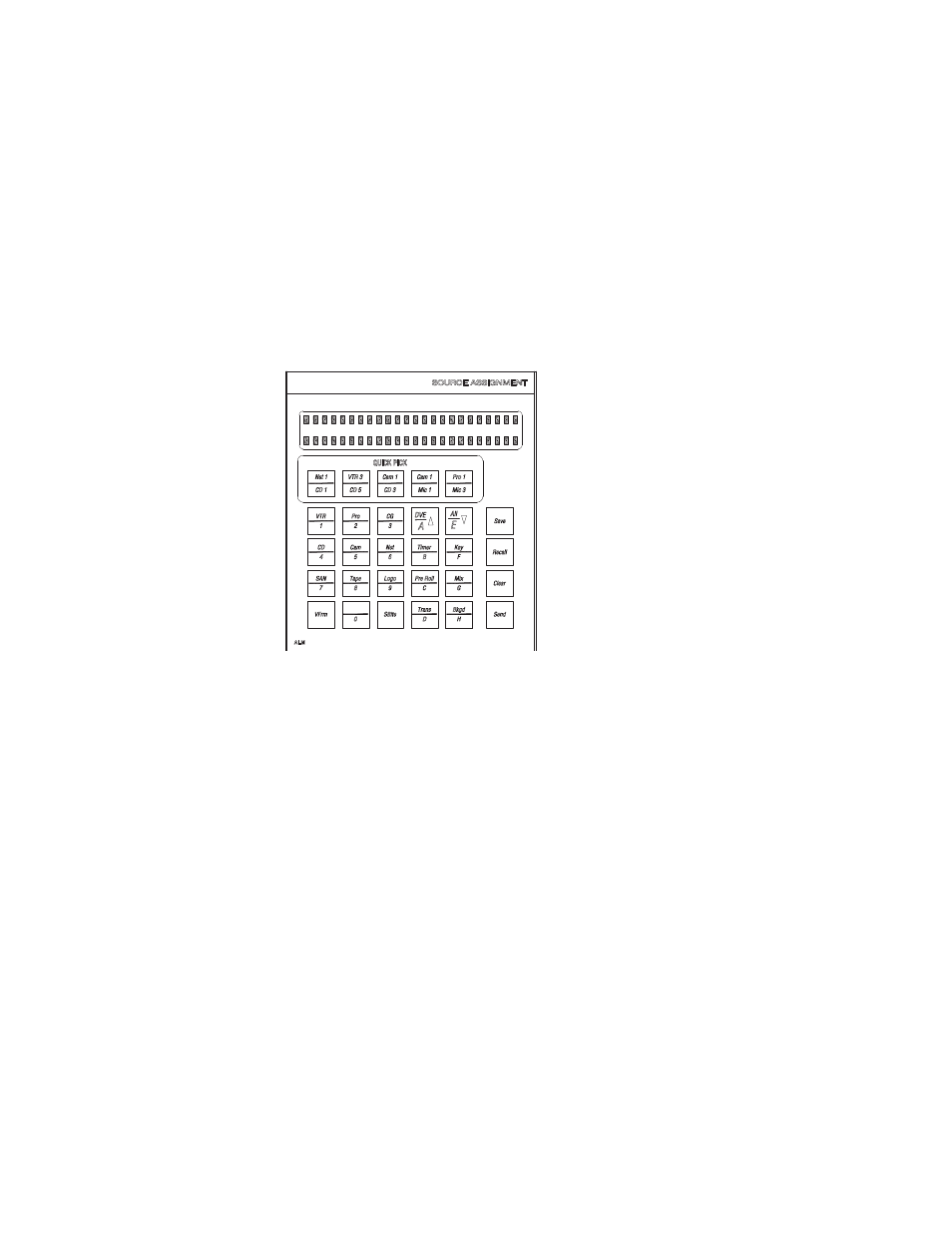
MAE-ASN-CP Source Assignment Control Sub Panel
The AE-ASN-CP Source Assignment Control Sub panel is used to assign
Routing switcher outputs to the 16 input positions in the Source Control
Main Panel; assign Key signals to the four positions on the Keyer module;
and to assign audio over/under mix signals to the four positions in the
Audio module.
Figure 10. The MAE-ASN-CP Source Assignment Control Sub Panel
This sub panel is also used to perform the following functions:
•
Set a user-defined transition rate or timer value
•
Save and recall background button, keyer and audio mix over source
assignments
Note
When Automation background buttons are used, it is the responsibility of the
user to define a sufficient number of buttons. There is no restriction for the
number of background buttons that are defined for automation. However,
non-DVE system operation requires at least three buttons. DVE systems
require at least four buttons. Using Breakaways could potentially use all but-
tons.
•
Recall configured independent transitions
8384_12
- Maestro Master Control v.2.2.0 Maestro Master Control v.2.3.0 7600REF v5.0 Installation 7600REF v3.0.0.8 Installation 7600REF v3.0.0.8 7600REF v5.0 7620PX-5 Installation 2012 7620PX Installation 2012 Kayenne Installation v.3.0 Kayenne K-Frame Installation v.6.0 Kayenne K-Frame Installation v.7.0 Kayenne K-Frame Installation v.8.0 Karrera K-Frame S-Series Installation v.8.0 Karrera Video Production Center Installation v.6.0 Karrera Video Production Center Installation v.7.0 Karrera Video Production Center Installation v.4.1 Karrera Video Production Center Installation v.4.0 Kayenne Installation v.4.0 7620PX 2012 7620PX-5 2012 7620PX 2008 MVMC 3G VMCR 3G 8900F GeckoFlex Frames Concerto Compact Routing System Concerto Routing Matrix v.1.8.1 Concerto Routing Matrix v.1.7.6.1 Concerto Routing Matrix v.1.7.5 GPIO-4848 Jupiter Maestro Master Control v.2.0.0 Maestro Master Control Installation v.2.0.0 Maestro Master Control Installation v.2.3.0 Maestro Master Control Installation v.2.4.0 KayenneKayenne v.2.0 v.2.0 Maestro Master Control Installation v.1.5.1