Watch television, Beo4 operation – Bang & Olufsen BeoVision 8-40 Getting Started User Manual
Page 10
Advertising
Watch television
Select a TV channel by its number or switch to another
channel. Adjust the sound volume.
Beo4 operation
Activate the TV source to use these functions
Switch on the TV
Select a TV channel
Adjust the volume
Bring up a channel list
Switch off the TV
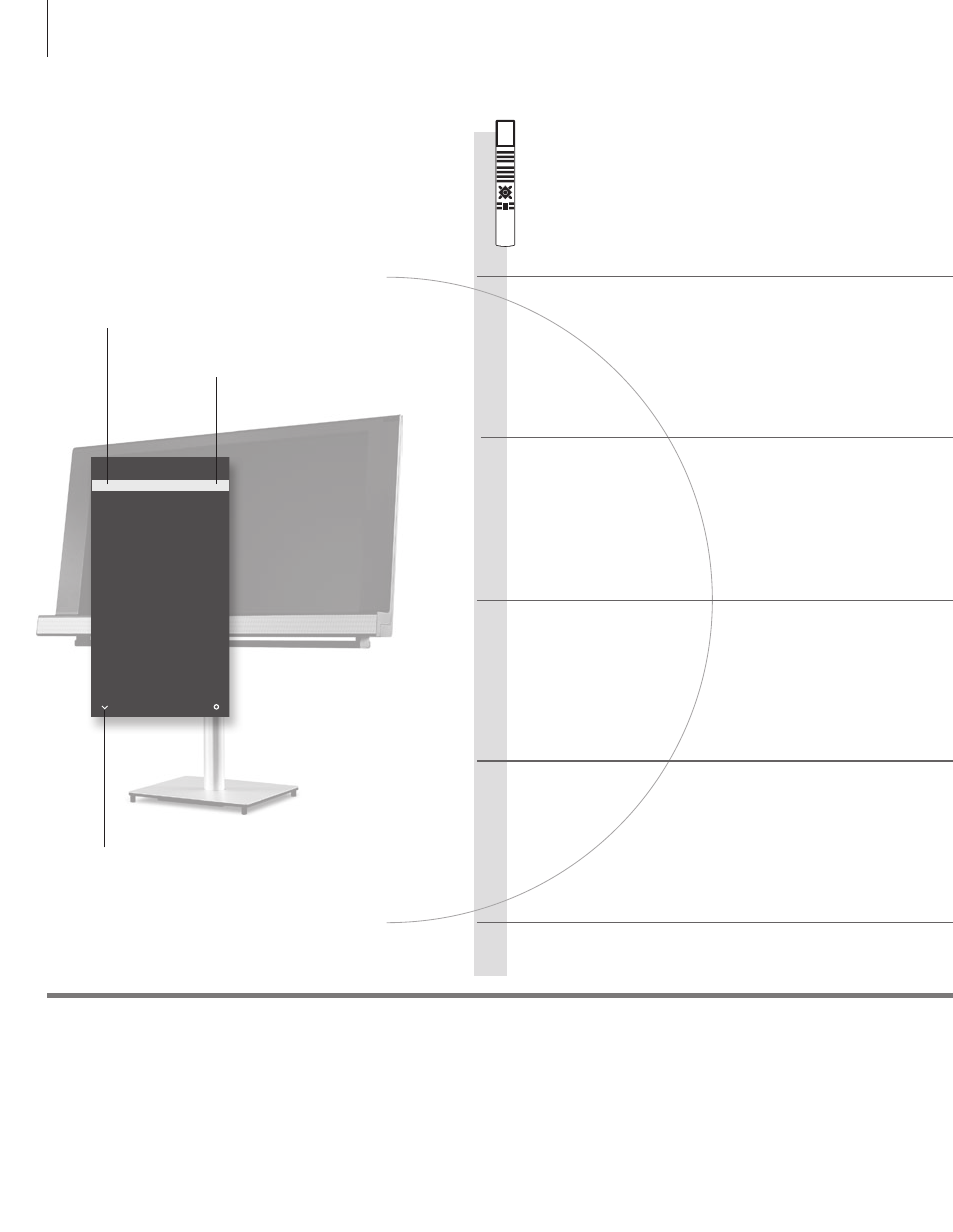
TV CHANNEL LIST
CNN
1
…
2
DISCOVER
3
CWNBC
4
BBCWORLD
5
…
6
…
7
…
8
SUPER CH
9
…
10
CRIME TV
11
CINEMA
12
…
13
MOVIE NW
14
…
15
…
16
…
17
…
18
more
select
10
Channel name
Channel number
Indicates that more channels are available
Advertising
See also other documents in the category Bang & Olufsen Televisions:
- BeoVision MX TV (40 pages)
- BeoSystem 4 with BeoRemote One User Guide (No tuner) (60 pages)
- BeoSystem 4 with BeoRemote One User Guide (No tuner) (83 pages)
- BeoSystem 4 with BeoRemote One User Guide (No tuner) (82 pages)
- BeoVision 11 with Beo4 Getting Started (No tuner) (32 pages)
- BeoVision 11 with Beo4 User Guide (No tuner) (44 pages)
- BeoVision 11 with Beo4 User Guide (62 pages)
- BeoPlay V1 Getting Started (No tuner) (24 pages)
- BeoVision 12 (Floor Stand) (48 pages)
- BeoVision 12 (Wall Bracket) (48 pages)
- BeoPlay V1 User Guide (No tuner) (51 pages)
- BeoPlay V1 Supplement (No Tuner) (4 pages)
- BeoPlay V1 Stands & Brackets (20 pages)
- BeoVision 10 Getting Started (24 pages)
- BeoVision 10 Getting Started (32 pages)
- BeoVision 8-40 User Guide (46 pages)
- BeoVision 4-85/103 (12 pages)
- BeoVision 4-50/65 (8 pages)
- BeoSystem 4 with BeoRemote One Quick Guide (No Tuner) (16 pages)
- BeoSystem 4 with Beo4 Getting Started (No tuner) (22 pages)
- BeoSystem 4 with Beo4 User Guide (58 pages)
- BeoSystem 3 Getting Started (36 pages)
- BeoSystem 3 User Guide (74 pages)
- BeoVision 7-32 Supplement (8 pages)
- BeoVision 7-32 User Guide (28 pages)
- BeoCenter 6-26 (20 pages)
- BeoSystem 1 (52 pages)
- BeoSystem 3 Getting Started (32 pages)
- BeoSystem 3 Getting Started - No ATSC (28 pages)
- BeoVision 9 Supplement (4 pages)
- BeoVision 6 (20 pages)
- BeoVision 5 (40 pages)
- BeoVision 8-26/32 (40 pages)
- BeoVision 8-40 Supplement to User Guide (pre Aug 2010) (8 pages)
- BeoVision 8-40 User Guide (44 pages)
- BeoVision 8-40 User Guide (pre Aug 2010) (60 pages)
- BeoVision 9 User Guide (64 pages)
- BeoVision 9 User Guide (68 pages)
- BeoVision Avant (1995-2005) (16 pages)
- BeoVision 11–55 (36 pages)