Changing the size of screen characters (zoom) – Casio EW-B100C User Manual
Page 57
Advertising
55
Changing the Size of
Screen Characters (Zoom)
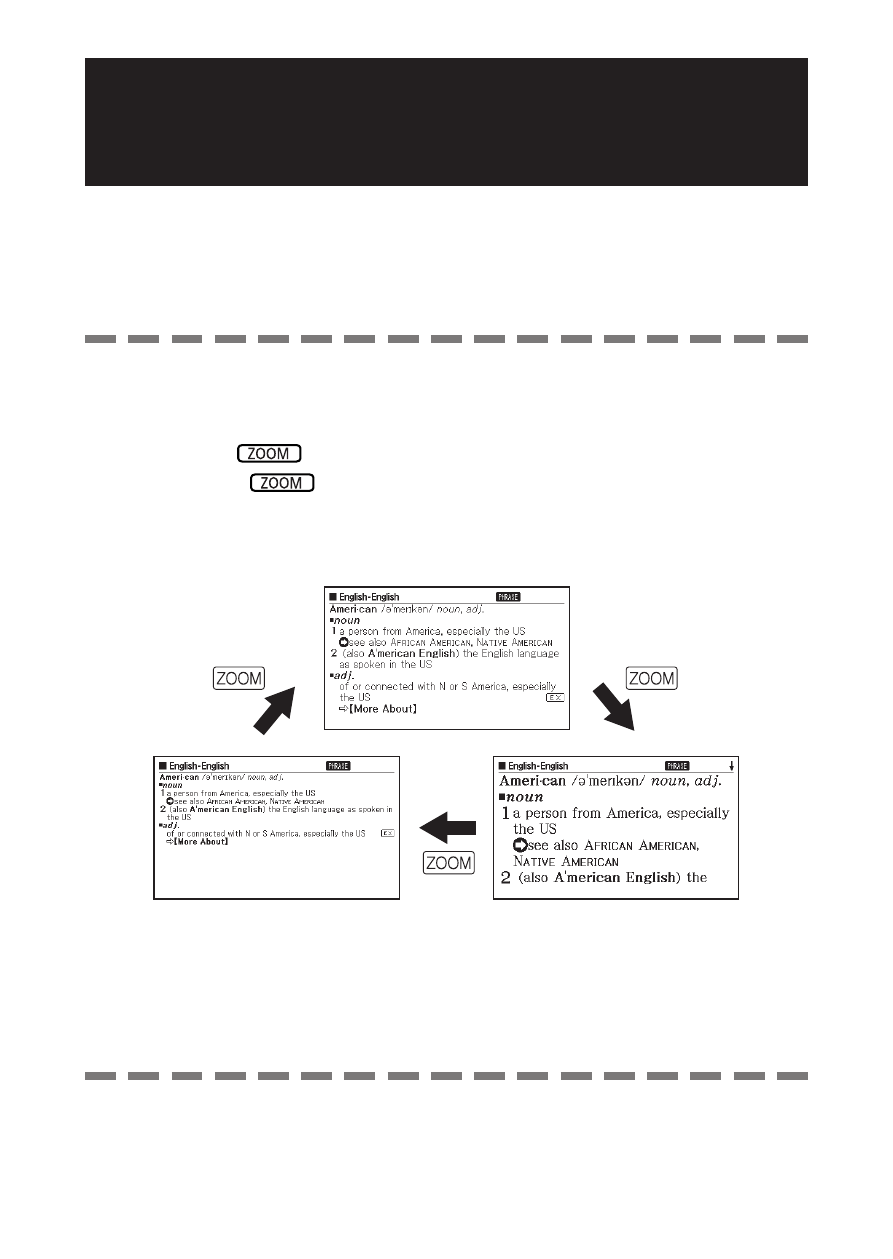
You can perform a zoom operation to change the character size of
on-screen text while a list screen, defi nition screen, or comment
screen is on the display.
To change the screen character size
While a list screen, defi nition screen or comment screen is on the
display, press
.
Each press of
cycles through the character sizes in the
sequence 16 dots
➝ 24 dots ➝ 12 dots ➝ 16 dots, etc.
The following shows an example of how zoom affects the defi nition
screen.
■
•
•
The screen character size selected here is applied for the defi nition,
comment, and list screens.
Zoom is not supported while a table or fi gure is displayed.
•
•
Advertising