Advanced programmings and registrations – Casio PCR-T500 User Manual
Page 88
E-88
Advanced programmings and registrations
Printing various sales reports
You can print categorized sales reports such as PLU sales report, item group sales report, hourly sales
report etc.
•
Please do not perform the reset (Z) report during the business hour as it clears stored sales data from
the memory.
•
Please see page E-47 for printout sample of a daily report.
Printing various sales reports
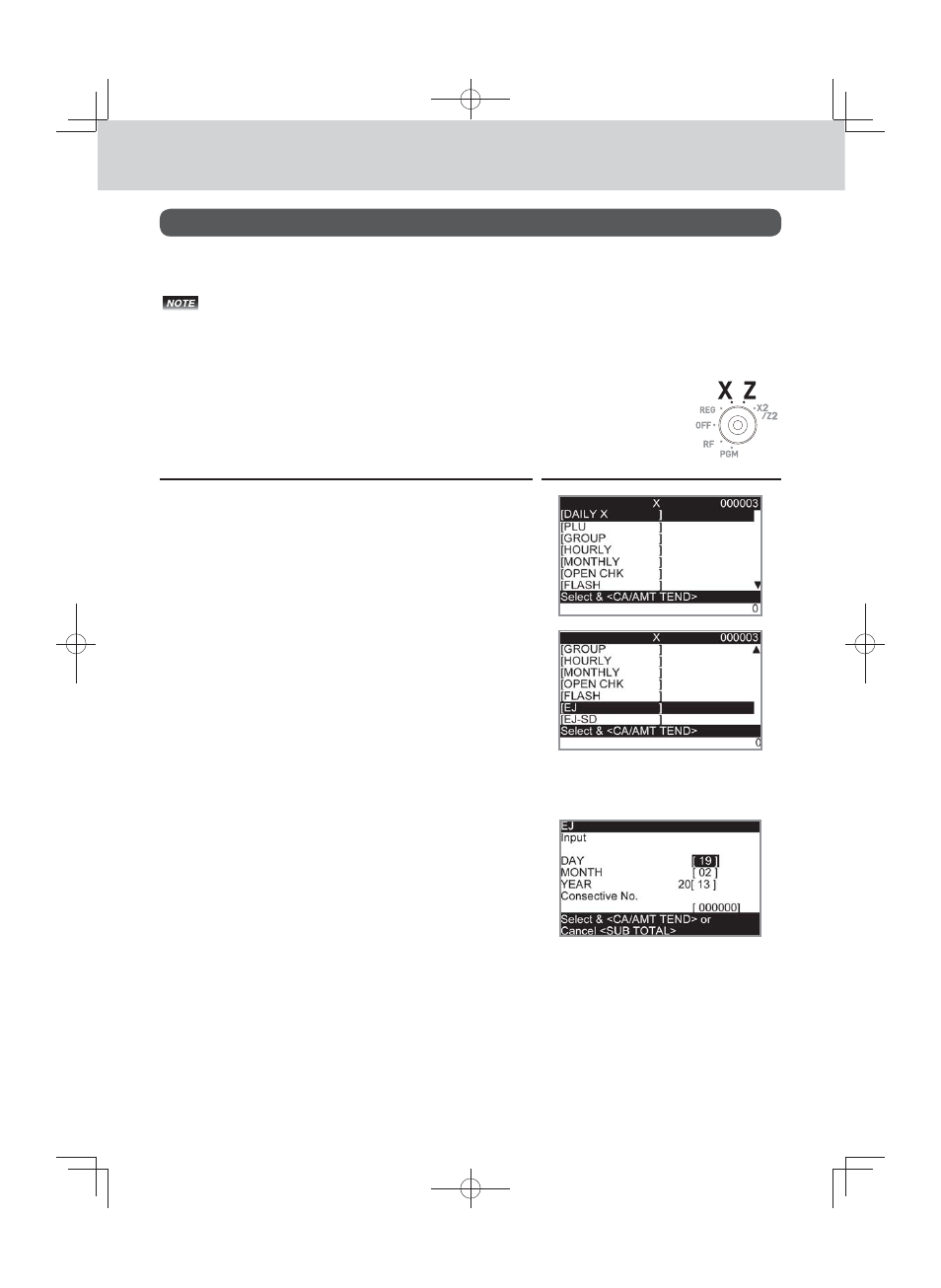
The followings are the example operation for printing an electronic journal of
February 28, 2013.
Step
Display
1
Turn the Mode switch to X or Z position. The display shows
the top menu of sales reports.
2
Using
?
or
>
keys select the report you wish to obtain.
The example on the right is for selecting electronic journal.
As it is the lowest column, [EJ ] is hidden from the de-
fault top menu. Select it by keep pressing
>
key.
3
Press
F
key. The display shows the next screen ask-
ing date or consecutive number. Select [Date] and press
F
key.
4
Input year, month, and day from ten key pad. The journal of
assigned date will be printed if you press
F
key.