Main menu – Precision Digital PD6400 User Manual
Page 33
Advertising
Model PD6400 High Voltage & Current Meter
Instruction Manual
33
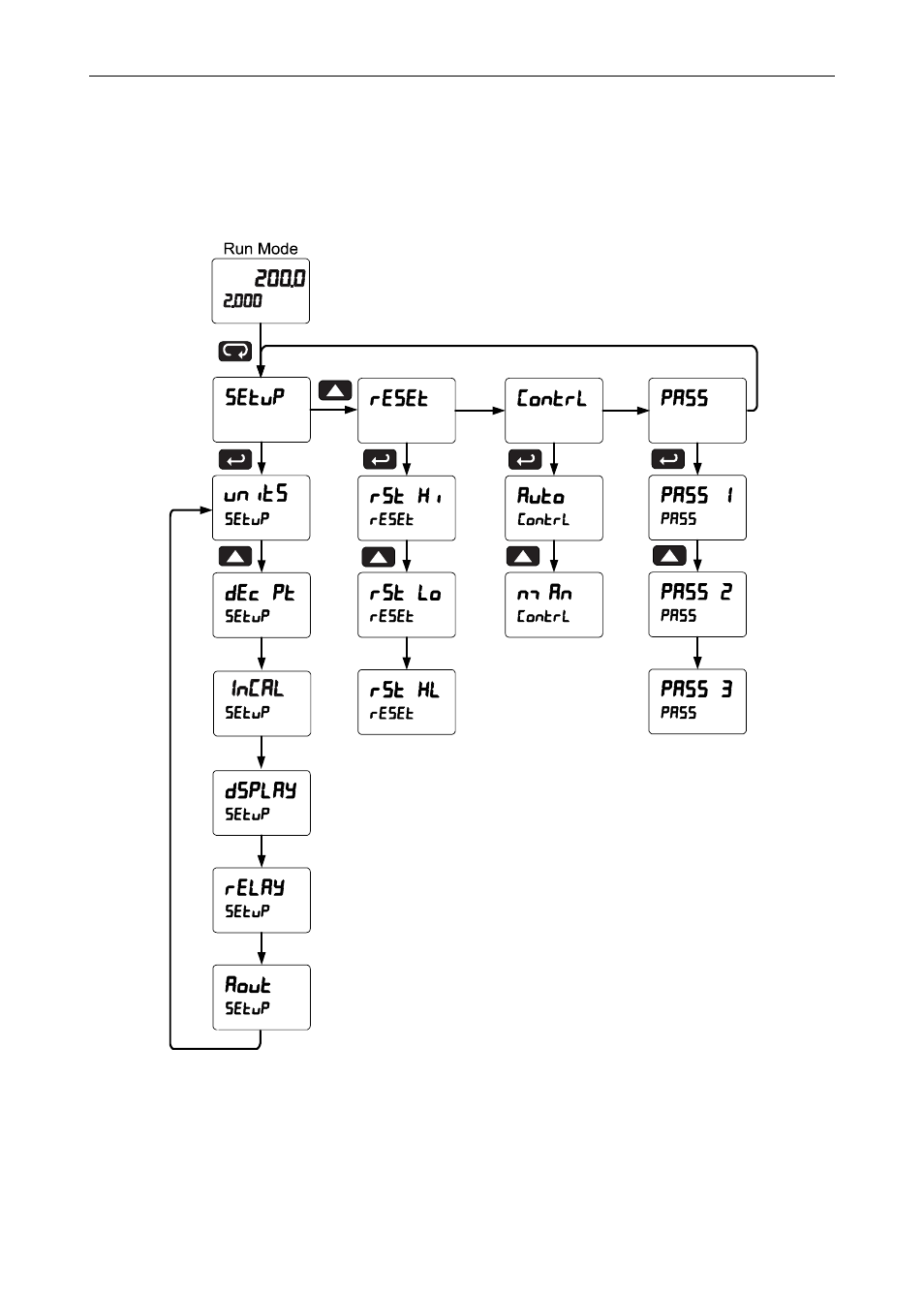
Main Menu
The main menu consists of the most commonly used functions: Reset,
Control, Setup, and Password.
•
Press Menu button to enter Programming Mode then press the Up
arrow button to scroll main menu.
•
Press Menu at any time to exit and return to Run Mode. Changes
made to settings prior to pressing Enter are not saved.
•
Changes to the settings are saved to memory only after pressing
Enter.
•
The display moves to the next menu every time a setting is
accepted by pressing Enter.
Advertising