HP OfficeJet Pro 7740 User Manual
Page 122
Advertising
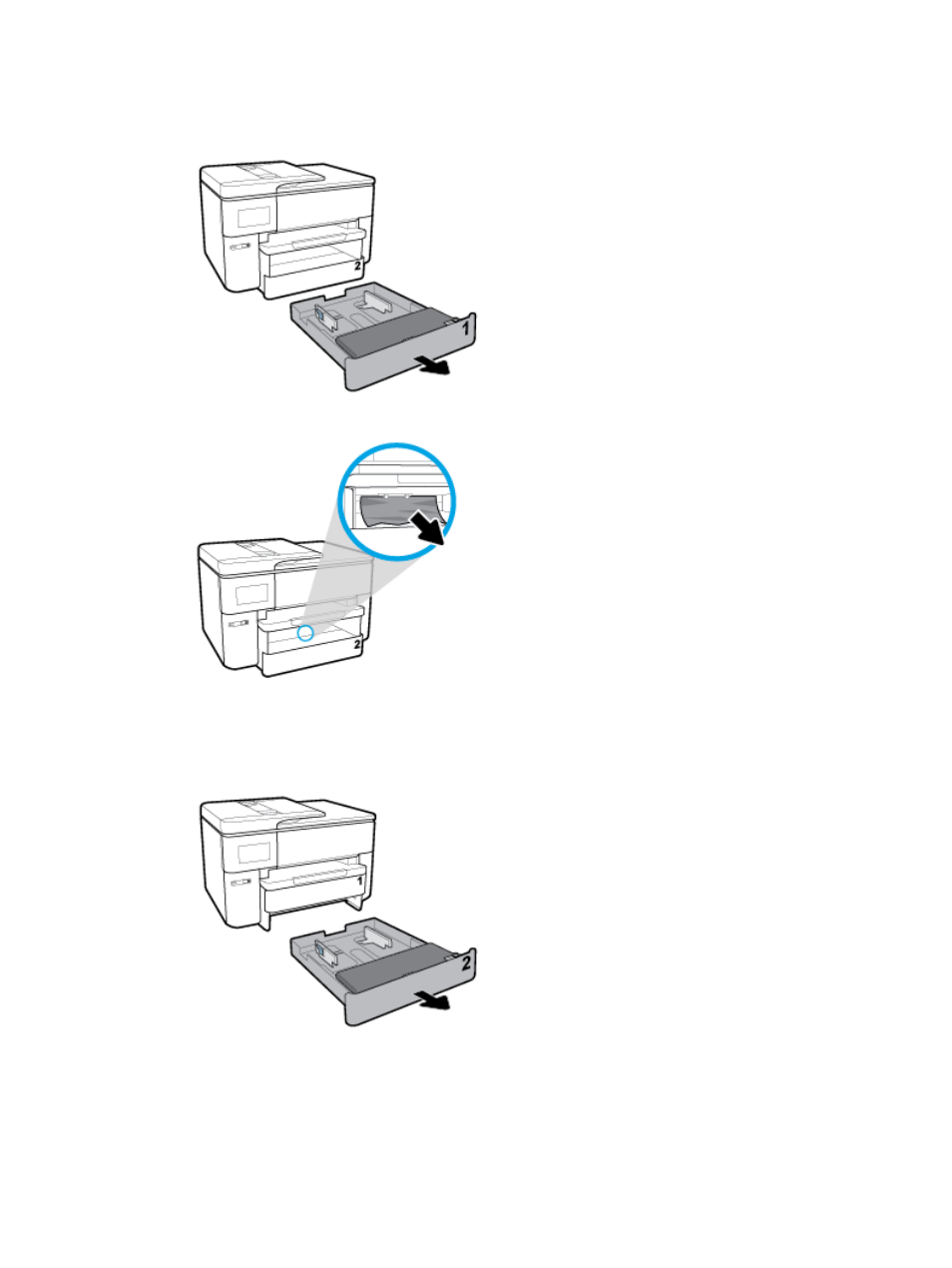
To clear a paper jam from Tray 1
1.
Pull Tray 1 out of the printer completely.
2.
Check the gap in the printer where the input tray was. Reach into the gap and remove the jammed paper.
3.
Insert Tray 1 back into the printer.
To clear a paper jam from Tray 2
1.
Pull Tray 2 out of the printer completely.
ENWW
Jams and paper-feed issues 109
Advertising
This manual is related to the following products: