Recording movies – Nikon Coolpix A10 User Manual
Page 87
E
37
Re
fe
ren
ce
S
e
ct
io
n
• When no memory card is inserted (i.e., when using the camera’s internal memory), Movie
options (
E55) is set to g 480/30p or u 240/30p. f 720/30p cannot be
selected.
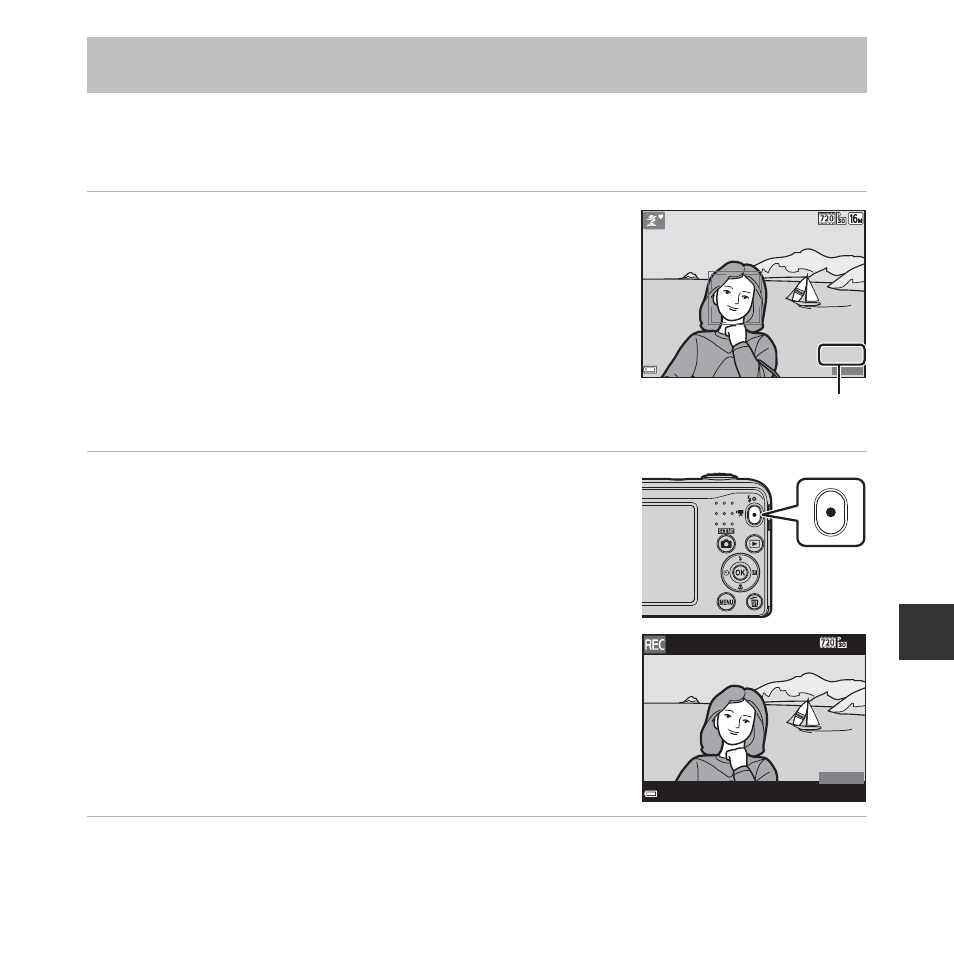
1
Display the shooting screen.
• Check the remaining amount of movie recording time.
• If Photo info in the Monitor settings (E60) in the setup
menu is set to Movie frame+auto info, the area that will
be visible in the movie can be confirmed before movie
recording starts.
• When recording movies, the angle of view (i.e., the area
visible in the frame) is narrower compared to that of still
images.
2
Press the
b (e movie-record) button to start
movie recording.
• The camera focuses on the subject in the center of the
frame.
3
Press the
b (e movie-record) button again to stop recording.
Recording Movies
1 9 0 0
1 9 0 0
1 5 m 0 s
1 5 m 0 s
Movie recording time
remaining
7 m 3 0 s
7 m 3 0 s